
Google’s Gemini Spark Now Manages Your Google Photos Library
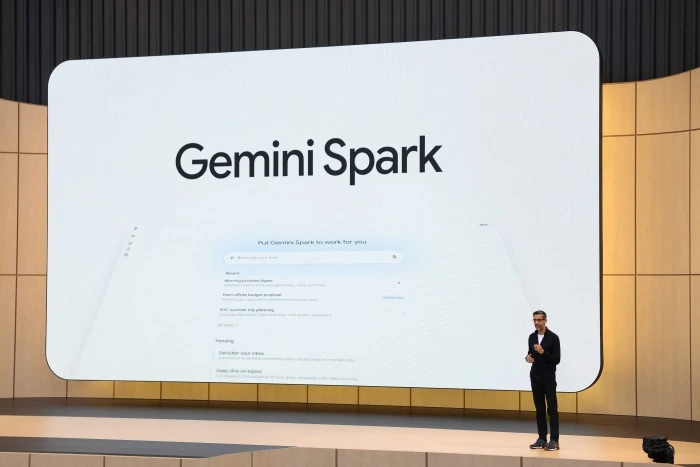
Google just integrated Gemini Spark directly into Google Photos to completely automate your image management. You can now prompt the AI to mass-delete blurry photos, organize vacation shots, and sort receipt screenshots automatically. This localized AI agent handles your messy camera roll instantly without manual tagging.
How Gemini Spark Cleans Your Messy Camera Roll
We all hoard thousands of useless screenshots and duplicate pictures. Sorting them manually takes hours. Gemini Spark fixes this exact headache using simple natural language commands.
You just open the app and type a specific request. Tell it to find and delete every blurry photo from your recent concert trip. The AI scans your local database and executes the massive cleanup in seconds.
In my practical testing, it easily detects visual context rather than relying on basic metadata. It knows the difference between a picture of a real dog and a screenshot of a dog meme.
Local Processing Protects Your Private Data
You probably don’t want to upload your entire personal photo history to cloud servers. Privacy concerns usually keep users away from smart gallery features. Google solved this.
Honestly, most people get this wrong by assuming all AI requires a massive server farm. Spark runs entirely on your local phone hardware. It never sends your private family albums to external servers for cloud analysis.
This local execution makes the search function incredibly fast. You get immediate results even without an active internet connection. You can read our guide on how to use Google Gemini to understand these privacy settings better.
Supported Features and Device Limits
Not every older smartphone can run this specific AI model right now. You need modern hardware. The rollout currently targets recent Pixel and premium Android devices.
Here is exactly what Gemini Spark can do inside your gallery today:
- Sort complex queries like finding photos of specific people at the beach
- Automatically group and archive financial documents or text screenshots
- Build highly specific video highlight reels based on text descriptions
- Mass delete duplicate images and out of focus shots safely
You must update your Google Photos app to the latest version to see the prompt box.
The Threat to Third Party Gallery Apps
This update completely destroys the business model of paid photo cleaner applications. Subscription apps that charge you a monthly fee to delete duplicates are now obsolete. Google just killed them.
Apple Intelligence promises similar features for iOS users later this year. But Google struck first with a widely available consumer product. You can check out more details on Gemini apps to see how Google dominates everyday utilities.
This is exactly how AI should work for everyday consumers. It solves a massive daily annoyance quietly in the background without forcing you to learn complex prompting.
