

Adobe Acrobat AI Assistant
✓ VerifiedAdobe's AI assistant inside Acrobat that summarizes PDFs, answers questions, and finds key points. Built for professionals who live in documents.
Best For: Professionals who need trusted AI summaries inside Acrobat
The Verdict: Adobe Acrobat AI Assistant
Acrobat AI Assistant is the safest pick for professionals who need AI document help without leaving Acrobat. The summaries are solid, the citations keep it honest, and Adobe's security stance suits regulated work. The honest downside is cost: an add-on on top of a subscription feels like paying twice, and teams should do the per seat math before rolling it out. For individuals buried in PDFs daily, it earns its $1.99.
What is Adobe Acrobat AI Assistant?
Adobe Acrobat AI Assistant is a generative AI add-on built directly into Acrobat. It summarizes long PDFs, answers questions about their contents, and surfaces key points, all with clickable citations that jump to the exact passage. It is aimed at people whose work already runs through Acrobat: lawyers, analysts, accountants, and operations teams. What sets it apart is placement and trust. Because it lives inside Acrobat, there is no upload step and no format conversion. The attribution engine behind every answer shows its sources, so you can verify instead of guessing. Adobe's enterprise security posture also makes it an easier sell to IT departments than uploading contracts to a random web app. The catch is the price stack. You need a paid Acrobat plan first, then the $1.99 per month add-on per user. For a solo professional that is reasonable. For a 50 person team it becomes a real line item. If your documents live in Acrobat already, the convenience is hard to beat. If they do not, a standalone chat PDF tool may serve you better.
Who is Adobe Acrobat AI Assistant Best For?
Professionals who need trusted AI summaries inside Acrobat
Adobe Acrobat AI Assistant Key Features
Adobe Acrobat AI Assistant Pricing & Plans
Adobe Acrobat AI Assistant Review Summary
| Performance Score | A- |
| Content Quality | Summaries are tight and the citation links make fact checking painless. |
| Interface | It sits inside the Acrobat you already know, with a simple chat panel. |
| AI Technology | Generative summaries and question answering with source attribution. |
| Purpose | Understanding and working with PDF documents faster inside Acrobat. |
| Compatibility | |
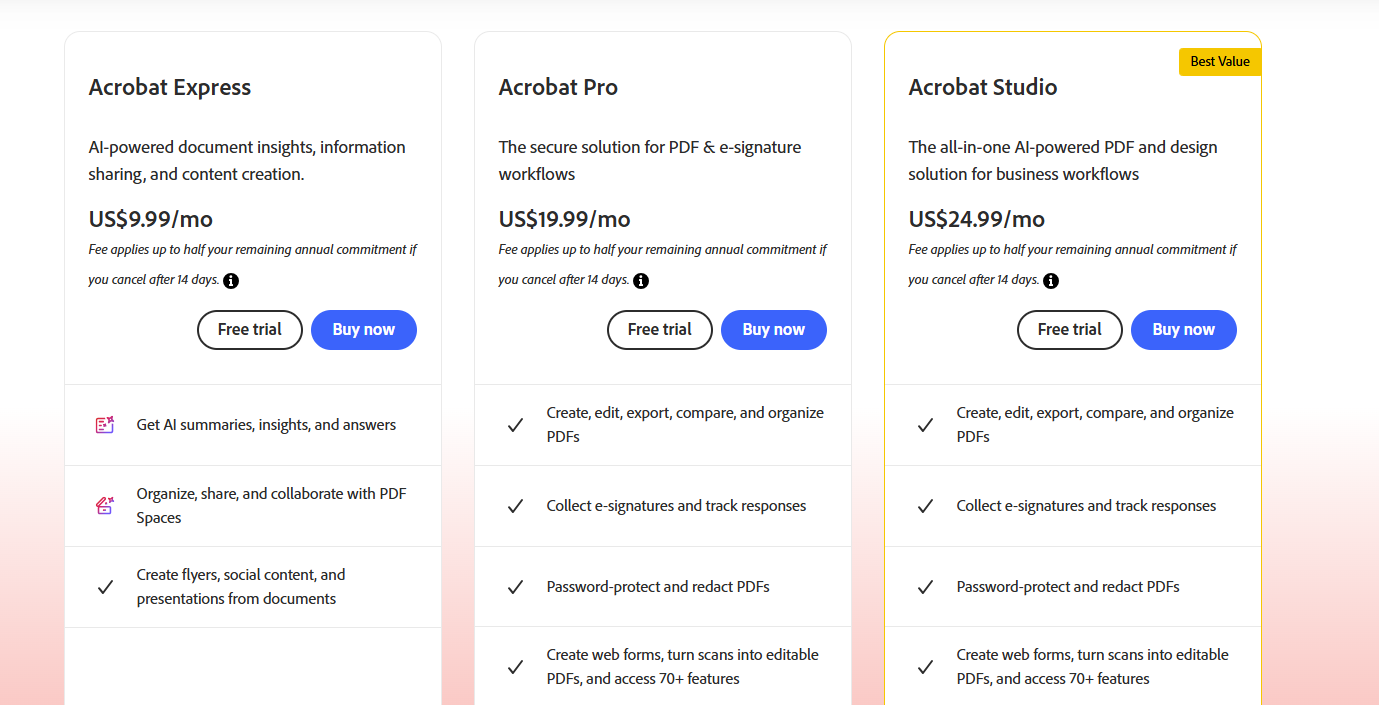
| Pricing Summary | $1.99 per month add-on or $19.99 per year, on top of a paid Acrobat subscription. |
Adobe Acrobat AI Assistant Pros & Cons
✅ Pros
- Lives inside Acrobat, no new app to learn
- Citations make every answer checkable
- Strong security story for business documents
- Excellent OCR on scanned files
- Adobe keeps improving it with regular updates
❌ Cons
- It is an add-on cost on top of a paid Acrobat subscription
- $1.99 per month adds up for teams when every seat needs it
- Only useful if your documents are already PDFs in Acrobat
- Answers can miss nuance in highly technical writing
- No standalone version outside the Acrobat family
FAQs
How much does Acrobat AI Assistant cost?
▼Is Acrobat AI Assistant included with Acrobat Pro?
▼Does it work on scanned PDFs?
▼Can I trust the summaries for legal documents?
▼Is my document data used to train AI models?
▼Does it work on mobile?
▼More AI Tools You Might Like

KAYAK's conversational AI search lets you chat your way to flights, hotels,…
View Tool ↗
Tripadvisor's AI trip builder creates custom itineraries from your saves, powered by…
View Tool ↗
Free AI travel assistant that lives in WhatsApp and Messenger, answering trip…
View Tool ↗
Free AI trip planner that turns your interests and budget into a…
View Tool ↗
Free trip planner that puts your itinerary, map, bookings, and budget in…
View Tool ↗
AI trip planner backed by human travel advisors who check your itinerary,…
View Tool ↗
Personal AI travel assistant that learns your style, builds mapped itineraries, tracks…
View Tool ↗
Dubai property intelligence with building level prices, rental yields and price forecasts,…
View Tool ↗