

Adobe Photoshop
✓ VerifiedAdobe photo editor with layers, masking and Firefly AI tools like Generative Fill, built for pro retouching, composites and digital art.
Best For: Photographers, retouchers and designers who need full layer based control over every edit
Adobe Photoshop Quick Facts
| Founded | 1982 |
| Free Plan | Mobile app and web starter |
| Top Feature | Generative Fill |
| Main Limitation | Steep learning curve, subscription only |
The Verdict: Adobe Photoshop
Photoshop is the strongest editor in this category and the one worth learning properly if edited images earn you money. Its lead is not the AI features on their own. It is that those features land inside the deepest layer, masking and retouching system available, so an AI result is a starting point you can refine rather than a picture you have to accept. Take the free trial first, and if you shoot photos, the Photography plan is the smarter buy since it pairs Photoshop with Lightroom for less than the standalone app. If your editing is a handful of product shots or social posts a month, start with a lighter tool from this category and move up when the work demands it.
What is Adobe Photoshop?
Adobe Photoshop is a professional image editor for photo retouching, compositing and digital art, built on layers and masks and now carrying Adobe's Firefly generative AI tools inside the same workspace. It runs on Windows and macOS, in the browser, and on phones, and it is still the editor the rest of this category gets measured against, which is why it leads our guide to the best AI image editor tools.
The working method is selection, layers and adjustment. You isolate a subject with masking that understands hair and fine edges, stack each change on its own layer so nothing is final until you say so, and finish in Camera RAW. The AI tools plug into that method instead of replacing it. Generative Fill paints new content into a selection from a written prompt, Generative Expand rebuilds the edges when a frame needs more room, and Harmonize matches a pasted object to the light of the scene under it. The models are Adobe's own Adobe Firefly family, with partner models such as Nano Banana Pro and FLUX offered in the same panel, and Generative Upscale drawing on Topaz Labs models to rebuild resolution.
The price of that depth is weight. The program rewards people who edit every week and gives the occasional user the same subscription bill for a fraction of the toolkit. Layered files also grow large, and a print size composite is a heavy document for an older laptop. None of that changes the standing of the tool. For photographers, retouchers and designers, Photoshop remains the reference point, and the AI additions have made its slowest jobs faster without taking the manual control away.
The Company Behind Adobe Photoshop
Adobe started in December 1982, when John Warnock and Charles Geschke left Xerox PARC to sell PostScript, the page description language they had built there. The company grew from that printing base into the default software stack for creative work, with Illustrator, Acrobat and the PDF format all coming out of the same house. It is now a public company based in San Jose, California. Photoshop was not written inside Adobe. Thomas Knoll started it in 1987 as a way to show grayscale images on a Macintosh, his brother John saw the editing potential, and Adobe licensed the program in 1988. Version 1.0 shipped in February 1990 for the Macintosh, Adobe bought the program outright in 1995, and layers arrived in version 3 and turned it into the compositing tool the industry still builds around.
Who is Adobe Photoshop Best For?
Photographers, retouchers and designers who need full layer based control over every edit
Adobe Photoshop Key Features
Top Benefits of Adobe Photoshop
How to Use Adobe Photoshop
- Open a photo in the desktop, web or mobile app, or start a blank canvas at your print or screen size
- Select the area you want to change with the lasso, the Object Selection tool or Select Subject
- Type what you want in the Contextual Task Bar and run Generative Fill, then pick from the variations it offers
- Pull the canvas wider with the Crop tool and let Generative Expand rebuild the new edges
- Blend the result with masks and adjustment layers, and finish tones in Camera RAW
- Export a flattened copy for web or print and keep the layered PSD as your master file
Where Adobe Photoshop Fits: Use Cases
- Studio portrait and fashion retouching
- Product photo cleanup for stores and catalogues
- Composited ad creatives and campaign key visuals
- Extending backgrounds for website heroes and banners
- Restoring damaged or low resolution older photos
- Packaging, app and print mockups for client approval
Adobe Photoshop Pricing & Plans
Adobe Photoshop Review Summary
| Performance Score | A |
| Content Quality | Composites and retouches hold up at print size because edits stay on full resolution layers with masks, blend modes and adjustment layers over the original pixels. |
| Interface | Dense, keyboard driven and built for speed once learned, with a prompt based AI Assisted Editor for a quick start beside the full Pro Editor. |
| AI Technology | Adobe Firefly models built in for fill, expand and upscale work, with partner models such as Firefly Image 5, Nano Banana Pro and FLUX selectable in the same panel. |
| Purpose | Professional photo editing, retouching and compositing for people whose images are their work product. |
| Compatibility | Desktop, Web, Mobile |
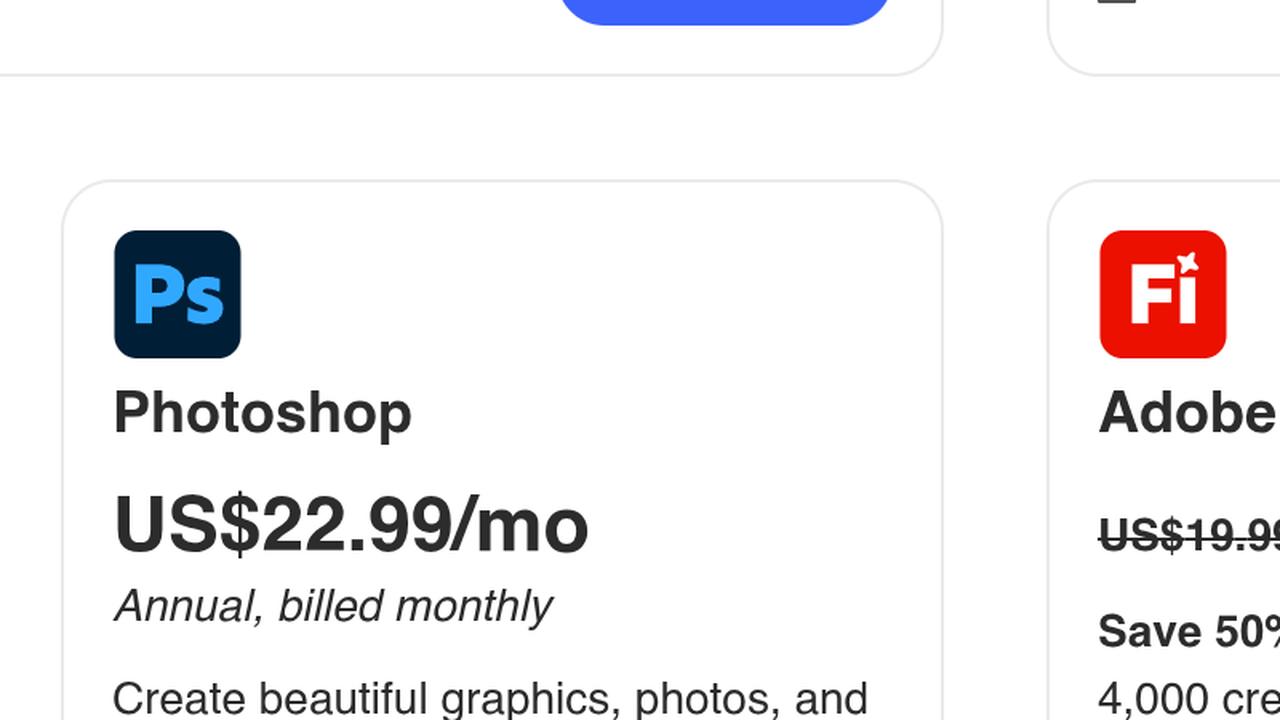
| Pricing Summary | Photoshop starts at $22.99/month on an annual plan billed monthly, the Photography plan bundles it with Lightroom at $19.99/month, and teams pay $37.99/month per licence. |
Adobe Photoshop Pros & Cons
✅ Pros
- The deepest editing toolkit in this category, from layer stacks to Camera RAW
- AI features sit inside the normal workflow and stay editable on layers
- Masking and selection tools handle hair and fine edges better than rivals
- Every plan carries fonts, tutorials, templates and cloud storage with it
- Huge base of tutorials, plugins and actions built up over decades
- Free mobile app covers quick edits when you are away from the desk
❌ Cons
- The interface takes weeks to feel fast, and casual users touch a fraction of it
- Subscription only, with no way to buy the program outright
- Generative AI runs on a monthly credit pool, and the standalone plan carries only a small one
- Large layered files at print size need a strong computer to stay smooth
- Costs more than every other editor in this roundup
Alternatives to Adobe Photoshop
Canva AI - Browser based design tool that covers quick photo edits and social graphics with a much shorter learning curve.
Pixlr - Free browser editor with AI cutout and generative tools for everyday fixes without an install.
Photoroom - Mobile first editor built for product photos, with background removal and batch listing images.
Luminar Neo - Desktop editor from Skylum sold as a one time payment, with AI sky, portrait and relight tools.
FAQs
What is Adobe Photoshop?
▼How much does Photoshop cost?
▼Is there a free version of Photoshop?
▼What is Generative Fill?
▼Can Photoshop edit RAW photos?
▼Is Photoshop hard to learn?
▼Is Photoshop good for product photos?
▼More AI Tools You Might Like

Browser based photo editor with layers, one click AI background removal, generative…
View Tool ↗
Desktop photo editor sold for one payment, known for one-click AI sky…
View Tool ↗
AI photo editor for e-commerce that removes backgrounds, rebuilds shadows and turns…
View Tool ↗
Social creative platform for photo and video posts, packed with templates, stickers,…
View Tool ↗
Online photo editor with batch background removal, AI replace and expand tools,…
View Tool ↗
Phone-first AI editor for sellers that cuts products out, adds shadows and…
View Tool ↗
AI creative workbench that routes one photo through many image models for…
View Tool ↗
Desktop AI photo repair tool that denoises, sharpens, unblurs and upscales photos,…
View Tool ↗