

FigJam
✓ VerifiedFigma's whiteboard with AI generation for diagrams, flowcharts and workshop boards from prompts.
Best For: Design and product teams that already work in Figma
The Verdict: FigJam
FigJam is the natural AI diagram pick for Figma teams: prompt generated boards and flowcharts at the lowest seat price in this list, exactly where their design files already live. It will not replace a technical diagram editor, and the shared credit pool needs awareness. As a workshop and planning tool with real AI help, it earns its place.
What is FigJam?
FigJam is Figma's online whiteboard, and its AI generates boards, diagrams, flowcharts and templates from a text prompt. After a workshop, the same AI sorts sticky notes into themes and summarizes them, which is where many teams feel the time saving most. Diagram coverage includes flowcharts, org charts, mind maps and timelines, plus tables and planning boards, all inside files that live next to the team's design work.
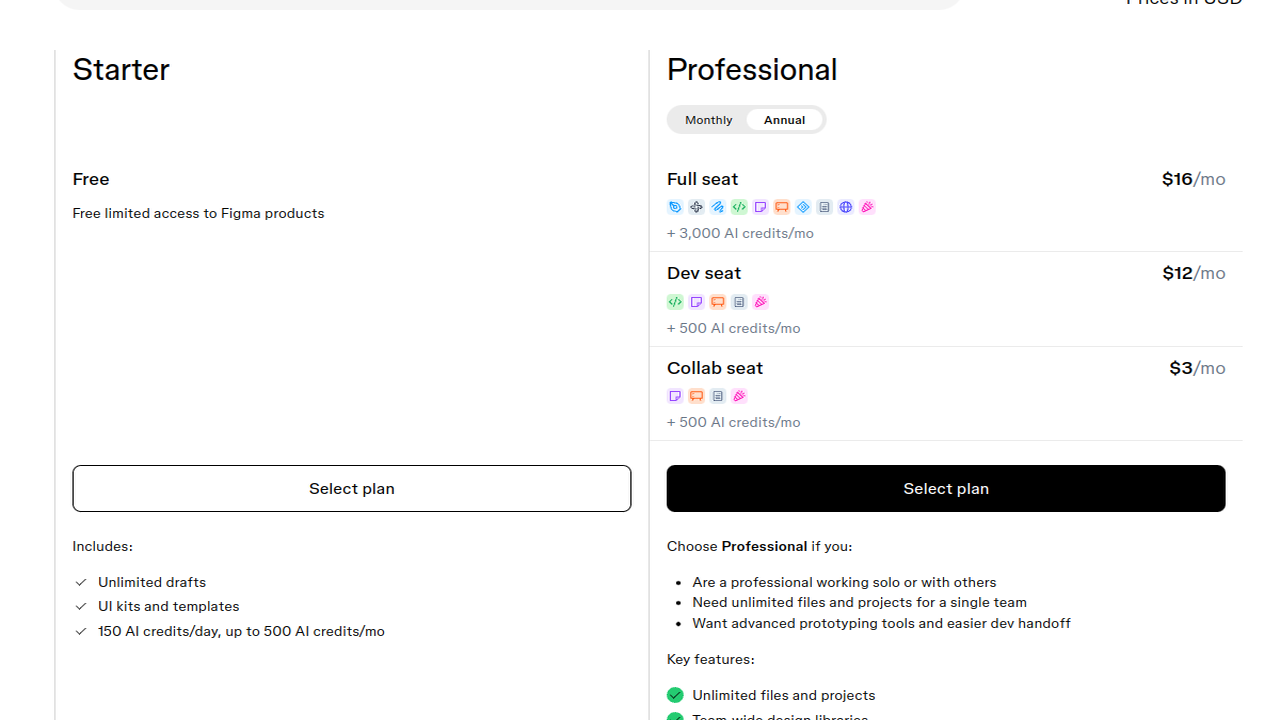
FigJam is not sold as its own product. It is included in Figma seats, and the cheapest route to full access is the Collab seat on the Professional plan, which carries a monthly AI credit allowance; Full seats carry a larger one. AI credits are shared across Figma's AI features rather than reserved for FigJam, so heavy use elsewhere in Figma draws from the same pool. A free Starter plan gives limited access with capped AI credits for evaluation.
For design and product teams already paying for Figma, FigJam is close to a free upgrade for workshop diagramming. Its ceiling is notation: ER diagrams, UML and other formal technical drawing belong in a dedicated tool, and organizations buying seats need to read the seat types carefully so diagram only users land on the cheaper seats.
Who is FigJam Best For?
Design and product teams that already work in Figma
FigJam Key Features
FigJam Pricing & Plans
FigJam Review Summary
| Performance Score | A |
| Content Quality | Boards and diagrams come out lively and readable, tuned for workshops and planning. |
| Interface | Friendly and fast, familiar to anyone who has used Figma. |
| AI Technology | Prompt generation plus note sorting and summaries, metered by shared seat credits. |
| Purpose | Collaborative whiteboarding and light diagramming for product teams. |
| Compatibility | Web, Desktop, Mobile |
| Pricing Summary | FigJam starts at $3/month through a Figma Collab seat, with full FigJam access and a monthly AI credit allowance. |
FigJam Pros & Cons
✅ Pros
- The cheapest seat route into a full AI whiteboard in this list
- Diagrams sit next to design files instead of in another subscription
- Sticky note sorting and summaries genuinely help after workshops
- Figma users need no new tool or new habits
- Collaboration feels instant for distributed teams
❌ Cons
- FigJam is not sold alone, so seat types take some untangling
- Diagram depth is workshop grade, not engineering grade
- AI credits are shared across Figma products, not reserved for diagrams
- Formal notation for ER or UML work is limited
FAQs
Is FigJam free to use?
▼How does FigJam pricing work?
▼How many AI credits does FigJam include?
▼What diagrams can FigJam create?
▼Can FigJam replace a dedicated diagram tool?
▼Do I need Figma Design to use FigJam?
▼More AI Tools You Might Like

Automated diagram software with intelligent formatting and data driven org charts across…
View Tool ↗
Diagram as code platform with an AI editor that writes and fixes…
View Tool ↗
Desktop and online diagram software with AI generation, 210+ diagram types and…
View Tool ↗
Budget friendly AI diagram tool with 100+ diagram types and a flat…
View Tool ↗
Professional diagramming software with AI generation, deep shape libraries and strong team…
View Tool ↗
Fast AI flowchart and mind map generator that turns text prompts into…
View Tool ↗
Team whiteboard with AI diagram generation, turning prompts into flowcharts and diagrams…
View Tool ↗
AI diagram tool for technical teams, creating architecture, ER and sequence diagrams…
View Tool ↗