Best AI Image Scanning Tools in 2026: 12 Picks for Documents, Receipts and IDs
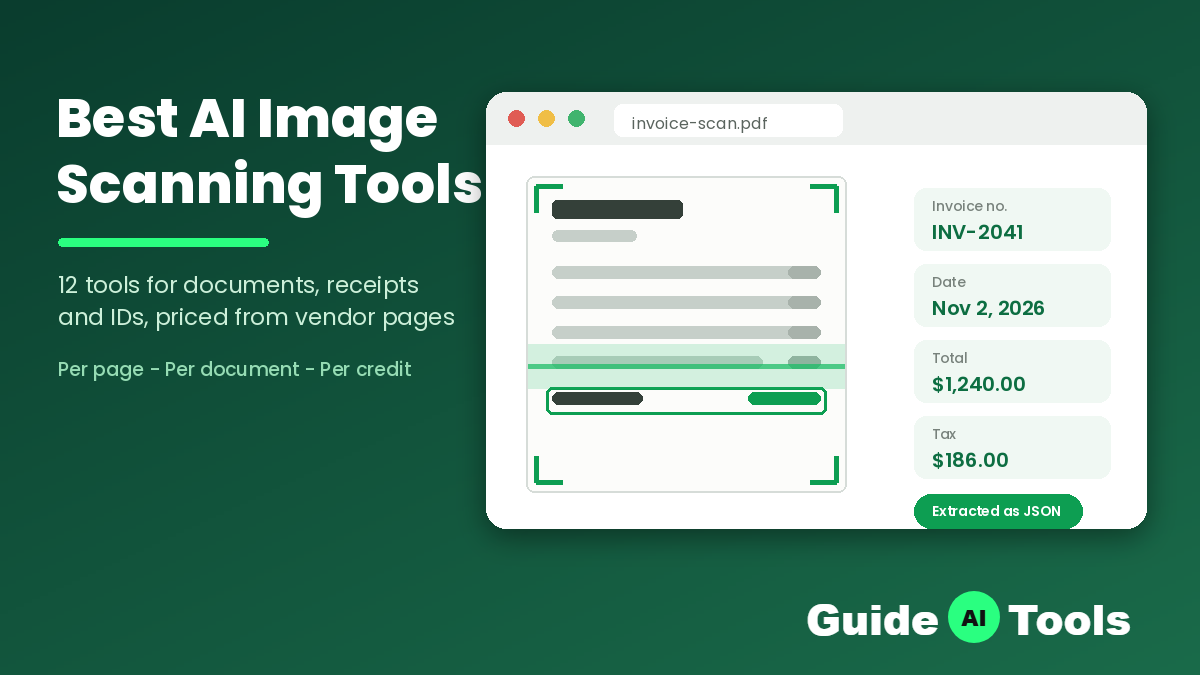
A receipt loses its ink in about a year. The data on it should not take an afternoon to retype. The best AI image scanning tools split cleanly by job: Veryfi and Nanonets pull structured data out of receipts and invoices, Adobe Scan and CamScanner handle fast phone capture for free, and Amazon Textract and Google Document AI are the pair to build on. What the pricing pages hide is the meter.
One tool charges per page, one per document, one per credit, one per seat, and the free plans cap the one thing you actually need. This guide prints the verified price and the free plan catch for all 12 tools, and it does the math for 1,000 pages so the meters can be compared honestly. At GuideAITools we read the vendor pages ourselves, so every figure below comes from the seller, not from another roundup.
What AI image scanning tools do with a photo of paper
Five things happen between the photo and the spreadsheet. Capture comes first: the app finds the page edges with edge detection, straightens the angle, cleans shadows and glare, and hands over a flat image. Mobile capture does this on the phone before anything uploads. Then optical character recognition, OCR for short, reads the characters on the page. That is where plain scanners stop.
AI scanning tools keep going. Intelligent document processing, IDP for short, works out what the document is through document classification, splits mixed batches apart through document splitting, and pulls out the fields you would otherwise type: totals, dates, invoice numbers, line items. The machinery has names worth knowing: key-value pairs for labelled fields, line-item extraction for the rows of a table, table extraction for the grid itself, and handwriting recognition for the notes in the margin. Each field comes back with confidence scores, and the low scores route to a person for human in the loop review before the data posts anywhere.
The output decides what the tool really is. A searchable PDF is a picture you can search, useful for an archive. Structured output in JSON and CSV is data your accounting or onboarding software can file on its own. Reading text and returning data are different products wearing the same label, and the price gap between them is the story of this whole category.
Accuracy splits the same way: character accuracy on clean print is easy, field accuracy on a faded thermal receipt is not, and any single percentage a vendor prints was measured on documents kinder than yours.
AI document scanning software vs scanner apps: which one do you need
Three layers sit under one search term. Scanner apps live on the phone and do capture: fast, free or cheap, built for a person holding paper. Desktop OCR lives on one computer and converts archives: books, contracts, years of scanned files. Platforms and APIs live in the cloud and do extraction at volume: hundreds of invoices a day, receipts arriving from an app your customers use, ID checks inside an onboarding flow. The full range of AI image tools covers all three layers, and most buyers only need one of them.
Each layer stops being enough at a predictable point. The app stops when someone has to retype what it scanned. Desktop OCR stops when the documents arrive on other people’s phones. A platform stops making sense when your whole workload is ten receipts a month, because the platform floor price buys a year of app subscriptions. The neighbouring shelf is worth a look before you decide: AI documents assistant tools read and summarise documents you already have in digital form, and our roundup of the best AI documents assistant tools covers that side.
Scanning is the opposite direction, paper in and data out, where an AI image generator creates pictures instead of reading them.
One pattern worth knowing from the tools we track at GuideAITools: phone capture plus an extraction API is often a single workflow, not two purchases.
The app on the phone is just the camera. The platform behind it does the reading. If your documents start as phone photos and end in a database, you are shopping in both layers at once, and the tools below are ordered so you can see where each one sits.
The 12 best AI image scanning tools at a glance
Every tool we track in this category at GuideAITools, compared on the job it does best. Prices are the verified entry point from each vendor page, with the billing unit spelled out, because a per page price and a per seat price are not the same animal.
| Tool | Best for | What it scans best | Pricing model | Free plan or trial |
|---|---|---|---|---|
| Nanonets | Trainable extraction without templates | Invoices, purchase orders, claims | Per credit and per workflow block | Free start with $50 in credits |
| Veryfi | Receipt and invoice data through an API | Receipts, invoices, bank documents | Per document | Free plan, 100 documents a month |
| Adobe Scan | Free phone scanning for everyday documents | Paper documents, forms, whiteboards | Free app, premium priced inside the app | Free app |
| CamScanner | High-volume phone capture | Multi-page documents, books, ID cards | Free app, premium priced inside the app | Free Basic account |
| ABBYY FineReader | Desktop OCR for scanned archives | Books, contracts, archived paper | Yearly subscription per seat | 7-day free trial |
| Amazon Textract | Pay-as-you-go OCR for builders on AWS | Printed text, forms and tables at scale | Per page, per feature | AWS free tier for 3 months |
| Google Document AI | Prebuilt invoice, expense and ID parsers | Invoices, expenses, W2 forms, US IDs | Per page and per document | First 1,000 OCR pages free |
| Mindee | Receipt, invoice and ID data inside a product | Receipts, invoices, passports, licenses | Per page credit | 14-day free trial |
| Lido | Turning scans into spreadsheets without code | Invoices, receipts, bank statements | Per page plan | 50 free pages, no card |
| Docsumo | Lending and finance document checks | Bank statements, pay stubs, tax forms | Custom quote | 14-day trial, up to 1,000 pages |
| Klippa | Fraud checks on invoices and IDs | Invoices, receipts, ID cards, passports | Custom quote | No free plan stated |
| Rossum | Accounts payable at enterprise volume | Invoices, orders, packing lists | Yearly platform contract | 14-day free trial |
The best AI image scanning tools, reviewed one by one
Nanonets, trainable extraction without templates
Nanonets learns your documents instead of asking for a template per supplier. You show it invoices, purchase orders or claims, and it returns the fields as structured data through the web platform or the API. The pricing is a meter with two dials.
You start free with $50 in credits and no card, then pay $100 a month for 100 credits, and each workflow run spends blocks: $0.02 for a simple block, $0.10 for a standard AI block, $0.30 for a complex one. A typical invoice flow runs four to six blocks, so the design of your flow sets your bill. The credits are prepaid and never expire, which softens the math. Growth and Enterprise are quote based. The catch is that nobody can tell you your per-document cost until your flow is built.
Veryfi, receipt and invoice data through an API
Veryfi is the API that product teams put behind their own apps. It reads more than 100 document types, receipts, invoices, bank statements, checks, W-2 and W-9 forms among them, and returns structured JSON with fraud detection run on every response. The free plan covers 100 documents a month at no cost. Paid rates are per document and printed plainly: receipts at $0.08, invoices and forms at $0.16, bank documents at $0.25, and one document can run to 15 pages for a single charge. Platform use starts at $500 a month in credits, which tells you who this is for. Its Lens capture SDK can capture on the device itself, and the company states SOC 2 Type II, HIPAA and GDPR compliance. The catch is the floor: below a few thousand documents a month, the platform minimum eats the cheap per-document rates.
Adobe Scan, the free phone scanner for everyday documents
Adobe Scan is the scanner inside the Acrobat family, and for plain phone scanning it is the easy default. The app is free, it finds the page, cleans the image, runs OCR and files the result next to your other Acrobat documents on phone, desktop and web. Adobe states that an Acrobat subscription includes the Scan app, and the premium tier of the app itself is sold as an in-app subscription. Here is the honest gap: Adobe does not publish the premium price, or a free tier cap, anywhere on its website. The figure only appears inside the app on your phone. Treat the free app as the product, try it first, and let the in-app screen be the price list if you ever need more. For a shoebox of letters and forms, you probably never will.
CamScanner, high-volume capture in your pocket
CamScanner, from INTSIG, is the capture workhorse: multi-page documents, books and ID cards, with auto-crop, perspective correction and shadow removal, then OCR and conversion into PDF, Word, Excel and JPG. The homepage claims more than 300 million users, and the free Basic account scans on mobile and web with a limited amount of free OCR. Premium removes the promotional watermark from generated PDFs, adds 10 GB more cloud storage and lifts the Basic folder limit of 8.
Like Adobe, INTSIG publishes no premium price on its website. Its own FAQ sends you into the app, to Me, then Upgrade to Premium, to see the plans. The catch is the same shape: the free tier is real and useful, and the paid tier prices itself only after you are inside.
ABBYY FineReader, desktop OCR for scanned archives
FineReader is the desktop veteran, built for the archive job: boxes of paper, scanned books, contracts that need to become editable Word, Excel or searchable PDF files. ABBYY counts 198 recognition languages, and the work happens on your own machine, which matters when the documents should not leave the building.
Pricing is a plain yearly subscription: Standard at $99 a year and Corporate at $165 a year for Windows, with the Mac edition listed at $69 a year. Corporate adds automated digitising routines and document comparison. The 7-day free trial runs the full product, with one cap worth knowing: trial OCR results can be saved for 100 pages in total. It sits naturally beside the AI PDF tools on your desk. The catch is the model itself: per seat, subscription only, and no free plan once the trial ends.
Amazon Textract, pay-as-you-go OCR for builders on AWS
Textract is Amazon’s metered OCR engine, sold by the page and by the feature. Plain text detection costs $0.0015 per page for the first million pages a month. Tables cost $0.015 per page, forms with their key-value pairs cost $0.05, expense analysis for receipts and invoices costs $0.01, and ID analysis costs $0.025, all at US West (Oregon) list prices. It reads handwriting as well as print and returns confidence scores with everything. New AWS accounts get a three-month free tier that includes 1,000 text pages a month.
There is no app and no dashboard to speak of: this is a builder’s tool that lives inside an AWS account. The catch is stacking. A page that needs text, tables and forms pays all three rates, so a busy page costs more than the headline number suggests.
Google Document AI, prebuilt parsers for common documents
Document AI is Google’s shelf of ready-made parsers. The general OCR processor charges $1.50 per 1,000 pages after the first 1,000 pages free. The form parser and the custom extractor charge $30 per 1,000 pages. Prebuilt parsers for invoices, expenses and US identity documents charge $0.10 per document of up to 10 pages, which keeps budgeting simple for those types. Read your own parser’s price before you build, though: the W2 parser and the pay slip parser now charge $0.30 per classified document, and the bank statement parser charges $0.75. The catch is exactly that spread. Two documents that look alike to you can sit in different price rows, and the per-document rows count a document, not a page, so long documents are cheap and short ones are dear.
Mindee, document data inside your product
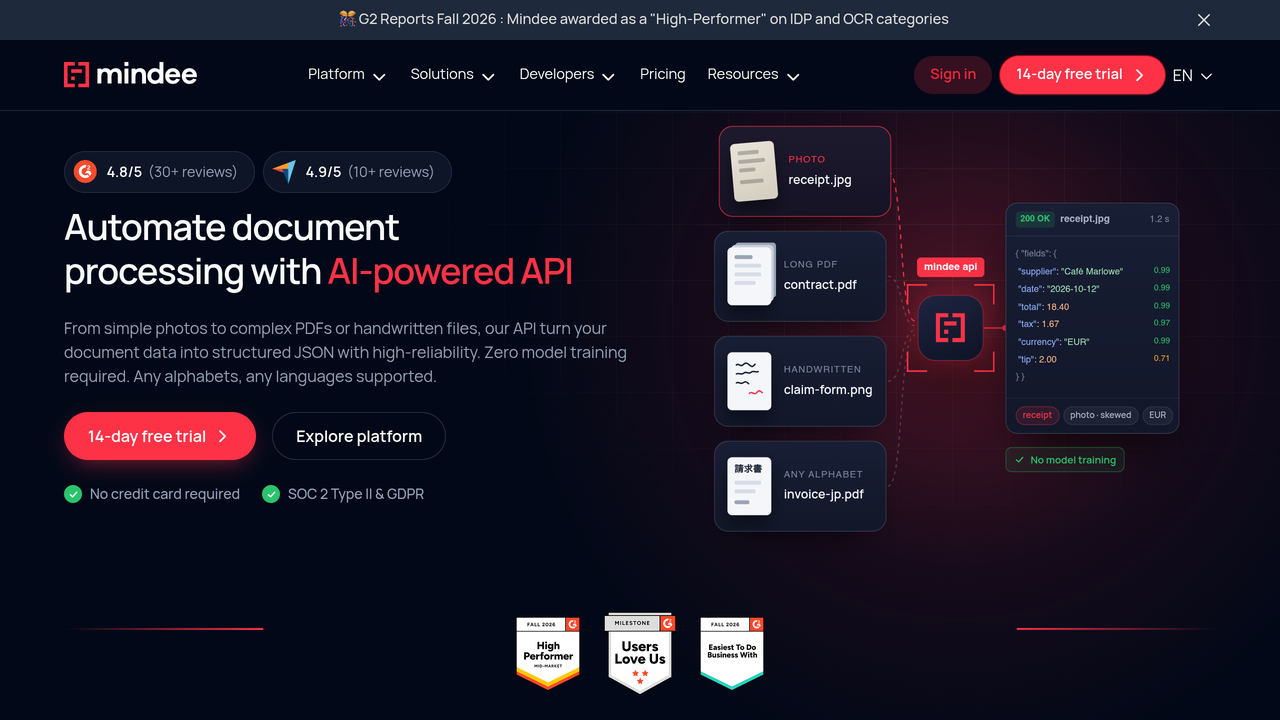
Mindee is the developer-friendly middle ground: send an invoice, receipt, passport, driver license or bank statement, get structured JSON back, no model training on your side. One processed page costs one credit. Starter runs EUR 44 a month billed annually, Pro runs EUR 116 a month billed annually, and Enterprise is custom with a minimum of 500,000 credits a year. A 14-day free trial needs no card.
The fine print deserves its sentence: a page processed with a confidence score costs 1.5 credits, and unused credits expire at the end of the subscription period instead of rolling over. Hosting in the EU or the US covers the data residency question for most buyers. The catch is the expiry. A quiet month spends money on credits that vanish.
Lido, scans into spreadsheets without code
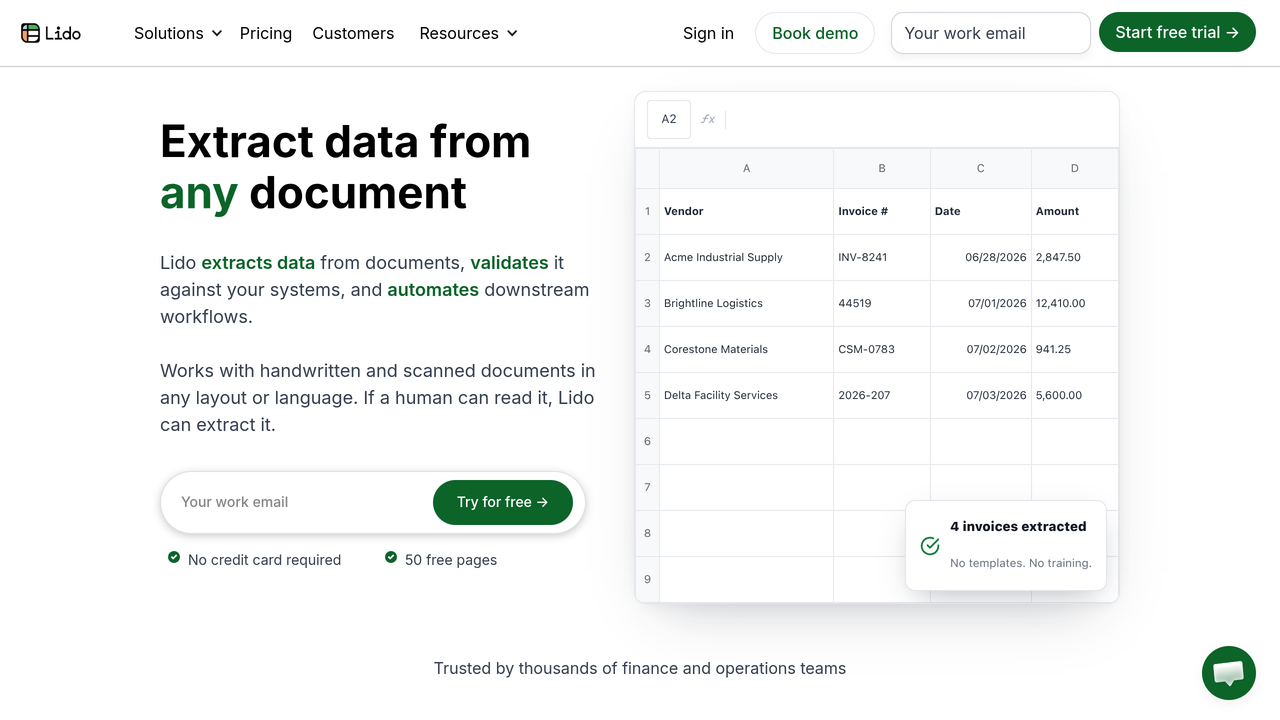
Lido skips the API conversation entirely. You upload invoices, receipts, bank statements, purchase orders or tax forms, and it hands back clean rows in Excel, Google Sheets or CSV. Standard costs $29 a month for 100 pages and one user. Scale costs $7,000 a year for 42,000 pages and up to 10 users, and Enterprise starts at $35,000 a year. The free offer is genuinely friendly: 50 free pages, no credit card, and the pages do not expire. Handwritten documents are on the menu too.
The catches are the ceiling and the setting. One hundred pages a month is a small business week, not a month, and Lido states plainly that it does not work on mobile yet, so the paper has to reach a computer first.
Docsumo, lending and finance document checks
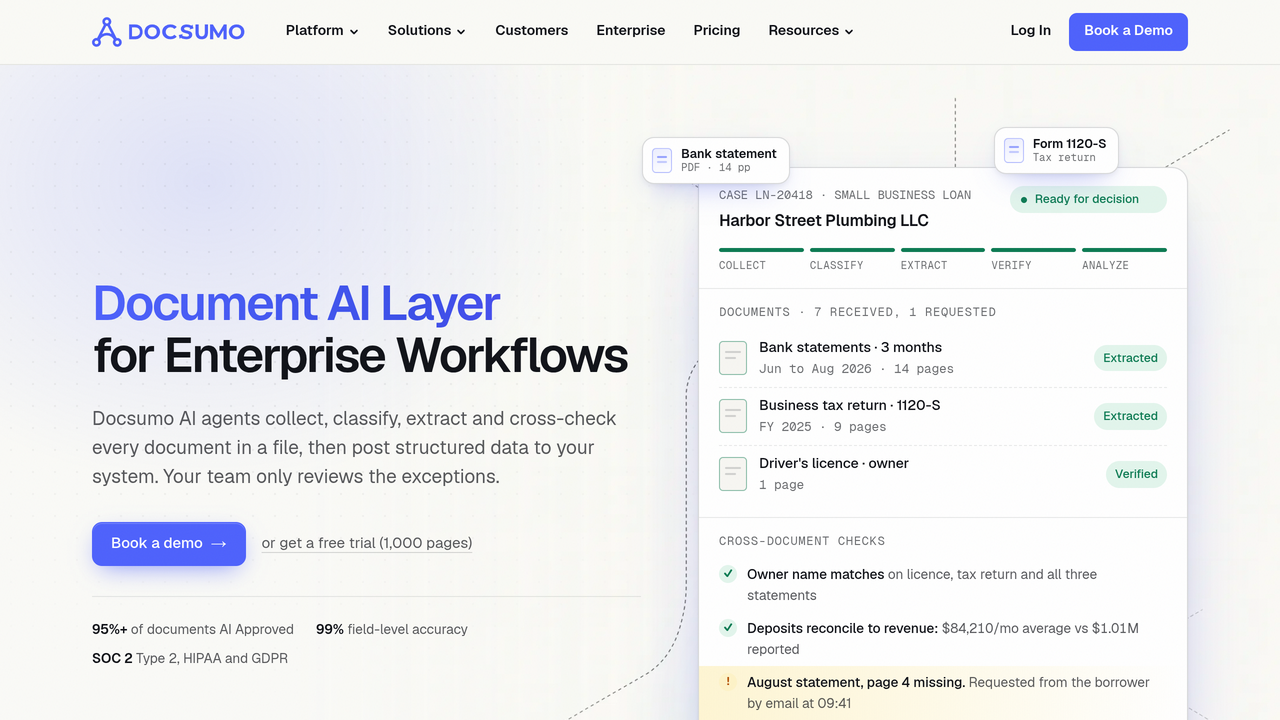
Docsumo aims at the paperwork of lending and insurance: bank statements, pay stubs, W-2 and 1099 forms, tax returns, IDs, ACORD forms and certificates of insurance, with classification and validation built around those checks. The trial is the most generous on this page: 14 days, up to 1,000 pages and 10 user licences, enough to run a real pilot on real files. After that, honesty is the price list. Business and Enterprise are both custom quotes, priced on the page volume you send each month or year, and Docsumo publishes no figure to compare against the per-page tools above. The catch follows from that: you cannot budget this one from your desk.
The catch has a flip side, though: a quote priced on your actual volume can land below a rack rate, and the trial tells you the accuracy before any signature.
Klippa, fraud checks on invoices and IDs
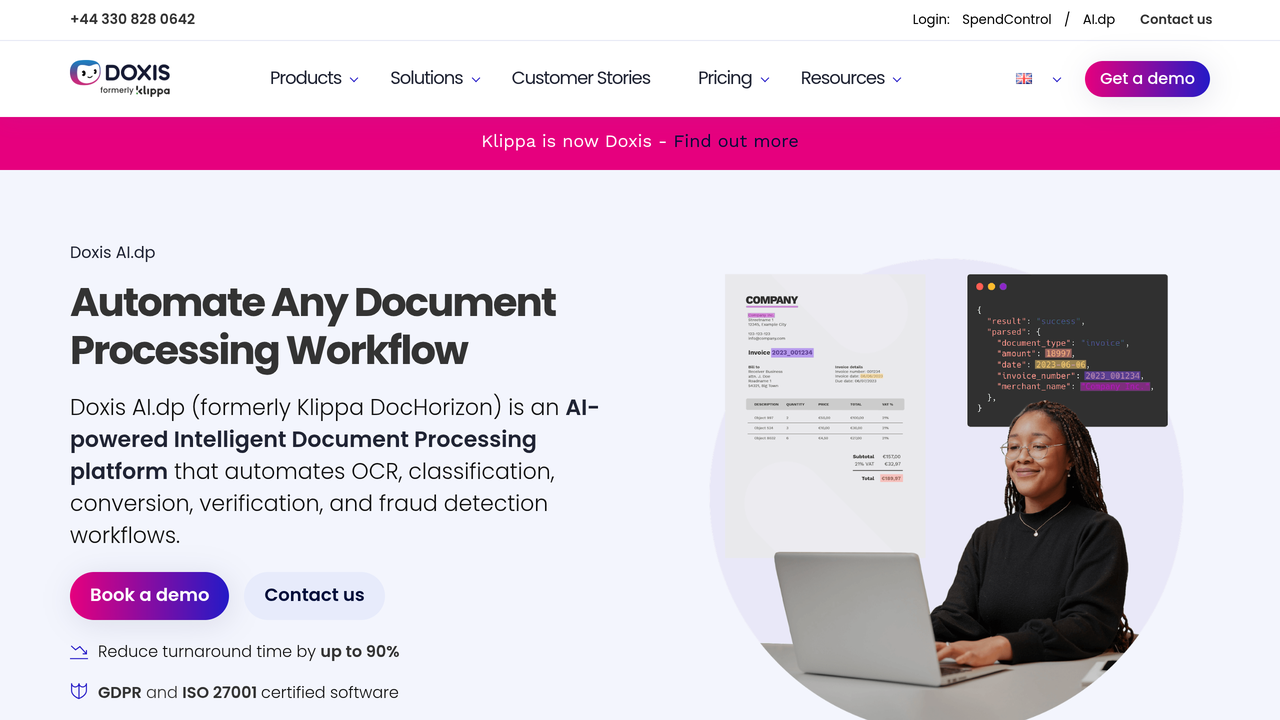
Klippa now sells its platform as Doxis AI.dp, and its angle is trust. Alongside extraction and classification across more than 50 document types, it runs verification and fraud detection on invoices, receipts, ID cards and passports, and it can anonymise documents that carry data they should not share. Output comes back as JSON, XML, CSV, XLSX or PDF, and the platform is hosted in the EU with GDPR and ISO 27001 stated. Pricing is quote based in the company’s own words: based on volume, workflow complexity and subscription plan, with tailored quotes for high-volume work. Its platform page does offer EUR 25 in free credits to start a pay-as-you-go account, which is a starting balance, not a plan price. The catch is the sales call standing between you and every number.
Rossum, accounts payable at enterprise volume
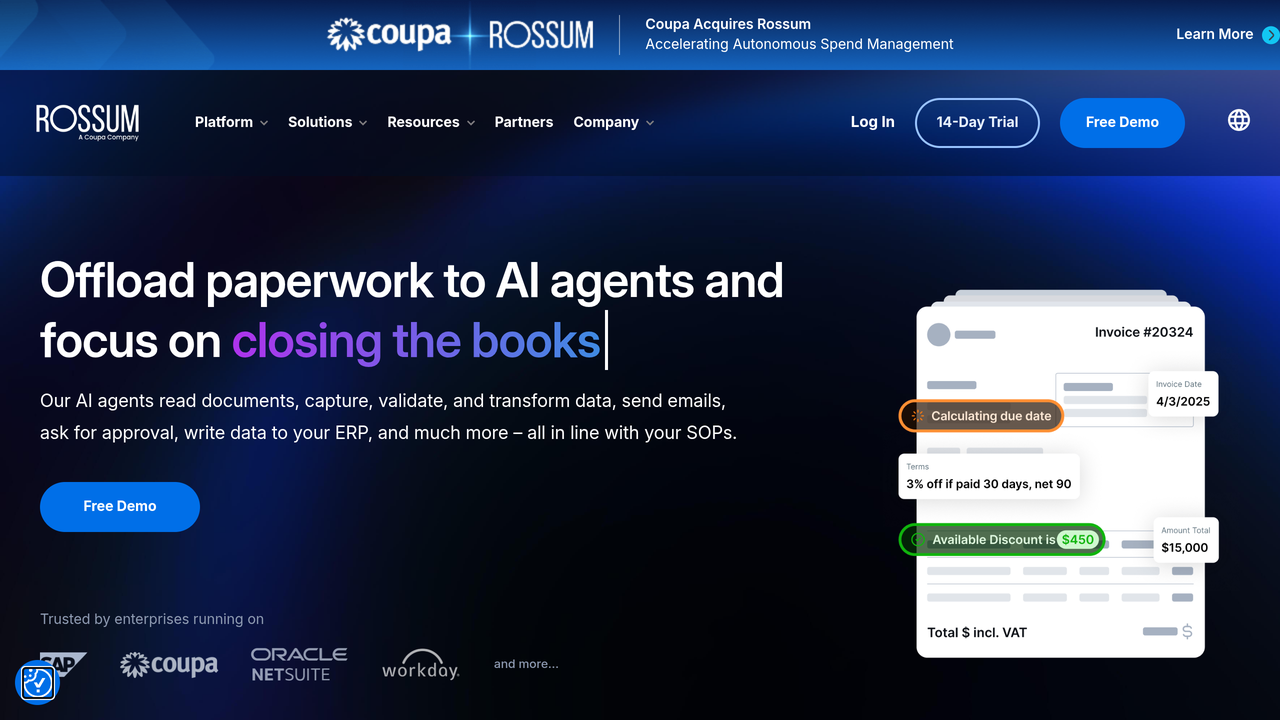
Rossum is the platform an accounts payable department buys when invoice volume becomes a headcount problem. Documents arrive by email, scanner, API or shared drive, its Aurora engine extracts the data, and a validation screen keeps a person in charge of the exceptions before anything reaches SAP, NetSuite, Coupa, Workday or QuickBooks. Starter starts at $18,000 per year with unlimited seats, and Business, Enterprise and Ultimate are quote only. A 14-day free trial is offered, and the pricing FAQ states the minimum contract length plainly: one year. The catch is the altitude. An $18,000 floor and a one-year minimum are sensible at thousands of invoices a month and hard to defend at hundreds, where Nanonets or Veryfi will do the same reading for a fraction of the commitment.
What 1,000 scanned pages really cost
The unit is the trap. Per page sounds cheap until a document runs to 15 pages. Per document sounds dear until you remember the document can run to 15 pages for one charge. Per credit hides the exchange rate between credits and pages. Per seat prices the person, not the paper, so a small team scanning all day pays less per page than anyone. The table below puts the verified prices on one shared measure. Where a tool charges per document, the row says documents, because pretending a document is a page is how budgets go wrong.
| Tool and unit | Cost for 1,000 pages or documents |
|---|---|
| Amazon Textract, text detection | $1.50 per 1,000 pages |
| Google Document AI, Enterprise OCR | $1.50 per 1,000 pages, first 1,000 pages free |
| Amazon Textract, table extraction | $15 per 1,000 pages |
| Google Document AI, Form Parser | $30 per 1,000 pages |
| Mindee, one credit per page | 1,000 credits, extra credits start at $0.05 each |
| Veryfi, receipts | $80 per 1,000 documents |
| Google Document AI, invoice parser | $100 per 1,000 documents of up to 10 pages |
| Veryfi, invoices and forms | $160 per 1,000 documents |
| Nanonets, typical invoice flow | About $500 per 1,000 invoices at five standard AI blocks each |
Read the spread, not just the numbers. Raw text is nearly free at cloud scale: a dollar and a half reads a thousand pages. The price climbs when the tool stops reading and starts understanding, pulling tables apart, naming fields, checking a receipt for fraud. A seat-priced tool breaks the table entirely: FineReader at $99 a year reads as many pages as one desk can feed it, and Lido at Scale works out near 17 cents a page across its 42,000 page year. Your document mix decides which row is yours. A thousand one-page receipts and a thousand ten-page contracts are both “1,000 documents” and completely different bills.
How to choose AI OCR software for your document type
Start with the paper, not the brand. Clean printed pages are the easy case: every engine here reads them well, so buy on price and output format. Faded thermal receipts are the hard case. The print is dying, the paper curls, and the totals matter more than the logo, so pick a tool built for receipts and keep a person checking totals, tax numbers and bank details before anything posts. Field accuracy on a receipt is a different sport from character accuracy on a book, whatever the brochure says.
Handwriting narrows the field fast. Handwriting recognition is a separate feature, not a default: Textract reads it, Nanonets and Lido take handwritten documents, and most phone scanner apps do a poor job of it. Tables narrow it too, because table extraction is its own priced feature on the cloud APIs. Identity documents are their own shelf again: look for MRZ reading, the machine-readable zone on passports, plus fraud checks, and read the safety section below before scanning a single passport. Last, check the exit. If the data must land in a spreadsheet today, JSON and CSV output or a direct Sheets export saves an afternoon. If the file is the deliverable, a searchable PDF is enough, and cheaper.
Best picks by job
Best receipt scanning app for expense reports
For a product or a finance team, Veryfi is the receipt reader: per document pricing, fraud detection on every response, and an API that posts the data where your expense flow lives. For a person with a spreadsheet, Lido is the calmer route: drop the receipts in, get rows out, and let the sheet do the rest. A receipt scanning app earns its keep when the data lands in accounting software without a retype, so judge both on the last step, not the scan.
Best invoice scanning software for accounts payable
Rossum is the enterprise answer, built for accounts payable teams whose invoice pile justifies an $18,000 floor. Nanonets is the flexible one: train it on your suppliers and pay per workflow block. Docsumo belongs on the shortlist when the invoices arrive with lending paperwork attached. Whichever you pick, the invoice reader is only half the purchase: the approval and payment side lives with your AI accounting assistant tools, and the two should be chosen to fit each other.
Best ID scanning software for onboarding and KYC checks
Mindee and Google Document AI both parse passports and driver licenses through an API, and Klippa adds fraud detection and anonymisation for teams whose KYC checks carry legal weight. Safety is the deciding factor here, not speed. These tools read the most sensitive paper a business touches, so ask where the images are processed, how long they are kept, and whether the vendor states SOC 2, HIPAA or GDPR terms you can put in front of a compliance officer.
Data residency, EU or US hosting, is a real feature in this row. The NIST Digital Identity Guidelines set the bar for identity proofing and document checks, and any vendor worth shortlisting should be comfortable being measured against them. Where the capture can happen on the device itself, as with Veryfi’s Lens SDK, one less copy of a passport travels the internet.
FAQs
What is the difference between OCR and AI image scanning?
OCR reads characters and gives you the text. AI image scanning starts there and adds understanding: it classifies the document, splits batches, extracts named fields like totals and dates, scores its own confidence and routes doubtful fields to a person. OCR gives you a searchable page. AI scanning gives you data your software can file.
How accurate is AI image scanning on receipts and invoices?
On clean printed invoices, field extraction is reliable enough to run a finance workflow with spot checks. On faded receipts, skewed photos and crumpled paper, accuracy drops and the errors land on the fields that matter: totals, dates, tax numbers. Treat any single accuracy figure with care, keep human review on money fields, and judge a tool on your worst documents, not your best ones.
Can AI image scanning tools read handwriting?
Some can, most phone apps cannot. Amazon Textract reads handwriting as part of its text detection, Nanonets and Lido accept handwritten documents, and ABBYY FineReader handles neat handwriting in print-like styles. Cursive, rushed or annotated handwriting still defeats every tool on this page often enough that a person should check the result.
How much does it cost to scan 1,000 pages with an AI tool?
Raw OCR is the cheap end: $1.50 per 1,000 pages on both Amazon Textract and Google Document AI. Structured extraction costs more: $30 per 1,000 pages for a form parser, $80 per 1,000 receipt documents on Veryfi, $160 per 1,000 invoice documents. Seat-priced desktop OCR breaks the scale entirely, since a $99 year of FineReader reads as many pages as one desk can scan.
Is it safe to scan ID cards and passports with an AI tool?
It can be, if you choose on the safety facts instead of the feature list. Look for stated SOC 2, HIPAA or GDPR compliance, a clear answer on data residency and retention, and fraud detection on the document itself. Prefer tools that process on the device or in your region where you can. And keep the same rule as your own files: do not send ID images to a tool whose data terms you have not read.
Do any AI image scanning tools work without an internet connection?
Partly. Desktop OCR like ABBYY FineReader runs on your own machine and reads pages locally. On phones, capture can happen on the device: Veryfi’s Lens SDK captures at the edge, and on-device processing keeps the image on the phone until you choose to send it, which is why it suits field work. Full cloud extraction, the kind that returns structured fields from a platform, needs a connection by definition.
What format does the extracted data come back in?
Structured tools return JSON through their APIs, and most platforms also export CSV, XLSX or both. Lido goes straight to Excel, Google Sheets or CSV. Scanner apps and desktop OCR return files instead: searchable PDF, Word, Excel or plain text. Pick the format your next step needs, because converting formats by hand is the retyping problem wearing a new coat.
Conclusion
The decision is shorter than the category looks. If your pile is personal paper, install Adobe Scan or CamScanner and use the free tier until it genuinely pinches. If receipts and invoices need to land inside a system, start with Veryfi for the API or Nanonets for trainable flows, and let Lido handle the spreadsheet-only version of the same job. If you are building scanning into your own product, build on Textract, Document AI or Mindee and price your exact document type before you commit.
At GuideAITools we keep this category tracked as the prices move, because in this market they do. Your next step: take your ten ugliest documents, run them through the free tier of the tool that matches your job, and read every field it returns. That test tells you more than any roundup, including this one.

Related Blog Posts