

Napkin AI
✓ VerifiedTurn text and documents into finished diagrams and visuals with AI generation, editing and export.
Best For: Content, marketing and ops teams turning notes and documents into shareable visuals
The Verdict: Napkin AI
Napkin AI is the fastest route from written content to a visual that looks finished, and its free plan is the most generous starting point in the AI diagram category. The per word credit meter is fair for short inputs and worth watching on long documents, and branding on free exports is the clear trade until you pay. Teams that live in documents rather than canvases will get more from it than teams that need strict technical notation.
What is Napkin AI?
Napkin AI creates finished diagrams and visuals from plain text. You paste a process description, a set of meeting notes or a document section, and the tool reads the structure and builds a visual version of it, offering style variants for the same content. Generation covers flowcharts, mind maps, timelines, infographics and charts, and every result stays fully editable, so you can adjust wording, order and styling without spending more credits.
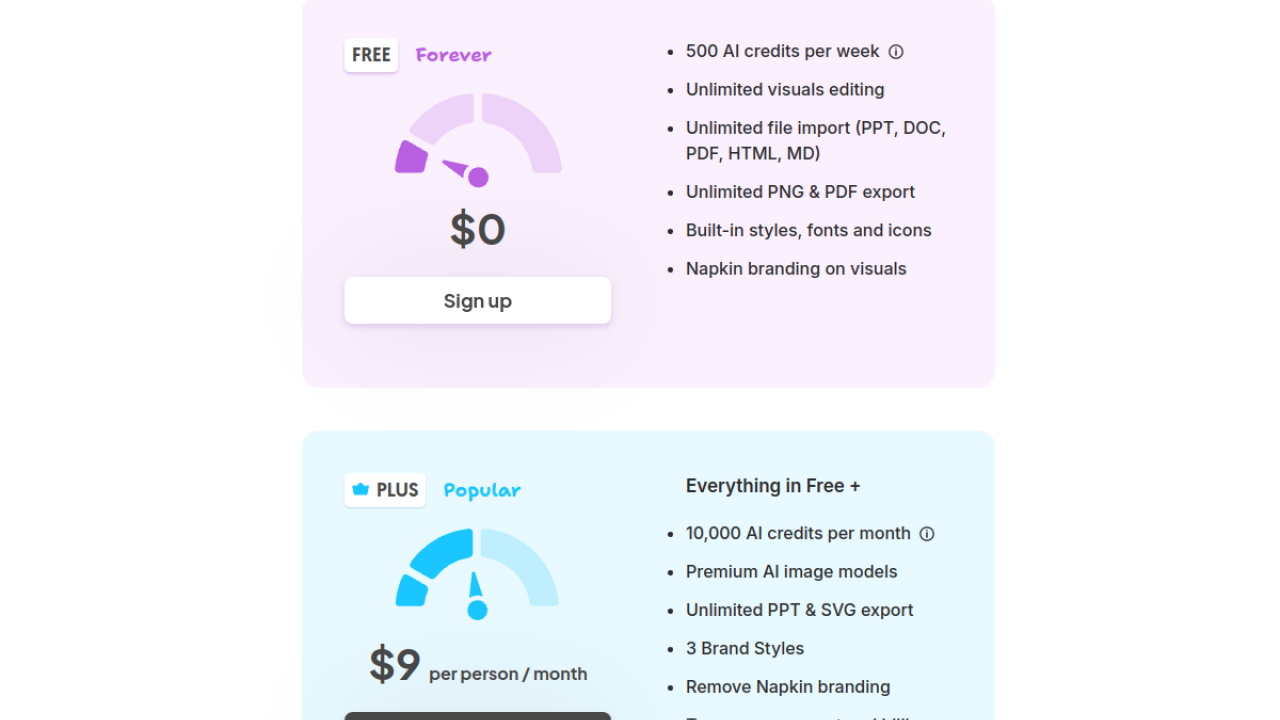
The model is metered by words. AI credits are counted against the text you select for generation, which makes short inputs cheap and long documents noticeably more expensive. The free plan works on a weekly credit allowance with unlimited editing and PNG and PDF export, carrying Napkin branding on the visuals. Paid plans raise the monthly credit allowance, remove branding, and add presentation exports such as PPT and SVG, with brand styles and custom fonts on the higher tiers.
Napkin AI fits writers, marketers, trainers and operations teams who produce documents and need the visual version of the same content for a deck, a report or a help page. It is not a formal diagramming tool: database schemas, UML and network diagrams that depend on exact notation belong in a technical editor.
Who is Napkin AI Best For?
Content, marketing and ops teams turning notes and documents into shareable visuals
Napkin AI Key Features
Napkin AI Pricing & Plans
Napkin AI Review Summary
| Performance Score | A |
| Content Quality | Generated visuals come out clean and readable, with style variants that suit documents and decks. |
| Interface | A simple paste and generate flow with light editing, easy for first time users. |
| AI Technology | Text driven generation metered per word, with strong layout and styling choices. |
| Purpose | Turning written content into finished diagrams and visuals without design work. |
| Compatibility | Web |
| Pricing Summary | Napkin AI starts at $9/month per person on annual billing after a free plan with a weekly credit allowance. |
Napkin AI Pros & Cons
✅ Pros
- The free plan is genuinely usable, with a weekly credit allowance instead of a one time taste
- Pasted text becomes a designed visual in one step, no canvas work needed
- Editing after generation is unlimited, so credits are not burned on fixes
- Exports stay clean and presentation ready on paid plans
- Very low learning curve for non designers
❌ Cons
- Free visuals carry Napkin branding until you upgrade
- Credit cost grows with document length because it is counted per word
- No diagram as code export for developer documentation workflows
- Not built for formal UML or database notation
FAQs
Is Napkin AI free to use?
▼How does Napkin AI pricing work?
▼What can I create with Napkin AI?
▼Does Napkin AI work for technical diagrams like ER diagrams?
▼Can I remove the Napkin branding from my visuals?
▼Does Napkin AI export to PowerPoint?
▼More AI Tools You Might Like

Automated diagram software with intelligent formatting and data driven org charts across…
View Tool ↗
Figma's whiteboard with AI generation for diagrams, flowcharts and workshop boards from…
View Tool ↗
Diagram as code platform with an AI editor that writes and fixes…
View Tool ↗
Desktop and online diagram software with AI generation, 210+ diagram types and…
View Tool ↗
Budget friendly AI diagram tool with 100+ diagram types and a flat…
View Tool ↗
Professional diagramming software with AI generation, deep shape libraries and strong team…
View Tool ↗
Fast AI flowchart and mind map generator that turns text prompts into…
View Tool ↗
Team whiteboard with AI diagram generation, turning prompts into flowcharts and diagrams…
View Tool ↗