10 Best AI Legal Assistant Tools for 2026 (Compared and Ranked)
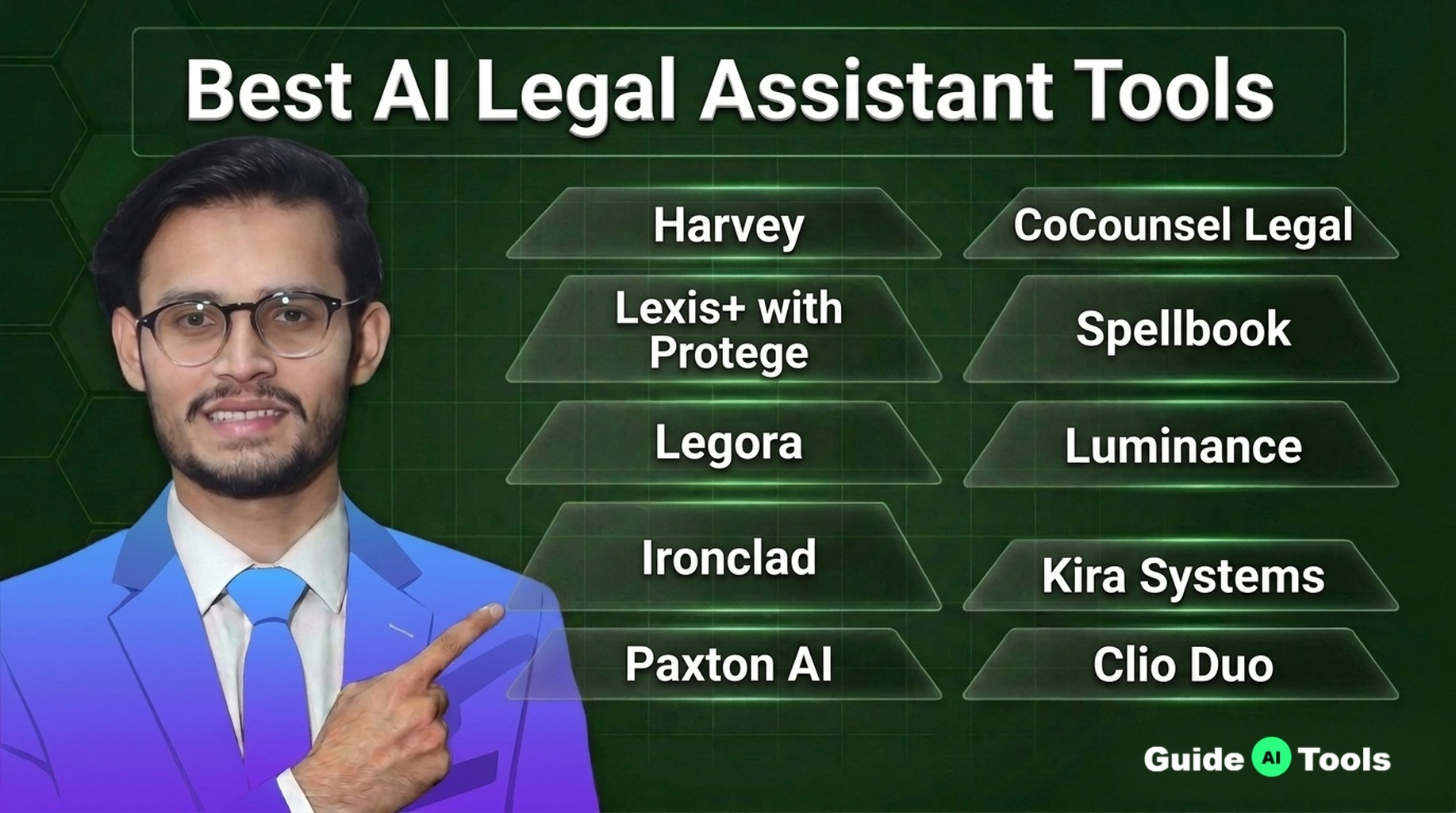
The best AI legal assistant tools for most firms in 2026 are CoCounsel Legal for research, Spellbook for contract work inside Word, and Paxton AI for litigation teams that want a published price. Large firms with platform budgets shortlist Harvey first. Every pick still needs a licensed lawyer reviewing the output before it touches a client or a court filing.
That last line is not boilerplate. In 2023 a New York federal judge fined two lawyers $5,000 for filing a brief full of case citations ChatGPT had invented. The cases looked real. They were not. The tools below cut that risk hard when they are grounded in real legal databases, and this guide shows which ones are, what they cost, and what rules govern their use.
At GuideAITools we compared these tools by legal task, not by feature count. Research, contract review, litigation, and small firm work each get their own picks, with pricing verified from official pricing pages wherever a vendor publishes a number.
What Is an AI Legal Assistant (and What It Is Not)
An AI legal assistant is software that answers legal questions, drafts language, summarizes documents, and flags risky clauses, usually inside the tools a firm already runs. It works on top of generative AI models, the same class of technology behind chatbots, but it is pointed at legal sources and legal work.
Here is the line most buyers miss. An assistant answers questions on demand, while contract review software runs a full document against your playbook. One drafts and explains. The other grades. Most firms end up needing both, and several tools in this guide blend the two.
Newer platforms go further and send AI agents through multi step research and review tasks while a lawyer supervises. That changes the workload, not the responsibility. An AI legal assistant does not replace a licensed attorney, its output is a draft, and a draft is all it is until a qualified lawyer checks it and signs off.
How We Evaluated These Tools
We judged every tool on the same six tests, in this order:
- Legal accuracy and citation grounding in real legal databases
- Confidentiality controls, data retention, and training opt-outs
- Fit with bar ethics rules on competence and supervision
- Integration with Word, Outlook, and document management systems
- Support for a human review step before work leaves the firm
- Pricing transparency, meaning a number a firm can read without a sales call
For this GuideAITools comparison we checked official pricing pages and vendor documentation for every tool, then cross-checked vendor claims against independent sources. One finding says a lot about this market. Only three of the ten vendors publish any price at all. The rest want a demo call before they name a number, so we say “custom quote” where that is the honest answer and show the real math where a price exists.
The Best AI Legal Assistant Tools at a Glance
Read the table by your job, not by rank. A research platform will not fix a contract backlog, and a contract tool will not validate a single citation.
| Tool | Best For | Key Strength | Starting Price | Confidentiality Note |
|---|---|---|---|---|
| Harvey | Large firm platform work | Research, contracts, and litigation in one platform | Custom quote | No training on customer data, SOC 2 Type II |
| CoCounsel Legal | Legal research | Answers grounded in Westlaw and Practical Law | From $551.85 per attorney/month | Data not used for AI training |
| Lexis+ with Protege | Citation checked research | Shepard’s validation behind its answers | Custom quote | Runs inside the LexisNexis environment |
| Spellbook | Contract drafting and review | Lives inside Microsoft Word | Custom quote | Zero data retention, SOC 2 Type II |
| Legora | Team document work at scale | Tabular review across thousands of documents | Custom quote | EU data residency available |
| Luminance | Enterprise contract intelligence | Spots patterns across whole contract portfolios | Custom quote | ISO 27001, SOC 2 Type II |
| Ironclad | Full contract lifecycle | Drafting, signing, and renewals in one system | Custom quote | Built for enterprise contract controls |
| Kira Systems | Due diligence | 1,400+ prebuilt clause extraction fields | Custom quote | Designed for privileged deal documents |
| Paxton AI | Litigation research | Published price, self-serve signup | $499 per user/month | SOC 2, ISO 27001, HIPAA |
| Clio Duo | Solo and small firms | AI inside your practice management system | From $49 per user/month | Firm data never used for training |
Best AI Tools for Legal Research
Research is where grounding matters most. A fluent answer with a fake citation is worse than no answer, because it looks finished. The tools that win here pull from verified legal databases and show their sources.
Independent testing backs the worry. A Stanford-led study of legal AI research tools found error and hallucination rates running from about 17 percent to over 30 percent depending on the tool, and that was on products built for lawyers. Grounding in a real legal database is the single biggest accuracy upgrade you can buy.
A good research workflow looks like this. You ask about non-compete enforceability in Texas. The tool pulls statutes and cases from its database and returns a memo with citations you can open and check. Your job shrinks from hunting to verifying, and verifying is the part a lawyer never hands off.
1. Harvey
Best for large firms that want one platform across research, contracts, and litigation.
Harvey is the benchmark name in legal AI, the tool large firms measure the rest against. It handles research memos, document review, drafting, and diligence inside shared workspaces built for practice groups.
The catch is access. Harvey publishes no price, runs no self-serve signup, and quotes enterprise contracts through a sales process. Third-party estimates of its per-seat cost contradict each other, so treat every number you read elsewhere as a rumor. If your firm cannot fill a room of seats, Harvey is not your first call.
2. CoCounsel Legal (Thomson Reuters)
Best for legal research for firms already running Westlaw.
CoCounsel Legal grounds its answers in Westlaw content and Practical Law guidance, which is the deepest curated legal library most US firms already trust. Its Deep Research feature plans a multi step research task, works it, and returns a report with links to the authority behind each point.
Thomson Reuters is also the rare vendor here that shows a number. Its small firm plans page lists CoCounsel Legal starting at $551.85 per attorney per month, with the final figure set by coverage and term in its configurator. That is real money, and it sits on top of the research habit your firm already has, which is exactly why research-first firms pick it.
3. Lexis+ with Protege (LexisNexis)
Best for citation checked research with citator validation.
Lexis+ with Protege answers questions from the LexisNexis database and ties its output to Shepard’s, the citator lawyers use to confirm a case is still good law. In the Stanford-led testing mentioned above, the Lexis AI product posted the lowest error rate of the big research tools, though at roughly 17 percent it still got things wrong often enough that checking remains mandatory.
Pricing is the weak spot. LexisNexis sells Protege through its sales team inside the Lexis+ subscription, and no public per-user figure exists. Firms already on Lexis+ will find the quote process familiar. Everyone else should budget for a negotiation, not a checkout page.
Best AI Tools for Contract Review and Drafting
Contract review is the most measurable win in legal AI. The work is pattern matching against known clause types, and the first pass that took an associate three hours now takes minutes. A contract tool earns its fee the first time it catches an indemnity clause your tired eyes skipped at midnight.
Adoption follows one rule. Tools that live inside Microsoft Word win, because that is where lawyers already draft. Every profile below either works in Word or answers for why it does not have to.
4. Spellbook
Best for contract drafting and review inside Microsoft Word.
Spellbook is the standard Word-native drafting tool, used by more than 5,000 legal teams per its own site. It reviews a contract against your playbook, suggests redlines, benchmarks clauses against thousands of contract types, and drafts new language in your style, all in a sidebar next to the document.
Its official pricing page confirms the model and hides the number. Pricing is custom per seat, set by team size, and there is a 7-day free trial. On privacy it is unusually clear: zero data retention agreements and no training on your documents, backed by SOC 2 Type II. Get the per-seat quote in writing before you fall in love with the trial.
5. Legora
Best for collaborative review across large document sets.
Legora, built in Stockholm and formerly called Leya, is the team player of this group. Its tabular review extracts the same clause or data point across hundreds or thousands of documents at once, which is the shape of diligence and portfolio work. Its assistant and Word add-in cover drafting and single document review too.
Two facts shape the buying decision. Legora offers European data residency, which matters for firms with EU clients, and it sells by custom per-seat quote with no published price. Reports of a ten-seat minimum circulate in buyer guides, so small teams should confirm the floor in the first call.
6. Luminance
Best for enterprise contract intelligence and portfolio risk.
Luminance has spent a decade building specialist legal models, and it shows in portfolio work. It reads a whole contract estate, flags non-standard language and risk patterns, and supports negotiation inside Word with a full audit trail of who changed what.
It is an enterprise purchase in every sense. No published pricing, no free trial, demos only, and a learning curve reviewers consistently describe as real. For a company sitting on tens of thousands of contracts, that trade makes sense. For a firm with a drawer of NDAs, it does not.
7. Ironclad
Best for the full contract lifecycle, from draft to renewal.
Ironclad is not a drafting assistant with storage bolted on. It is a contract lifecycle platform that runs intake, drafting, approval, signature, and renewal tracking in one system, with AI review and clause extraction inside that flow. In-house teams feel the gain most, because contracts stop living in email threads.
The official pricing page lays out the products and publishes no figures, so expect a custom annual quote shaped by seats and contract volume. In-house counsel comparing adjacent categories can also work through our guide to the best AI consulting assistant tools, since the buying process and the sales cycle feel much the same.
Best AI Tools for Litigation, eDiscovery, and Case Strategy
Litigation tools earn their keep on volume. Reviewing 40,000 documents for privilege by hand is not a staffing plan, it is a slow-motion budget fire. AI sorts, clusters, and drafts chronologies so lawyers spend their hours on judgment.
One warning covers this whole section. Litigation analytics are decision support, not prophecy. Judge and venue data can shape a strategy discussion. It should never be the strategy.
8. Kira Systems (Litera)
Best for due diligence and clause extraction in deal work.
Kira is the M&A review standard for a reason. Its models extract provisions across massive document sets using more than 1,400 prebuilt fields trained by lawyers, covering change of control, assignment, exclusivity, and the rest of the diligence checklist. Its Quick Study feature lets a firm train new fields on its own clause language.
Litera sells Kira by custom quote based on implementation size and document volume, with no public pricing. It is built for deal teams and the firms that serve them, and priced like it. Solo litigators should keep scrolling.
9. Paxton AI
Best for litigation research with a price you can read.
Paxton does the thing almost nobody else in this guide does. It publishes its price. The Individual plan costs $499 per user per month, or $2,999 per user per year on annual billing, with a 7-day free trial and self-serve signup. Enterprise pricing is custom and volume based.
For that money you get research across US federal and state law in all 50 states, drafting, file analysis, and medical chronologies for injury work, on a platform that lists SOC 2, ISO 27001, and HIPAA compliance on its pricing page. It covers US law only, so cross-border practices should note the limit. For smaller litigation teams tired of demo gates, Paxton is the most honest offer in this guide.
Best AI Legal Assistants for Solo and Small Firms
Solo and small firm buyers get ignored by most of this market, which is odd, because they feel every saved hour directly. The practical stack is boring and it works. One affordable platform for daily work beats three enterprise tools you cannot buy.
Start with the system that runs your matters, billing, and client files, and take the AI that lives inside it. Add a dedicated contract tool only when contract volume proves it, and add published-price research like Paxton when litigation research eats your week. Client intake is the other quiet time sink, and our breakdown of the best AI CRM assistant tools covers the systems that handle it.
10. Clio Duo (Clio)
Best for solo and small firms already running Clio.
Clio Duo puts AI inside the practice management platform your firm likely already uses for matters, billing, and trust accounting. It drafts client updates from real matter activity, turns documents into tasks and calendar entries, and answers questions grounded in your own files.
The pricing is refreshingly public at the door. Clio plans start at $49 per user per month, and Clio’s own pricing page confirms AI is included in the plan on Core tiers and above rather than sold as a separate add-on. Clio also states plainly that firm data is never used to train AI. For a solo, that combination of a known starting price and AI in the workflow you already have is hard to beat.
AI Legal Assistant vs a General Chatbot: What Actually Changes
Every lawyer has had the same thought. Why pay legal AI prices when a general chatbot costs twenty dollars a month? For brainstorming and first-draft emails, the chatbot is fine, and our guide on how to use ChatGPT shows how far a general tool goes. The gap opens on legal work itself.
| Task | General Chatbot | Legal AI Assistant |
|---|---|---|
| Answering a contract question | Answers from general training, never sees your document | Reads your actual agreement and your precedents |
| Drafting a clause | Generic template language | Language matched to your playbook and past deals |
| Citing case law | Can invent cases that do not exist | Pulls from a legal database and flags case treatment |
| Handling privileged material | Consumer tiers can retain inputs and train on them | Paid legal tiers contractually bar training on your data |
| Applying firm playbooks | Knows nothing about your positions | Checks drafts against your standard positions |
The citation row and the privilege row are the whole argument. A chatbot that fabricates a case or trains on a client’s merger memo is not a cheaper tool. It is a liability with a chat box.
What AI Legal Tools Really Cost (by Firm Size)
Budget by pricing model first, then by firm size. The model decides how the bill behaves as you grow.
| Pricing Model | Typical Range | Free Trial | Who It Fits |
|---|---|---|---|
| Published per-seat plans | $49 to $499 per user per month | Yes | Solos and small firms that want a number today |
| Custom per-seat quote | Quote only, billed per seat | Spellbook offers 7 days, Legora runs a managed pilot | Mid-size and large firms |
| Research platform bundle | From $551.85 per attorney per month | Demo | Firms already on Westlaw or Lexis |
| Enterprise platform contract | Custom quote, annual terms | Demo or pilot only | Large firms and in-house teams |
Now the scenarios, built only from the published figures above.
| Firm Size | License Math | What Else Adds Up |
|---|---|---|
| Solo lawyer | Clio from $588 per year, or Paxton at $2,999 per year | A few hours of setup, so roughly $600 to $3,600 per year all in |
| 10-attorney firm | CoCounsel Legal from about $66,222 per year | Training time and one pilot matter |
| 100-attorney firm | Custom quoted, no published rate | Security review, migration, and training on top of six-figure contracts reported by procurement trackers |
At GuideAITools we weight a published price heavily in every comparison we publish, and this is the least transparent market we have covered.
Read those gaps carefully. The cheapest tool is the one whose price you can read before the sales call. Everything else in this market is negotiated, and negotiated prices reward firms that walk in with a pilot result and a competing quote.
Confidentiality and Privilege: How to Keep Client Data Safe
Attorney-client privilege protects confidential communication between a lawyer and a client. Hand that communication to a tool that retains it, trains on it, or leaks it, and you may have handed the other side an argument that privilege is gone. Courts do not care that the citation looked real, and they will not care that the upload felt harmless.
| Tool | Trains on Your Data | Data Retention | Certifications | Privilege-Safe Tier |
|---|---|---|---|---|
| Harvey | No | Customer controlled | SOC 2 Type II, ISO 27001 | Enterprise agreement |
| CoCounsel Legal | No | Set by your agreement | Thomson Reuters platform controls | Paid subscription tiers |
| Lexis+ with Protege | No | Set by your agreement | LexisNexis platform controls | Paid subscription tiers |
| Spellbook | No | Zero data retention | SOC 2 Type II | Any paid plan |
| Legora | No | EU residency available | SOC 2 Type II, ISO 27001 | Enterprise agreement |
| Luminance | No | Set by your agreement | SOC 2 Type II, ISO 27001 | Enterprise agreement |
| Paxton AI | No | Set by plan terms | SOC 2, ISO 27001, HIPAA | Paid plans |
| Clio Duo | No | Governed by Clio terms | SOC 2 Type II | Core plans and above |
Three habits keep you safe regardless of vendor. Never paste client material into a free consumer chatbot tier. Get the training and retention terms in the signed contract, not the sales deck, including who owns your prompts, uploads, and outputs. If the vendor cannot tell you in writing where your documents go, walk away.
Ethics Rules You Must Know Before Using AI
The American Bar Association addressed generative AI head-on in Formal Opinion 512, and state bars have followed with their own guidance. The duties it names are the ones you already carry. Competence means understanding what the tool does before you rely on it. Confidentiality means controlling where client data goes. Candor to the court means every citation you file is real and checked, and supervision means you own the output of the tool the way you own a junior’s work.
The sanctions record shows what happens when lawyers skip the checking step. The 2023 New York case that opened this guide ended in fines for the lawyers who filed invented citations, and judges in other states have fined or sanctioned lawyers for the same failure since. Disclosure is the other live question. Some courts and judges now require lawyers to disclose AI use in filings, and many clients expect to be told, so read your local rules and your engagement letters before the first AI-assisted filing, not after.
Two reader warnings belong here. If you are not a lawyer, these tools do not make you one, and using them to advise others can cross into the unauthorized practice of law. And nothing in this section, or this article, is legal advice. It is general information to help you ask better questions.
How to Pick the Right Tool for Your Practice
Work through five steps and the market narrows fast:
- Name your top task, research, contracts, litigation, or firm admin, and buy for that task only
- Check the source grounding, meaning real legal databases and citations you can open
- Confirm the confidentiality tier in writing, including training, retention, and data location
- Pilot on your own documents with real matters from last year, scored against work you trust
- Price the full year, licenses plus implementation plus the lawyer hours spent reviewing output
The pilot step is where good questions decide the result, so brush up on what is prompt engineering before you run it, since the quality of what you ask decides the quality of what you check. Know when not to buy, too. Low document volume, no lawyer time set aside to verify output, or no written firm policy on AI use are all reasons to wait. A tool nobody verifies is just a faster way to be wrong.
FAQs
What is the best AI legal assistant?
The best AI legal assistant depends on the task. CoCounsel Legal leads for research because its answers sit on Westlaw content, Spellbook leads for contract drafting inside Word, Paxton AI leads for litigation teams that want a published price, and Harvey leads for large firms buying one platform. Match the tool to your heaviest workload first.
Can AI replace lawyers?
No. AI legal assistants draft, summarize, and search, but they cannot hold a license, appear in court, or carry professional responsibility for advice. Courts and bar rules hold the lawyer accountable for everything filed or sent, which is why a qualified lawyer must review every output that affects a client.
How much do AI legal tools cost?
Published prices in this guide run from $49 per user per month at Clio to $499 per user per month at Paxton AI, with CoCounsel Legal starting at $551.85 per attorney per month. Most enterprise tools, including Harvey, Legora, and Luminance, publish no price and quote per firm. A solo should budget roughly $600 to $3,600 per year, while a 10-attorney firm on a research bundle can pass $66,000 per year in licenses alone.
Can lawyers use ChatGPT for legal work?
Lawyers can use ChatGPT for low-risk work like brainstorming, plain language rewrites, and first drafts that carry no client data. They should not paste privileged material into consumer tiers or file anything it produces without checking every fact and citation in a trusted database. Paid legal tools exist because they add source grounding and contractual data protection that a general chatbot does not.
Do AI legal tools hallucinate case law?
Yes, they can, and general chatbots do it often enough that judges have sanctioned lawyers over invented citations. Legal research tools grounded in real databases cut the risk sharply, but independent testing still found error rates from about 17 percent to over 30 percent across leading products. Treat every citation as unverified until you open it yourself.
Are AI legal assistants safe for confidential client data?
The paid legal tiers in this guide are built for it, with contractual bars on training, encryption, and certifications like SOC 2 Type II. Safety depends on the tier and the contract, not the brand name. Free consumer chatbot tiers are not safe for privileged material, and no tier is safe if your firm has not read the retention terms.
Do lawyers have to disclose AI use to clients or courts?
Sometimes. The ABA guidance expects lawyers to communicate with clients about methods that affect the work, and a growing number of courts and individual judges require disclosure or certification of AI use in filings. Rules differ by jurisdiction and by judge, so check your local rules and standing orders before filing.
Final Verdict
Pick by task, protect privilege like your license depends on it, and verify everything. Research firms start with CoCounsel Legal or Lexis+ with Protege. Contract-heavy teams start with Spellbook or Ironclad. Litigation teams on a budget start with Paxton AI, and solos start inside Clio.
Before you sign anything, browse thousands of AI tools in the GuideAITools directory and compare the neighboring categories side by side. The right tool is the one your lawyers will actually open every day, at a price you knew before the demo.

Related Blog Posts