12 Best AI Recruiting Tools for 2026 (Tested and Compared)
Greenhouse platform data says applications per recruiter have climbed 412 percent since 2023, while the teams reading them stayed flat. The best AI recruiting tools fix that gap by taking over sourcing, screening, and scheduling. The weak ones just add another login and another invoice. This guide separates the two.
The money math is why this matters. SHRM talent acquisition benchmarks put the average cost per hire at $5,475 for a regular role and $35,879 for an executive one, so a slow pipeline is not an HR problem, it is a budget problem. Short on time? Workable is the safest all-round pick for small and mid-size teams, Manatal wins on budget, and Paradox owns high-volume hourly hiring.
What Counts as an AI Recruiting Tool
Plenty of vendors sell the AI label without the substance. A keyword filter on resumes is not AI hiring, it is a search box with better marketing. Real AI recruiting and AI recruitment software does at least one of four jobs well, and the strongest tools do two or three.
Autonomous platforms run whole stages for you. An AI recruiting agent sources candidates, holds a screening conversation, and books the interview while the recruiter sleeps. Sourcing databases are giant searchable indexes of passive candidates, built on profile enrichment and contact data instead of job ads.
AI-enhanced ATS and CRM platforms run your pipeline, your interview scheduling, your candidate outreach, and your offer management, then layer matching and scoring on top, the same relationship idea you see in best AI CRM assistant tools. Screening and interview tools own one stage only, like conversational screening, AI resume screening software, or interview notes, and plug into whatever ATS you already run.
| Category | What it does | Who needs it |
|---|---|---|
| Autonomous AI platforms | Source, screen, and schedule with little human input | Teams drowning in application volume |
| Sourcing databases | Searchable profile indexes with outreach built in | Teams that cannot find enough qualified people |
| AI-enhanced ATS and CRM | Run the pipeline, with matching and automation layered on | Teams whose process lives in spreadsheets and inboxes |
| Screening and interview tools | Own one stage, like chatbot screening or interview notes | Teams with one broken stage and a working ATS |
One line worth remembering. The newer AI agents in this market act on goals you set, they do not just answer questions. That power is exactly why the compliance section below matters.
How We Picked These 12 AI Recruiting Tools
At GuideAITools, we rank tools the way a buyer would, not the way a vendor would. Every tool on this list had to clear the same five checks.
- Pricing transparency: published figures, or an honest custom label when the vendor gates them
- Real AI capability: genuine sourcing, screening, or matching work, not a relabeled keyword filter
- Candidate experience: does a real applicant feel helped or processed
- Integration depth: does it sync with the ATS, calendar, and email tools a team already uses
- Responsible AI posture: bias audits, explainability, and human oversight controls
Pricing below is verified from official pricing pages wherever a vendor publishes one. Where a vendor hides pricing behind a sales call, we say so instead of printing a guess from a directory.
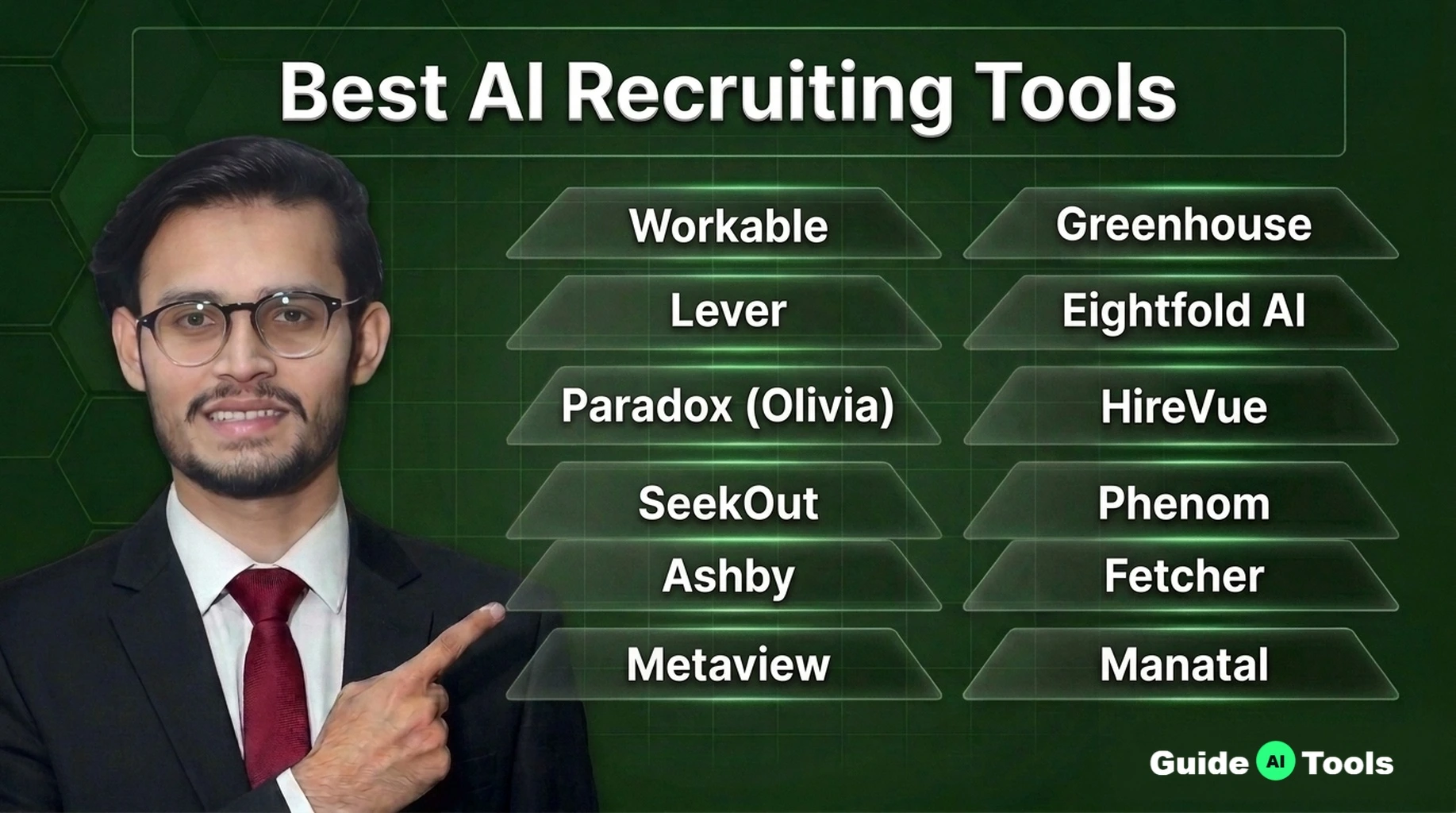
The 12 Best AI Recruiting Tools at a Glance
The mix below covers full platforms, AI sourcing tools, screening specialists, and AI interview scheduling tools that bolt onto the ATS you already own. Read the Pricing column first. Five tools publish a number, seven hide it behind a sales call.
| Tool | Category | Best for | Pricing | G2 rating |
|---|---|---|---|---|
| Workable | AI-enhanced ATS | Small and mid-size teams | From $299/month | 4.4/5 |
| Greenhouse | AI-enhanced ATS | Structured hiring at scale | Custom – contact sales | 4.4/5 |
| Lever | ATS and CRM | Nurturing passive candidates | Custom – contact sales | 4.3/5 |
| Eightfold AI | Talent intelligence | Enterprise skills matching | Custom – contact sales | 4.2/5 |
| Paradox (Olivia) | Conversational screening | High-volume hourly hiring | Custom – contact sales | 4.5/5 |
| HireVue | Screening and interviews | Enterprise video interviewing | Custom – contact sales | 4.1/5 |
| SeekOut | Sourcing database | Technical and diversity sourcing | From $149/month | 4.5/5 |
| Phenom | Talent experience platform | Enterprise candidate experience | Custom – contact sales | 4.3/5 |
| Ashby | AI-enhanced ATS | Startups and growth teams | From $400/month | 4.7/5 |
| Fetcher | Sourcing automation | Hands-off shortlists | From $115/month | 4.6/5 |
| Metaview | Interview intelligence | Cleaner interview data | Free tier, then $100/user/month | 4.8/5 |
| Manatal | AI-enhanced ATS | Budget-first small teams | From $15/user/month | 4.8/5 |
The 12 Best AI Recruiting Tools in Detail
1. Workable
Best for small and mid-size teams that want one system for jobs, pipelines, and first-pass screening. Its AI recruiter screens each applicant against your ideal candidate profile, sources passive candidates from a database of more than 400 million profiles, and chats with applicants so your team does not have to. Job posts go to 200 plus boards in one pass, and interview scheduling runs itself.
Pricing starts at $299 a month for Standard, and the AI agents spend credits, with 3,000 included in the plan. The highs are speed and transparency. The catch is that recruiting now comes bundled with HR software, so you pay for modules you may never open. Skip it if you hire twice a year, the floor price will not pay for itself.
2. Greenhouse
Best for teams that hire often and want every interview scored the same way. Structured interview kits and scorecards are the core product, and the AI sits on top, taking notes in live interviews, matching talent to open roles, and flagging fraudulent applications before they waste a slot. Resume anonymization on the Pro plan hides names and photos during review, a small feature that does real fairness work.
Pricing is custom across Core, Plus, and Pro, and Greenhouse offers no free trial, only a guided demo. The highs are discipline and reporting depth, plus one of the deepest integration libraries in the market. The catch is implementation effort, this is a system you configure for weeks, not days. Skip it if your hiring is occasional and informal.
3. Lever
Best for teams whose real problem is losing good candidates between roles. Lever pairs an applicant tracking system with a genuine recruiting CRM, so nurture campaigns keep passive candidates warm until the right job opens. Its Talent Fit matching surfaces the strongest profiles, AI interview summaries write themselves, and fraud prevention signals flag suspicious applications early.
Pricing is a custom quote that scales with company headcount, and there is no free trial. The highs are the relationship pipeline and a clean interface recruiters actually like. The catch sits with ownership, Lever has been part of Employ since 2022, next to Jobvite and JazzHR, so ask hard questions about roadmap focus before signing. Skip it if you only process inbound applications and never source.
4. Eightfold AI
Best for large enterprises that think in skills instead of job titles. Eightfold matches people to roles by inferred skills and potential, drawing on a talent graph the company sizes at more than 1.6 billion career profiles. It rediscovers past applicants sitting in your own database, maps internal mobility, and runs an AI interviewer in more than 24 languages.
That last discipline matters. Eightfold publishes third-party bias audit results, which is rare honesty in this market, and it carries the AI management certification ISO 42001. Pricing is custom and licensed per employee. The highs are matching depth and workforce planning. The catch is gravity, Eightfold itself positions the platform for companies with 10,000 plus employees, and implementation runs for months. Skip it below roughly 1,000 employees.
5. Paradox (Olivia)
Best for hourly and frontline hiring at serious volume. Olivia, its conversational assistant, texts candidates, asks the screening questions, books the interview, and sends the reminders, in more than 100 languages, at 2 in the morning if that is when a warehouse worker applies. Onboarding paperwork can run through the same chat thread.
Workday completed its acquisition of Paradox in October 2025, so Olivia now sits inside the Workday talent suite, a fact worth weighing in any long contract. Pricing is custom, and there is no free trial. The highs are speed and response rates on text. The catch is the enterprise contract and a setup measured in weeks. Skip it for low-volume professional hiring, where a chatbot solves a problem you do not have.
6. HireVue
Best for enterprises that screen thousands of applicants with video and assessments. Candidates record one-way interviews on their own schedule, and HireVue scores structured answers, runs game-based and coding assessments, and ranks the pile before a human watches a single clip. It is FedRAMP certified, which is why government-linked employers keep it on the shortlist.
Pricing is custom, with no published figure and no trial. The highs are validation research and sheer scale. The catch is candidate trust, the company agreed to a $3.75 million settlement in 2026 over alleged biometric consent violations in Illinois, without admitting wrongdoing. Skip it if your applicants are scarce, senior, and easily scared off by a robot interviewer.
7. SeekOut
Best for recruiters who cannot find enough qualified people, especially in technical and diversity sourcing. The database holds more than a billion profiles, search runs in natural language instead of brittle Boolean search strings, and contact data arrives verified. Hook it to your existing ATS and it rediscovers strong people you already interviewed and forgot.
Pricing starts at $149 a month for the self-serve Core seat billed annually, with team tiers on custom quotes and a free trial that needs no credit card. The highs are search depth and the diversity filters. The catch is that AI applicant screening sits in an add-on or the top tier, not in that entry price. Skip it if your problem is too many applicants, not too few.
8. Phenom
Best for enterprises that want one platform from career site to internal mobility. Phenom runs the career site, the CRM campaigns, the chatbot, screening agents, and scheduling, with industry models tuned for healthcare, retail, and manufacturing hiring. Instead of per-seat pricing, it charges on your total company headcount.
Pricing is custom, and there is no free trial. The highs are breadth and candidate-facing polish, the application experience feels like a consumer product. The catch is scope, big platforms invite long implementations, and headcount pricing can punish a large company that hires modestly. Skip it if you need a tool running this month on a small team.
9. Ashby
Best for startups and growth-stage teams that live in their data. Ashby packs ATS, CRM, scheduling, and analytics into one modern system, and its AI builds candidate searches from a plain English prompt, reviews applications against your criteria, takes interview notes, and flags fraudulent candidates before they reach a human.
Foundations costs a flat $400 a month for companies up to 100 employees, with Plus and Enterprise on custom quotes. The highs are reporting depth and the pace of product updates. The catch is that the AI notetaker and advanced scheduling are paid add-ons, and a few basics are still maturing. Skip it for frontline hourly hiring, which was never its design center.
10. Fetcher
Best for teams that want shortlists without doing the searching themselves. You describe the role, Fetcher’s AI scans a database of more than 500 million profiles, and then human sourcers vet the batch before it lands in your inbox, with automated outreach sequences running behind it. That human check is the difference between Fetcher and a pure software search.
Published plans start at $115 a month for the self-serve tier, and Amplify adds a dedicated sourcer. The highs are time saved and that quality layer. The catch is lead caps on every plan, and reviewers do see off-target profiles slip through on niche roles. Skip it if you need a full ATS, Fetcher feeds one, it is not one.
11. Metaview
Best for teams whose interview notes are a mess. Metaview joins your calls, transcribes them, and writes structured summaries that sync back to your ATS, so feedback stops living in someone’s memory. It has since added agentic sourcing and screening, with a free tier covering your first 100 sourced profiles, Pro at $100 per user a month, and Max at $300.
The highs are note quality and a setup measured in minutes. The catch is context, its famous 4.8 G2 rating was earned by the interview notetaker, not the newer sourcing product, and reviews flag occasional transcription slips in accented or mixed-language calls. Skip it if you need sourcing, screening, and tracking under one contract.
12. Manatal
Best for small teams and agencies watching every dollar. Manatal scores and ranks applicants with AI, enriches candidate profiles from public sources, parses resumes into clean records, and plugs into ChatGPT and Claude on its top tier. For teams comparing budget AI hiring tools, this is usually where the search ends.
Pricing is the headline. Professional costs $15 per user a month billed annually, with a 14-day free trial and no credit card. The catch lives in the caps, Professional stops at 15 jobs and 10,000 candidates, and API access plus single sign-on sit on the $55 Enterprise Plus tier. Support reviews are polarized too. Skip it if you run complex global hiring with strict governance demands.
What AI Recruiting Tools Actually Cost
Sticker prices lie in this market. Not always on purpose, but the number in the brochure rarely survives contact with your actual hiring volume, your add-ons, and your renewal.
Four pricing models run the whole category. Per-seat looks simple until the team grows, a $15 per user per month plan already costs a 20-person team $3,600 a year before a single add-on. Credit-based pricing ties cost to activity, which sounds fair until a busy month burns through your screening credits.
Flat-rate plans feel predictable, until you read the fair-use caps. Custom quotes hide everything behind a sales call, which is why six of the twelve tools on this list publish no number at all.
| Model | How you pay | Watch out for |
|---|---|---|
| Per-seat | A monthly fee for every recruiter login | The bill grows every time the team does |
| Credit-based | You spend credits on searches, screens, and chats | Heavy months burn credits fast, and unused credits can expire |
| Flat rate | One price for the whole team | Fair-use caps hide in the fine print |
| Custom quote | A negotiated annual contract, often priced on headcount | You cannot comparison shop without a sales call |
Free options are thinner than the marketing suggests. This is the pattern we see across the GuideAITools directory again and again, the trial is real, the free plan usually is not.
| Tool | Free option | The limits |
|---|---|---|
| Workable | 15-day free trial | No credit card needed, but AI Agent credits are not part of the trial |
| Greenhouse | None | Guided demo only, pricing starts with a sales call |
| Lever | None | Quote only, no self-serve trial |
| Eightfold AI | None | Enterprise sales process only |
| Paradox (Olivia) | None | No trial, the contract comes first |
| HireVue | None | Demo only |
| SeekOut | Free trial | Covers Sourcing, no credit card, Core then starts at $149/month |
| Phenom | None | Demo only |
| Ashby | None | Foundations is a paid plan from $400/month |
| Fetcher | Free Starter tier | Small sourcing volume, paid plans start at $115/month |
| Metaview | Free tier | First 100 sourced profiles free, then per-user pricing |
| Manatal | 14-day free trial | No free plan after, and Professional caps at 15 jobs and 10,000 candidates |
Budget for the invisible line items too. Implementation, data migration from the old ATS, training, and the background screening and reference check integrations you forgot to ask about. They rarely appear in the quote, and they always appear on the invoice.
AI Bias in Hiring: The Rules You Must Know
This is the section vendors wish you would skip. Do not. One bad automated rejection pattern can quietly screen out a protected group for months before anyone notices, and the law does not accept “the software did it” as a defense.
So what does the EEOC say about AI in hiring? Less than it used to, on paper. The US Equal Employment Opportunity Commission pulled its AI technical assistance documents from its website in early 2025, but Title VII of the Civil Rights Act never changed, and disparate impact claims still run through the courts, including private lawsuits against vendors themselves. The law stayed. The guidance left. Employers carry the liability either way, because the employer chose the tool.
The practical yardstick is still the four-fifths rule from the federal Uniform Guidelines. If the selection rate for any group falls below 80 percent of the rate for the most selected group, that gap counts as evidence of adverse impact and you need a job-related justification. Run that check on your own funnel data, not just on the vendor’s slide deck.
What is NYC Local Law 144 for hiring, in plain terms? Since 2023, employers using an automated employment decision tool for roles in New York City must commission an independent bias audit every year, publish a summary of the results, and tell candidates the tool is being used before it runs. Other states are copying the template, and Illinois biometric privacy law adds consent duties for video and voice analysis, the exact ground under that HireVue settlement.
The safe operating rule is boring and it works. Keep AI scores advisory, keep a human as the decision maker of record, disclose the tool to candidates, and document why each finalist advanced. Then run this bias-audit checklist before you sign anything, and repeat it every year.
- Ask the vendor for its most recent independent bias audit and adverse impact results, in writing
- Run the four-fifths check on your own hiring data by group, before and after rollout
- Confirm who sends candidate notice and consent where laws like NYC Local Law 144 and Illinois biometric rules apply
- Get the data retention and deletion policy into the contract, not the sales deck
- Keep a named human as the decision maker of record on every rejection the AI recommends
What Candidates See From the Other Side
Every tool above sells time back to recruiters. Candidates pay part of that bill, and pretending otherwise is how teams end up with a fast funnel and a damaged employer brand.
Picture it from their chair. A chatbot screens you at midnight. A one-way video interview scores your answers with no human in the room. Then silence, then a rejection email signed by nobody. One Greenhouse survey found 38 percent of job seekers have walked away from a hiring process because it included an AI interview. The fix is cheap. Tell candidates where AI is used, keep a human reachable at every stage, and make sure a person, not a template, delivers the final no.
Honestly, most teams get this backwards. They automate the rejection and keep the scheduling manual. Flip it.
How to Choose the Right Tool for Your Team
Start with your bottleneck, not a feature list. Teams buy sourcing software for an inbound problem every week, and it never ends well.
Count your volume first. Applications per hire, requisitions per recruiter, and your current time-to-hire tell you whether you need automation at all. Under 100 applications per role, most AI screening tools cost more than they save.
Name the stage that hurts. Too few candidates means sourcing, look at SeekOut, Fetcher, or Eightfold. Too many means screening, look at Paradox, HireVue, or the screening agents inside Workable and Ashby. Messy interviews mean Metaview or a structured platform like Greenhouse.
Check the plumbing. Native integration with your ATS, HRIS, calendar, and email matters more than any demo feature, because data that does not sync becomes data nobody trusts. Ask for the API documentation before you sign, not after.
Interrogate the AI. Which data trained the matching model, can a recruiter override a score, and where is the bias audit? A vendor who cannot answer in plain language has not done the work.
Run a real pilot. One role, real candidates, four weeks, measured against your old process on time-to-screen and candidate feedback. Then expand, or walk away while walking away is still cheap.
The quick picker, by team shape. Under 50 employees, start with Manatal for budget or Workable for depth. Between 50 and 500, Ashby, Lever, and Greenhouse cover most needs. Above 500, Eightfold, Phenom, and Greenhouse at the Pro tier enter the conversation. For high-volume hourly hiring at any size, Paradox and HireVue are the specialist answers. And whatever you pick has to sit comfortably next to the rest of your stack, the same discipline we apply when shortlisting the best AI business tools for any department.
Rolling Out AI Recruiting Without Breaking Trust
Start where the risk is lowest. Job description drafts, interview question banks, scheduling, and note-taking carry almost no legal exposure and save hours in week one. If your team is new to AI drafting workflows, the habits in our guide on how to use ChatGPT transfer directly to this work.
Pilot on one role family, not the whole company. Tell candidates the tool is there, in the job post and again before any automated screen. Then review the outcomes every quarter, selection rates by group, candidate complaints, quality of hire at six months, and offer acceptance rate. The tools that survive that review earn the bigger rollout. The ones that do not were never going to survive an audit either.
FAQs
What is the best AI recruiting tool?
Workable, for most teams. It publishes its pricing, covers sourcing, screening, and scheduling in one system, and its AI agents do real work instead of decorating a dashboard. Manatal beats it on price, Ashby beats it on analytics, and Paradox beats everything for hourly volume, so best depends on your bottleneck. We keep this ranking current at GuideAITools as pricing and products change.
How much do AI recruiting tools cost?
Published prices on this list run from $15 per user a month for Manatal to a flat $400 a month for Ashby Foundations, with sourcing tools like SeekOut and Fetcher starting at $149 and $115 a month. Six of the twelve vendors here publish no price at all and quote per contract, usually on headcount or hiring volume.
Can AI recruiting tools be biased?
Yes. A model trained on your past hiring decisions learns your past preferences too, including the unfair ones, and it applies them at a scale no human could match. That is why bias audits, the four-fifths check on your own data, and human review of rejections are not optional extras.
Do AI recruiting tools replace recruiters?
No, and the data says the opposite is happening. Recruiters are handling 93 percent more applications than they did in 2021, per Gem’s benchmarks, so the tools absorb volume while humans keep sourcing judgment, selling the role, and closing the candidate. The job changes shape. It does not disappear.
Which AI recruiting tool is best for small business?
Manatal, if budget rules the decision, at $15 per user a month with a 14-day free trial and AI scoring included. Workable is the step up when you can spend more and want the fuller AI agent set. Both publish prices, which for a small team is half the battle.
How do AI recruiting tools integrate with an ATS?
Three ways. Native integrations sync candidates, stages, and notes both ways with tools like Greenhouse, Lever, and Workday. Open APIs cover the rest, though some vendors, Manatal included, lock API access to the top pricing tier. Point tools like Metaview and SeekOut are built to plug into an ATS you already run rather than replace it.
Are AI hiring tools legal?
Yes, with conditions. No US law bans AI in hiring, but Title VII discrimination law applies to software exactly as it applies to people, NYC Local Law 144 adds audit and notice duties for automated decision tools, and data laws like the GDPR govern how candidate data is stored and deleted. Legal means audited, disclosed, and supervised.
Final Verdict
Here is the honest summary. The best AI recruiting tools in 2026 are not the ones with the longest feature lists, they are the ones matched to a real bottleneck, priced in the open, and supervised like the legal exposure they are. Buy for the stage that hurts, pilot small, and audit every year.
We update this list as pricing and products change, and you can browse the full AI toolkits collection for the other departments on your list. Hiring is also only one front in a bigger shift, as our breakdown of AI trends 2026 shows, the teams winning with AI are the ones that paired it with process discipline early. GuideAITools will keep tracking both.

Related Blog Posts