Best AI Business Tools 2026: 22 Tools Ranked, Priced and Tested

The best AI business tools in 2026 are ChatGPT Business and Claude Team at $20 per user monthly on annual billing, Microsoft 365 Copilot at $30, Google Workspace with Gemini from $14, and GitHub Copilot Business at $19. Every one of those seat prices now sits on top of usage fees.
That last sentence is the part nobody tells you.
Your AI subscription costs more than the number on the pricing page. In 2026 the seat fee became a floor, not a total. GitHub started billing by credits in June. HubSpot started charging per resolved conversation in April.
Most buying guides still quote the sticker price and move on. This one does the arithmetic.
Every price below was checked against the vendor’s own pricing page on 10 August 2026. We sell none of these tools. GuideAITools is a directory, so we have no reason to push you toward the one paying the biggest commission.
What are the best AI business tools in 2026?
The short version: pick one general assistant, one office suite, and one automation layer. That covers about 80% of what a small team needs. Everything after that is a specialist hire.
Here’s the quick-pick table, with prices verified on 10 August 2026.
| Business job | Top pick | Starting price (verified 10 Aug 2026) | Best for |
|---|---|---|---|
| Everyday AI assistant | ChatGPT Business | $20/user/mo annual, $25 monthly | Teams of 2+ wanting the widest app integrations |
| Long documents and analysis | Claude Team | $20/user/mo annual, $25 monthly | Drafting, research, coding-adjacent work |
| Microsoft-based offices | Microsoft 365 Copilot | $30/user/mo, annual commitment | Teams living in Outlook, Excel and Teams |
| Google-based offices | Google Workspace Business Standard | $14/user/mo annual, $16.80 flexible | Gemini bundled across Gmail, Docs and Meet |
| Developer output | GitHub Copilot Business | $19/user/mo, 1,900 credits included | Any team shipping code |
| Docs and internal knowledge | Notion Business | Check current rate on notion.com | Replacing a wiki plus adding AI search |
| Automation between apps | Zapier | Priced by task volume, not seats | Connecting tools without hiring a developer |
| Design and brand assets | Canva | Check current tier on canva.com | Non-designers producing on-brand work |
Two of those rows say “check current rate” on purpose. Notion and Canva both restructured their plans recently, and I’d rather send you to the source than print a number that’s three weeks stale. Same reason we date-stamp the rest.
How much do AI business tools actually cost per month?
Budget $34 to $50 per person per month for a working stack, then add usage on top. That range covers one assistant seat plus an office suite. Developers and sales seats push it higher fast.
Now the part every other guide skips. Actual totals.
| Team size | Stack | Monthly maths | Yearly |
|---|---|---|---|
| Solo founder | Individual assistant plan plus free tiers | ~$20 to $25 | ~$240 to $300 |
| 5 people | 5 assistant seats + 5 Workspace Standard | (5 × $20) + (5 × $14) = $170 | $2,040 |
| 20 people | Above + 5 developer seats | $400 + $280 + (5 × $19) = $775 | $9,300 |
| 50 people | Above + 5 sales seats | $1,000 + $700 + (10 × $19) + (5 × $90) = $2,340 | $28,080 |
A few things worth knowing before you commit.
Solo founders can’t actually buy most business plans. ChatGPT Business and Claude Team both carry a two-member minimum. You’ll be on an individual plan until you hire your first person.
Annual billing is real money, not a rounding error. Both ChatGPT Business and Claude Team drop from $25 to $20 per seat when you commit for a year. On 20 seats that’s $1,200 saved annually. Google applies roughly a 16% discount on the same logic.
And prices move in both directions. OpenAI cut standard ChatGPT Business seats by $5 per month on 2 April 2026. Google’s pricing page currently flags a Business Plus change taking effect 22 November 2026.
Which is exactly why we date everything. A price without a date is just a rumour.
Why your AI bill isn’t just seats anymore
In 2026 most business AI vendors charge a seat fee plus consumption. The published per-user price buys you an allowance, and once your team burns through it you pay by the unit. This is the single biggest change in AI pricing this year.
I’ve watched three teams get surprised by this in the past quarter. Same story every time. The finance lead budgeted from the pricing page, then the second invoice arrived.
Here’s what actually changed, with dates.
GitHub Copilot moved to usage-based billing on 1 June 2026. Copilot Business stays at $19 per user monthly and includes 1,900 AI credits per user. Enterprise runs $39 with 3,900 credits. Credits pool across the whole organisation, and anything past the pool bills at $0.01 per AI credit by default.
That pooling detail matters more than people think. One heavy user can quietly drain the allowance the rest of the team was counting on.
HubSpot went further. On 14 April 2026 it moved Breeze Customer Agent and Prospecting Agent to outcome-based pricing. You now pay $0.50 per resolved conversation and $1 per lead recommended for outreach. HubSpot Credits cost $0.010 each, sold in packs of 1,000 for $10.
OpenAI does a softer version. ChatGPT Business seats include baseline access, and you buy workspace credits for anything beyond the included rate limits.
So what do you actually do about it? Set a credit alert at 70% of your pooled allowance. Review consumption monthly for the first quarter, not quarterly. And never, ever build a budget from the seat price alone.
The best AI business tools, ranked by the job they do
Twenty tools, eight jobs. Each one gets a real limitation, not a polite one.
Everyday assistant and research
ChatGPT Business at $20 per user annually is the safest default. Seats include GPTs, Projects, Company Knowledge, ChatGPT Agent, Deep Research and Codex. OpenAI does not train on your workspace data by default, which is the answer your legal team will ask for.
Claude Team matches it at $20 annually and bundles Claude Code with every seat. Standard seats give 1.25x the per-session usage of Pro. Premium seats run $100 annually and give 6.25x, which only makes sense for genuinely heavy users.
Perplexity earns a spot for research work with citations. The limitation is real though. It’s a search layer, not a workspace, so don’t expect it to hold your company context.
Writing and content operations
Jasper and Copy.ai both target marketing teams that need volume with brand rules attached. Copy.ai has a usable free tier if you want to test before paying.
Grammarly is where people get tripped up. The Grammarly Business plan no longer exists. Grammarly Pro replaced it, covering 1 to 149 seats with a 2,000 monthly AI prompt allowance, and the brand now sits inside Superhuman alongside Coda.
If content is your main use case, our breakdown of the best AI tools for content creators goes deeper than we can here.
Marketing and sales
HubSpot Agent Hub comes included with Professional and Enterprise plans, but custom agents burn credits. Sales Hub Professional seats run $90 per seat monthly on annual billing, $100 monthly.
Semrush handles the SEO side. AdCreative.ai handles paid creative at volume. Both are narrow specialists, so buying either before you have consistent ad spend is premature.
Worth browsing our AI CRM assistant category if you’re comparing beyond HubSpot.
Customer support
Support is the category where outcome pricing hits hardest. At $0.50 per resolved conversation, a business handling 2,000 tickets a month pays $1,000 before any seat fees.
Run your own ticket volume through that maths before you sign. Some teams win big. High-volume, low-complexity queues lose.
Meetings and notes
Otter.ai and Fireflies.ai both offer free tiers that genuinely work for a solo operator. Krisp handles noise removal rather than transcription, so it’s a companion, not a replacement.
The catch with all three? Accuracy drops hard on accented speech and crosstalk. Test with your actual team before rolling it out. Our AI meeting assistant listings cover the alternatives.
Automation and operations
Zapier prices by task volume rather than per seat, which changes how you budget. The free plan caps at 100 tasks a month with two-step workflows. A five-step automation burns five tasks per run, so volume adds up quicker than teams expect.
Notion now bundles AI into Business and Enterprise rather than selling it separately. Taskade works for smaller teams that want tasks and AI in one place.
Design and creative
Canva retired its legacy flat-rate Teams plan for new signups and repriced the replacement. Check the current tier directly before budgeting.
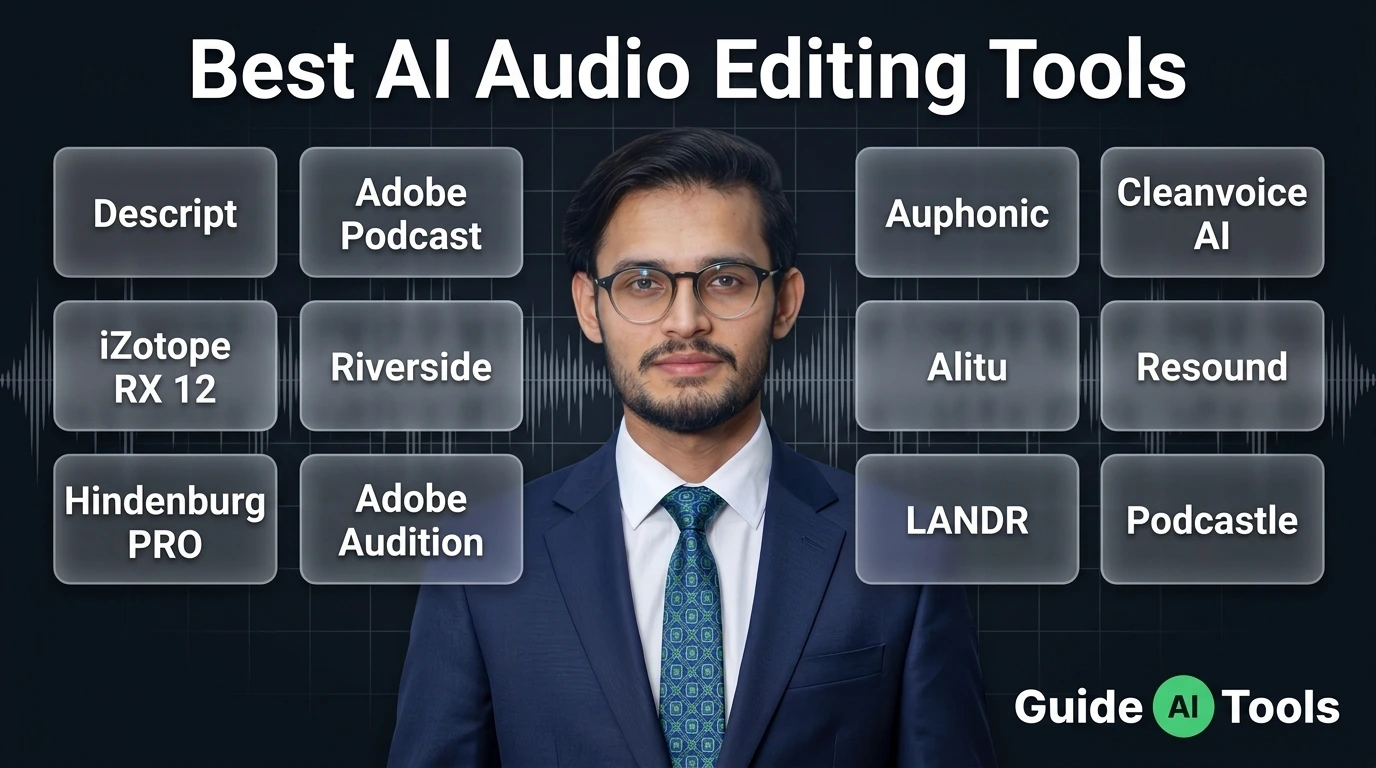
Adobe Firefly suits teams already inside Creative Cloud. Descript covers video and podcast editing through a text interface, which is genuinely faster for anyone who can’t edit a timeline.
Finance, admin and hiring
QuickBooks Online handles AI-assisted bookkeeping for most small businesses. AI recruiting tools sort applications, though I’d treat every shortlist they produce as a suggestion rather than a decision.
Developers get GitHub Copilot at $19, and Microsoft shops should look at Microsoft 365 Copilot at $30, or the SMB Copilot Business tier at $21 per user paid yearly.
Are free AI tools good enough to run a business?
Yes for a solo operator in specific categories, no once you need admin controls, shared workspaces or written data guarantees. Free tiers handle drafting, transcription and basic design. They stop working the moment a second person needs access to the same account.
Microsoft Copilot Chat is the strongest free option going. It costs nothing extra for Microsoft Entra account users with an eligible Microsoft 365 subscription, which means a lot of businesses already own it and don’t realise.
Here’s where free reliably breaks:
- You need SSO or audit logs and the free tier doesn’t offer either
- Two people start sharing one login, which breaks your security posture and your billing trail
- You want a written commitment that your data isn’t used for training
- Task or prompt caps hit mid-month and the work simply stops
That last one catches people out. Zapier’s free plan caps at 100 tasks monthly. Sounds generous until one busy Tuesday eats a third of it.
How we picked these tools
We scored every tool on six things. Publishing the method seemed fairer than asking you to trust a ranking.
| Criterion | What we checked | Why it matters |
|---|---|---|
| Time to first useful output | Minutes from signup to real work | Tools that take a week never get adopted |
| Pricing transparency | Is the full cost published, usage included? | Hidden consumption fees wreck budgets |
| Integration depth | Does it write back into your systems? | A tool that can’t update your CRM is a toy |
| Data handling | Training default, retention, residency | Legal and client-trust blocker |
| Seat economics | Minimums, annual gap, pooled credits | Decides real cost at your headcount |
| Genuine business focus | Built for teams or a rebranded consumer app? | Admin controls aren’t optional |
Now the uncomfortable bit. You probably already own too many of these.
AI reached 26.4% of all software purchases in 2026, up from 5.8% in January 2024, measured across 1.8 million transactions by spend platform Cledara. The average adopter spends around $15,300 a year across roughly 3.7 subscriptions.
Very few of those companies could tell you which subscription earns its keep.
Start your cut list with overlapping general assistants. Nobody needs three. Then unused seats, which are almost always the biggest single line of waste. Then any standalone tool whose only job already exists inside a suite you’re paying for.
For context on where this is all heading, our take on AI trends in 2026 covers the shift from seat licences to consumption billing in more depth.
Your first 30 days
Don’t buy the stack. Buy one thing and prove it.
- Week one: pick one assistant, buy the two-seat minimum, choose monthly billing. Our ChatGPT guide covers setup if you’re starting cold.
- Week two: pick a single repeating workflow and measure the before-and-after time. One workflow, not five.
- Week three: open the usage meter and the invoice together. This is where credit consumption shows its real shape.
- Week four: switch to annual billing only for what survived. Cancel the rest without guilt.
Thirty days is enough to know. Six months of “we’re still evaluating” is just an expensive way of not deciding.
FAQs
Do AI business tools train on my company data?
It depends entirely on the plan you’re on. ChatGPT Business is governed by OpenAI Business Terms and Enterprise Privacy commitments, and OpenAI does not train on workspace data by default. Consumer tiers of the same products often work differently, so check the specific plan’s terms rather than the vendor’s homepage.
Is ChatGPT Business or Claude Team better for a small team?
They’re priced identically at $20 per user monthly on annual billing, $25 monthly, both with a two-member minimum. Claude Team includes Claude Code with every seat, which suits technical teams. ChatGPT Business includes GPTs, Projects, Company Knowledge, Deep Research and Codex, which suits broader office work.
How much should a small business budget for AI in 2026?
Around $34 per person monthly for a working stack of one assistant seat plus an office suite, then 20% to 30% on top for usage. A five-person team lands near $170 monthly, or $2,040 a year. Developer and sales seats add meaningfully beyond that.
What AI tools should I cancel first?
Cancel duplicate general assistants first, then seats nobody has opened in 30 days. After that, look at single-purpose tools whose function already exists inside a suite you pay for. Most teams find one full subscription of pure waste on the first pass.
How many AI tools does the average company pay for?
Roughly 3.7 subscriptions, at about $15,300 a year per adopting company, based on Cledara’s transaction data. AI now makes up 26.4% of all software purchases, up from 5.8% in January 2024. Growth in tool count is outpacing growth in measured value.
Does the EU AI Act affect a small business using AI tools?
Mostly through transparency duties rather than heavy compliance work. The Act entered into force on 1 August 2024 and became applicable on 2 August 2026, with prohibited practices and AI literacy obligations live since 2 February 2025. The AI Omnibus, in force 27 July 2026, pushed high-risk obligations back to 2 December 2027, and product-embedded AI to 2 August 2028. The European Commission’s AI Act pages hold the current timeline.
Which AI business tools have the best free plan?
Microsoft Copilot Chat leads if you already hold an eligible Microsoft 365 subscription, since it adds no extra cost. Otter.ai, Fireflies.ai and Copy.ai all run free tiers that genuinely work for one person. All of them stop being viable the moment a team needs shared access.
Can one AI tool replace three of my current subscriptions?
Often yes, and this is where the fastest savings hide. A general assistant with document handling can absorb separate summarising, drafting and basic research tools. What it won’t replace is anything that writes back into your systems, like your CRM or your books.
What to do next
Pick one assistant. Pick one suite. Give both 30 days with a stopwatch running.
The teams getting real value from AI in 2026 aren’t the ones with the longest tool list. They’re the ones who cancelled fastest.
Every price in this guide was verified against official vendor pages on 10 August 2026, and we’ll re-check as they move. Compare all of these side by side in the GuideAITools AI business tools directory, filtered by category and updated as pricing changes.

Related Blog Posts