

Opera Neon
✓ VerifiedOpera's agentic browser, where AI agents research, browse and build for you inside a full browser with VPN and ad blocking built in.
Best For: People who want agents, leading AI models and a complete browser in one subscription
Opera Neon Quick Facts
| Founded | 1995, in Oslo, Norway (Opera) |
| Free Plan | Yes, the browser and basic chat are free, agents are paid |
| Top Feature | Neon Do, an agent that browses and finishes tasks in your tabs |
| Main Limitation | Desktop only, and every agent feature sits behind the subscription |
The Verdict: Opera Neon
Neon is the most complete agentic browser package on sale, and the easiest to justify if you already delegate research and drafting to AI tools. One subscription replaces a browser, an agent tool and several model subscriptions at once. Download the free tier first and live in the browser for a few days. Subscribe for a month when you have real tasks queued, and judge it on finished work rather than demos. If your AI use is a few questions a day, the free Opera browser or a sidebar assistant will serve you for less.
What is Opera Neon?
Opera Neon is a full web browser from Opera with AI agents built in, sold as a premium companion to the free Opera browser. Where most AI browsers start with chat, Neon starts with work: its agents research, browse and build inside your own tabs and sessions. It is one of the tools we track in our best AI browsers roundup at GuideAITools.
Three agents divide the labour. Neon Do acts on the web, following an instruction through pages and forms. Neon Make produces output, from documents and reports to small websites with deploy options. Deep Research handles the long reading. Underneath sits the standard Opera kit of ad blocking, free VPN, tab tools and sidebar apps, plus connectors that let outside agents work through Neon over MCP or its command line.
The catch is the position of the paywall. The free download is a capable browser with basic chat, but every agent sits behind the one subscription, so Neon only makes sense if you will actually delegate work every week. For people who will, the bundle is tidy: agents, leading models from three labs, generation tools and the browser itself, all in a single monthly payment.
The Company Behind Opera Neon
Opera was founded in 1995 in Oslo, Norway, growing out of a research project at the telecom company Telenor. The company has spent three decades building browsers, including early work on tabs and speed dial that the rest of the industry later adopted, and now runs a family of browsers for desktop and mobile as a company listed on the NASDAQ stock exchange. Neon is Opera's answer to the agentic browser wave, launched in 2025 as a separate, premium browser rather than a feature inside the main Opera browser. It carries the company's view that a browser should do work, not just display pages, and packages its agents with the models and tools they need behind one subscription.
Who is Opera Neon Best For?
People who want agents, leading AI models and a complete browser in one subscription
Opera Neon Key Features
Top Benefits of Opera Neon
How to Use Opera Neon
- Download Neon for Windows or Mac and sign in with an Opera account
- Browse on the free tier, using basic chat and the built-in browser tools
- Subscribe to the Standard plan when you want the agents switched on
- Hand Neon Do a task in plain words and follow it as it works through your tabs
- Save repeat jobs as skill cards or scheduled tasks so they run again without setup
- Connect outside agents through MCP or the Browser CLI if you already run your own
Where Opera Neon Fits: Use Cases
- Deep research briefs gathered and structured from many sources
- Booking, buying and form filling handled inside your own sessions
- Draft documents and reports produced from scattered tabs and notes
- Small websites and tools built and deployed from a description
- Recurring checks and summaries run as scheduled tasks
- Comparing products across open tabs with the chat using page context
Opera Neon Pricing & Plans
Opera Neon Review Summary
| Performance Score | B |
| Content Quality | Research and Make output arrive structured and ready to edit, with depth that depends on the model you pick for the job. |
| Interface | A polished Opera browser with agent panels woven in, familiar to anyone who has used Opera before. |
| AI Technology | A bench of agents for doing, making and researching, powered by leading models from OpenAI, Anthropic and Google. |
| Purpose | An agentic browser that turns instructions into finished web work and documents inside your own browsing session. |
| Compatibility | Desktop |
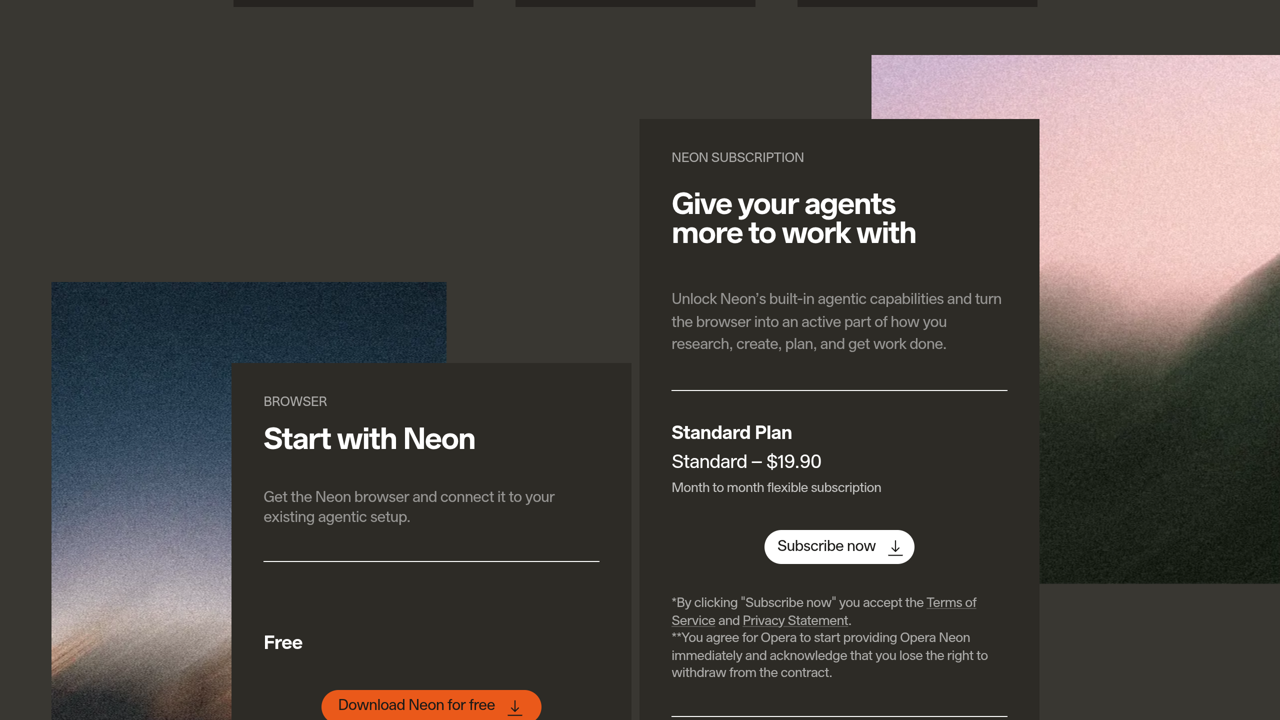
| Pricing Summary | Neon is free to download with basic chat and browser tools, and the Standard plan runs $19.90/month billed month to month, adding the Neon Do and Make agents, deep research, full model choice, generation tools and scheduled tasks. |
Opera Neon Pros & Cons
✅ Pros
- Comes from a company with thirty years of browser craft behind it
- One subscription covers agents, top models and generation tools
- Make produces finished documents and sites, not only answers
- External agents can plug in through MCP and the Browser CLI
- Everyday browser gear is strong, including the ad blocker and free VPN
- Free download lets you judge the browser before paying anything
❌ Cons
- Every agent feature sits behind the subscription, with no free agent use
- Desktop only, with no phone or tablet version
- One flat plan means light users pay the same as heavy ones
- It is a separate browser, so your setup has to move from your current one
- The agent tools are new and still changing fast, so workflows can shift under you
Alternatives to Opera Neon
Perplexity Comet - Perplexity's free browser, where the agent depth comes from a separate search subscription.
Fellou - Credit-metered agent browser that shows its task plan before running it.
Dia - Tab-focused AI browser from The Browser Company, built around chatting with your pages.
Google Chrome - The default browser most people switch from, with Gemini features arriving inside it.
FAQs
What is Opera Neon?
▼Is Opera Neon free?
▼How much does Opera Neon cost?
▼What is Neon Do?
▼What is Neon Make?
▼Which AI models does Neon use?
▼Does Neon replace the main Opera browser?
▼More AI Tools You Might Like

Cloud platform that rents headless browsers to AI agents by the hour,…
View Tool ↗
Privacy-first browser with the Leo assistant built in, blocking ads and trackers…
View Tool ↗
AI assistant for chatting with top models, summarizing pages, writing content and…
View Tool ↗
AI browser sidebar for chat, page summaries, translation, PDF reading, automation and…
View Tool ↗
Desktop browser that turns your web apps into organised spaces, with every…
View Tool ↗
Open source library that lets AI agents drive a real browser from…
View Tool ↗
Agentic AI browser that plans multi-step tasks, shows you the workflow before…
View Tool ↗
AI browser assistant for summarizing pages, chatting with PDFs, writing, translating and…
View Tool ↗