What Are AI Agents?
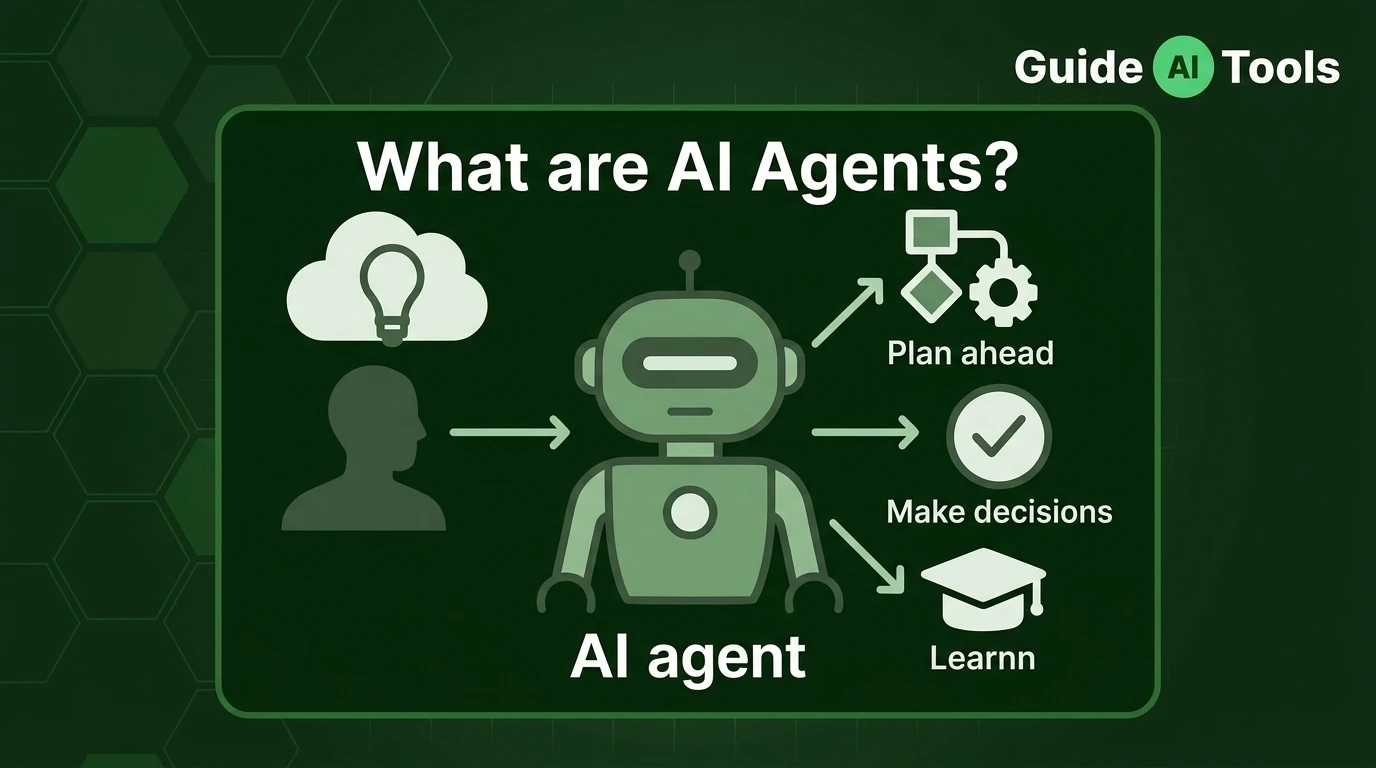
An AI agent is software that uses artificial intelligence to pursue a goal, decide what steps to take and perform actions with available tools. Unlike a system that only gives you an answer, an agent can work through multiple steps, use information from its environment and adjust its actions based on what happens.
That sounds simple.
The useful distinction is this: an AI model gives you an output, while an AI agent can use that output as part of a larger task.
For example, a chatbot might tell you that a meeting is available on Tuesday.
An AI agent could check your calendar, find an available time, contact the other person and create the meeting, if you’ve given it the required permissions.
That’s the difference worth remembering.
What makes something an AI agent?
An AI agent is a software system designed to pursue a goal by interpreting information, reasoning about what to do, planning steps, using tools and taking actions within a defined environment. Google Cloud’s AI agent definition also explains agents through capabilities such as reasoning, planning, memory, tools and autonomous action.
A typical agent can contain several parts:
| Component | What it does |
|---|---|
| Goal | Defines what the agent is trying to accomplish |
| AI model | Provides language, reasoning or decision-making capabilities |
| Planning | Breaks a larger task into smaller steps |
| Memory | Stores or retrieves useful context |
| Tools | Gives the agent access to external capabilities |
| Actions | Lets the agent change something or perform a task |
| Feedback | Helps the agent evaluate what happened |
| Guardrails | Limits what the agent is allowed to do |
An agent doesn’t need to be a humanoid robot.
It can be a piece of software running quietly in the background, handling a workflow through APIs, databases, browsers or business systems.
For a broader foundation, you can read What Is Artificial Intelligence?.
How is an AI agent different from a regular AI model?
An AI model mainly processes an input and produces an output. An AI agent adds a surrounding system that can pursue a goal, decide what to do next and interact with external tools.
| AI model | AI agent |
|---|---|
| Processes an input | Pursues a goal |
| Generates an output | Can complete a sequence of steps |
| Usually responds to a request | Can decide what action comes next |
| Doesn’t inherently use external tools | Can call tools and APIs |
| Doesn’t inherently maintain memory | Can use stored context |
| Doesn’t inherently execute tasks | Can perform permitted actions |
| Model-focused | System-focused |
Imagine asking an AI model:
“What should I do if a customer wants a refund?”
It can give you an answer.
An agent could check the customer’s order, look up the refund policy, determine whether the request qualifies and start the approved refund process.
The model is part of that system.
It isn’t the whole system.
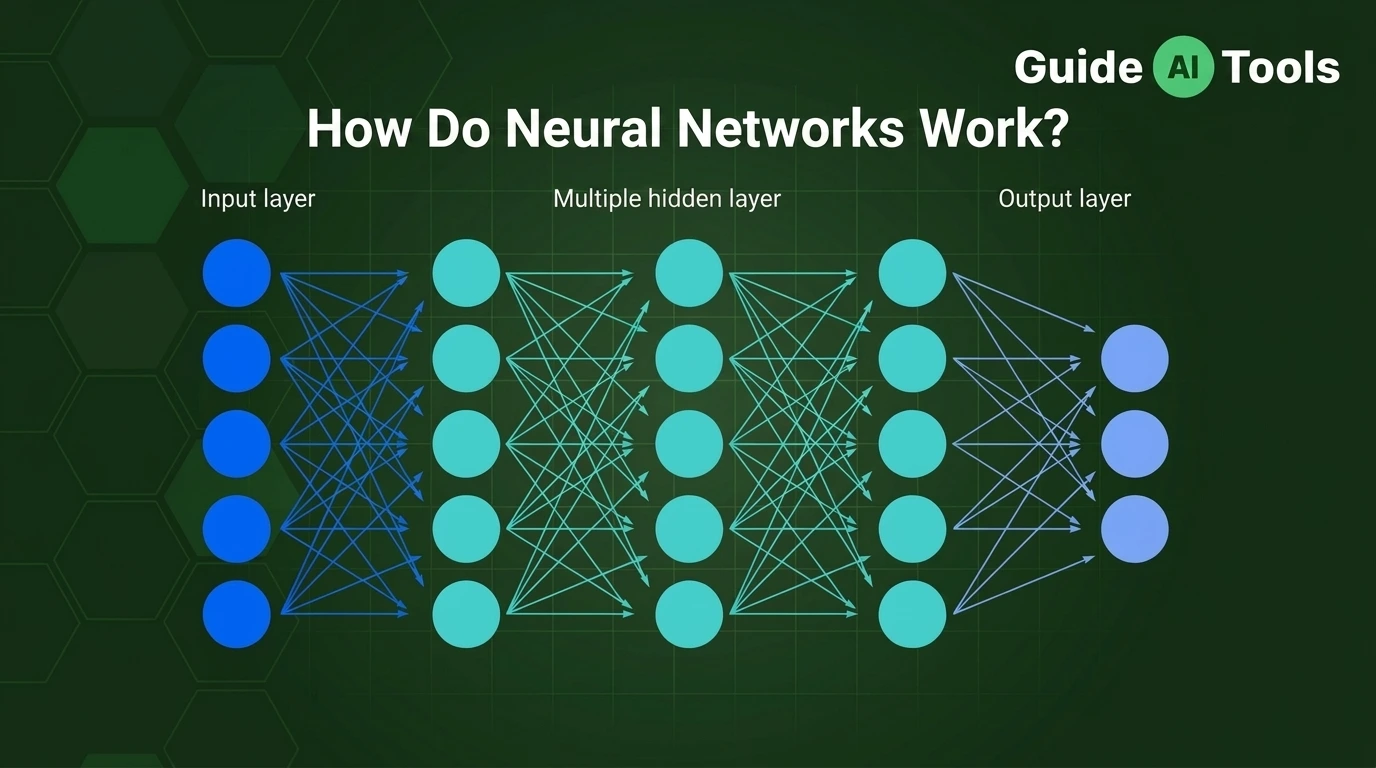
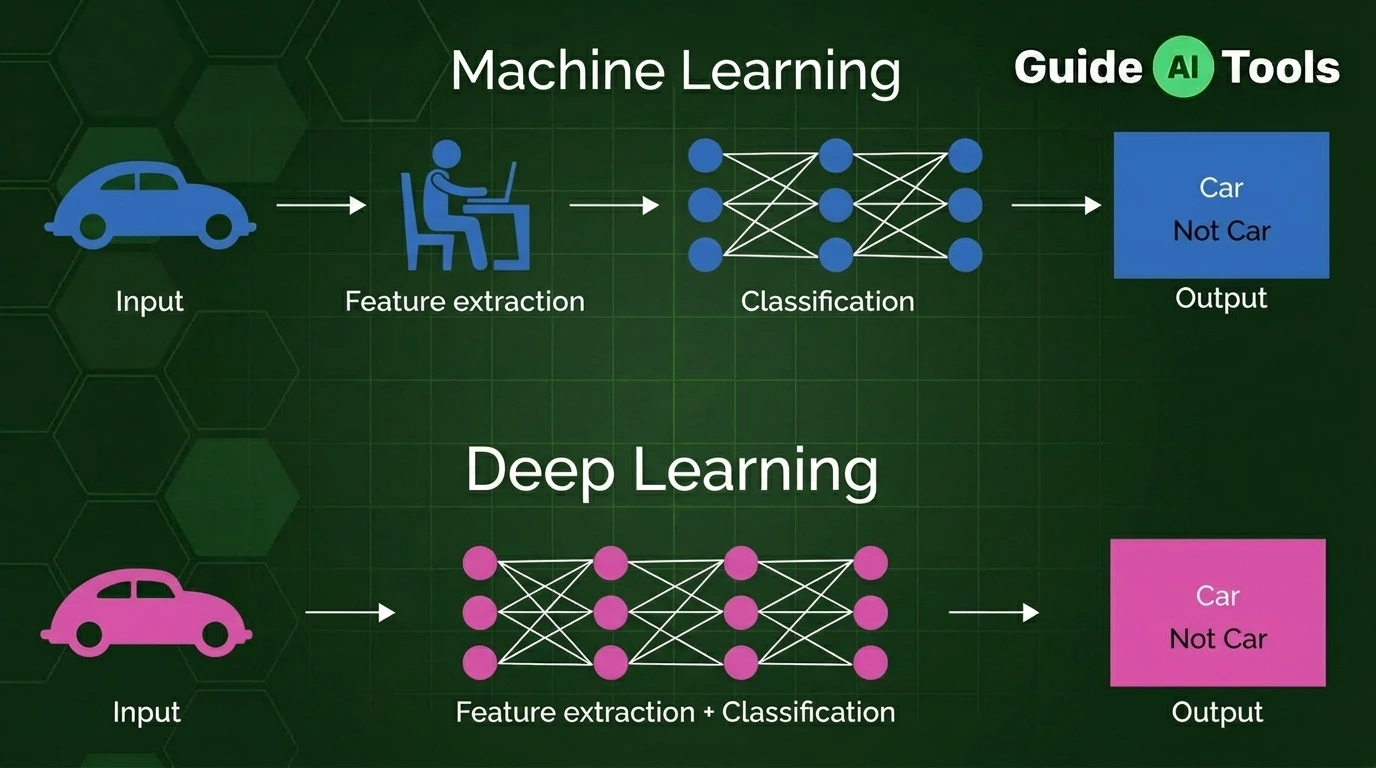
This distinction becomes clearer when you understand what machine learning is, because many modern agents rely on machine learning models as part of their architecture.
What are the main parts of an AI agent?
An AI agent becomes easier to understand when you look at the pieces individually.
Goals
Every useful agent needs an objective.
The goal could be simple:
“Find the cheapest flight that meets these requirements.”
Or more involved:
“Monitor customer support tickets and escalate urgent cases.”
The goal gives the system something to work toward.
Reasoning
Reasoning helps an agent decide what information matters and what action should come next.
A modern agent may use an LLM or another AI model for this part.
But reasoning doesn’t mean the system thinks exactly like a person. It’s a computational process carried out within the agent’s architecture.
Planning
Planning turns a larger objective into smaller actions.
For example:
Book a meeting
↓
Find the people
↓
Check calendars
↓
Find overlapping availability
↓
Choose a suitable time
↓
Request approval
↓
Send invitation
A simple request can become a surprisingly long workflow once an agent has to actually complete it.
Memory
Memory gives an agent access to information beyond the immediate input.
That might include previous conversation context, stored preferences, retrieved documents or information kept in an external database.
Not every agent has permanent memory.
Memory is an architectural choice, not an automatic property of every AI agent.
Tools
Tools give an agent capabilities that the underlying model doesn’t have on its own.
A tool could be:
- a web search
- an API
- a database
- a browser
- a calculator
- a calendar
- a CRM
- a code execution environment
This is where agents become much more useful than systems that can only generate text.
Actions
Actions are what the agent actually does with its available capabilities.
It might retrieve information, update a record, send a message, create a document or call another service.
The exact actions depend on the permissions and tools connected to the agent.
Feedback
After an action, the agent can inspect what happened.
If an API returns an error, the agent might try another permitted approach.
If a search doesn’t produce useful information, it might change the query.
If a task succeeds, it can move to the next step.
That feedback loop is one reason agents can handle workflows rather than just answer isolated questions.
How do AI agents use tools?
An AI agent uses tools to interact with systems outside the model itself.
Consider a simple request:
“Find my latest invoice and tell me whether it has been paid.”
A basic language model can explain how someone could check an invoice.
An agent with the right permissions can do more:
Understand the request
↓
Identify the invoice system
↓
Call the accounting API
↓
Find the latest invoice
↓
Check payment status
↓
Interpret the result
↓
Answer the user
The model handles part of the reasoning.
The API provides access to the actual data.
The agent connects those pieces into a workflow.
That’s why tool access matters so much. Without tools, an agent may know what should happen but have no way to make it happen.
For example, an AI coding agent may use a codebase, terminal and testing tools together instead of simply suggesting code. You can explore related AI coding tools to see how this type of workflow is applied in practice.
Do AI agents have memory?
AI agents can use memory, but not every agent has the same kind of memory.
A useful way to think about it is to separate memory into a few forms.
Short-term memory contains information from the current interaction or task.
Long-term memory can preserve information across separate interactions when the system is designed to store it.
External memory can come from databases, documents or knowledge systems that the agent retrieves when needed.
Shared memory can provide information to multiple agents working on the same task.
For example, an assistant might remember that you prefer morning meetings.
A research agent might retrieve information from a company knowledge base.
A customer service agent might access previous support records.
These aren’t the same thing.
The agent’s architecture determines what it can remember, for how long and under what conditions.
Are AI agents autonomous?
AI agents can operate with different levels of autonomy. They aren’t automatically fully independent.
Think of autonomy as a range:
| Autonomy level | Example |
|---|---|
| Human-directed | User approves every step |
| Human-in-the-loop | Agent proposes an action, human approves it |
| Semi-autonomous | Agent handles routine low-risk tasks |
| Highly autonomous | Agent manages a workflow with limited intervention |
This matters in real systems.
An agent that organizes your personal notes can have fairly broad freedom.
An agent that moves money, deletes customer records or deploys production code should have much tighter permissions.
Autonomy doesn’t mean unlimited access.
An agent still operates within the tools, permissions, instructions and guardrails provided to it.
What is the difference between an AI agent, chatbot and AI assistant?
The terms are often mixed together, but there is a useful practical distinction.
| Feature | Chatbot | AI assistant | AI agent |
|---|---|---|---|
| Main purpose | Conversation | Help with tasks | Achieve a goal |
| Planning | Usually limited | Some | Often multi-step |
| Tool use | Sometimes | Often | Common |
| Autonomy | Usually low | Moderate | Can be higher |
| Actions | Limited | Some | Core capability |
| Memory | Optional | Often available | Depends on architecture |
| Workflow execution | Limited | Moderate | Stronger |
A chatbot might answer:
“What’s the weather tomorrow?”
An assistant might answer and then add the forecast to your daily briefing.
An agent could potentially check the forecast, compare it with your travel plans and take another permitted action based on your instructions.
The boundaries aren’t fixed.
A chatbot can gain agent-like features, and an assistant can perform actions. The useful distinction is the level of planning, tool use and independent task execution rather than the product label.
What are some examples of AI agents?
AI agents can handle many kinds of workflows.
Research agents
A research agent can search sources, gather information, organize findings and produce a report.
Coding agents
A coding agent can inspect a codebase, identify a problem, modify files, run tests and revise the implementation when something fails.
Customer service agents
A customer service agent can understand a request, retrieve account information, check policies and perform permitted actions.
Scheduling agents
A scheduling agent can compare calendars, find available times and send an invitation after meeting the required approval rules.
Data analysis agents
A data agent can query a database, analyze the results and turn them into a report or visualization.
Browser agents
A browser agent can navigate websites and perform permitted actions on a user’s behalf.
The common thread is not the industry.
It’s the workflow.
The agent receives a goal, works through steps and uses available capabilities to reach an outcome.
What are multi-agent systems?
A multi-agent system uses multiple specialized agents that cooperate on a larger task.
Imagine asking a system to prepare a market research report.
One agent could search for information.
Another could analyze the collected data.
A third could write the report.
A fourth could review the result.
The workflow might look like this:
Research Agent
↓
Data Agent
↓
Analysis Agent
↓
Review Agent
↓
Final Output
This approach can make complex work easier to divide.
But it also creates another problem.
Coordination.
Agents need to know what information to pass, when to stop, which agent owns a task and what happens when one agent produces a bad result.
So adding more agents isn’t automatically better.
Sometimes one well-designed agent with good tools is enough.
What are the benefits of AI agents?
The main benefit is that agents can handle multi-step work instead of isolated requests.
They can connect AI reasoning with existing software, which opens up workflows that would be difficult for a normal chatbot to complete on its own.
Common benefits include:
- Handling repetitive multi-step processes
- Connecting several software systems
- Reducing manual work
- Working with structured and unstructured information
- Personalizing workflows
- Monitoring tasks and responding to changes
- Supporting research and analysis
- Assisting with software development
The value depends heavily on the workflow.
If a task takes two clicks, building an agent for it may be unnecessary.
If a task requires twenty decisions across five systems, an agent can make much more sense.
What are the risks and limitations of AI agents?
AI agents introduce another layer of complexity because they can act, not just respond.
A model can generate a wrong answer.
An agent can potentially take an action based on that wrong answer.
That difference matters.
Incorrect reasoning
An agent can misunderstand a goal or choose a poor approach.
Hallucinations
The underlying model can produce information that isn’t accurate.
Tool errors
An agent may call the wrong tool, provide incorrect parameters or misunderstand the result.
Security
Giving an agent access to email, databases, browsers or business systems creates additional security concerns.
Prompt injection
External content can contain instructions designed to manipulate an agent into taking an unintended action.
Permission problems
An agent should only have access to the systems and actions it genuinely needs.
Cost
Long workflows can involve many model calls, API requests and tool operations.
Loops
A poorly designed agent can repeat actions instead of reaching a useful stopping point.
This is why guardrails and human approval matter.
A financial agent might be allowed to prepare a payment but require a person to approve it.
A coding agent might be allowed to edit a branch but not deploy directly to production.
The safer design is often not “let the AI do everything.”
It’s give the agent enough freedom to be useful, but enough boundaries to remain controllable.
What is the difference between AI agents and automation?
Traditional automation usually follows predefined rules.
An AI agent can interpret a goal and decide which steps to take within its available tools.
| Traditional automation | AI agent |
|---|---|
| Predefined rules | Goal-oriented behavior |
| Fixed workflow | Can adapt its sequence of steps |
| Known inputs | Can interpret varied inputs |
| Fixed actions | Can select available actions |
| Usually predictable | Can handle some uncertainty |
| Limited decision-making | Uses AI-based reasoning |
Imagine an automated workflow that sends an email whenever a form is submitted.
That’s automation.
Now imagine a system that reads the request, decides which department should handle it, checks the customer’s history, gathers relevant information and drafts a response.
That starts to look much more agentic.
The two approaches aren’t competitors in every situation.
An AI agent can use ordinary automation as one of its tools.
What is agentic AI?
Agentic AI refers to AI systems designed to pursue goals, make decisions and take actions with some degree of autonomy.
The phrase describes a broader approach to building AI systems.
An AI agent is a concrete software system that can implement that approach.
The two terms are closely related, but they shouldn’t automatically be treated as exact synonyms.
Do AI agents use large language models?
Many modern AI agents use large language models as part of their reasoning, language understanding or planning layer.
But an LLM isn’t an AI agent by itself.
A language model can generate a response.
An agent adds other components around the model, such as goals, tools, memory, permissions and an execution loop.
This distinction becomes easier to see with a coding example.
A language model can suggest a piece of code.
A coding agent can inspect a repository, modify files, run tests and respond to the results.
The model provides part of the intelligence.
The agent provides the workflow.
If you want to understand the technology behind many modern agents, see Large Language Models.
FAQs
What is an AI agent?
An AI agent is software that uses AI to pursue a goal, decide what steps to take and perform permitted actions through available tools.
What does an AI agent do?
An AI agent can interpret a goal, plan steps, use tools, retrieve information, perform actions and evaluate results as it works toward an outcome.
How do AI agents work?
AI agents generally combine an AI model with goals, context, planning, tools, memory and an action loop. The exact architecture varies by system.
Are AI agents fully autonomous?
No. AI agents can operate at different levels of autonomy. Some require approval for every action, while others can handle defined workflows with limited human intervention.
Do AI agents use ChatGPT?
Some AI agents can use OpenAI models or ChatGPT-related technologies, but an AI agent isn’t the same as ChatGPT. An agent is a larger system that can include a model, tools, memory and actions.
Do AI agents have memory?
Some do. Memory can include current context, stored information, previous interactions or data retrieved from external systems. The exact memory capabilities depend on the agent’s architecture.
Can AI agents use tools?
Yes. Tools are one of the main ways agents interact with external systems. Examples include APIs, databases, browsers, search services, calendars and code execution environments.
Can AI agents make decisions?
AI agents can make decisions within the goals, instructions, data and permissions provided to them. Their decisions can still be wrong, so high-impact workflows may require human approval.
What is the difference between an AI agent and a chatbot?
A chatbot mainly focuses on conversation, while an AI agent can pursue a goal across multiple steps and use tools to perform actions. The boundary isn’t absolute because some modern chatbots include agent-like capabilities.
What are examples of AI agents?
Research agents, coding agents, customer service agents, scheduling agents, data analysis agents and browser agents are common examples.
What are multi-agent systems?
Multi-agent systems use multiple specialized agents that communicate or coordinate to complete a larger task. Each agent can handle a different part of the workflow.
Are AI agents safe?
AI agents can be used safely with appropriate permissions, monitoring, testing and guardrails, but they introduce risks because they can access tools and perform actions.
What is agentic AI?
Agentic AI describes AI systems designed to pursue goals and take actions with some degree of autonomy. AI agents are concrete systems that can implement this approach.
Final thoughts
The easiest way to understand an AI agent is to stop thinking about it as just a smarter chatbot.
A chatbot can answer.
An agent can work toward a goal.
It can decide what information it needs, choose an available tool, perform an action, inspect the result and continue until the task is complete or it reaches a defined stopping point.
That doesn’t mean agents are independent digital employees with unlimited freedom.
They’re software systems.
Their capabilities depend on the model, tools, memory, permissions and guardrails surrounding them.
That’s also why the quality of an agent isn’t determined by the AI model alone.
A powerful model with poor tools can still produce a poor workflow. A simpler model with well-designed tools, clear permissions and good feedback can sometimes handle a practical task very effectively.

Related Blog Posts