Best AI Development Tools 2026: 12 Tools Tested by Workflow
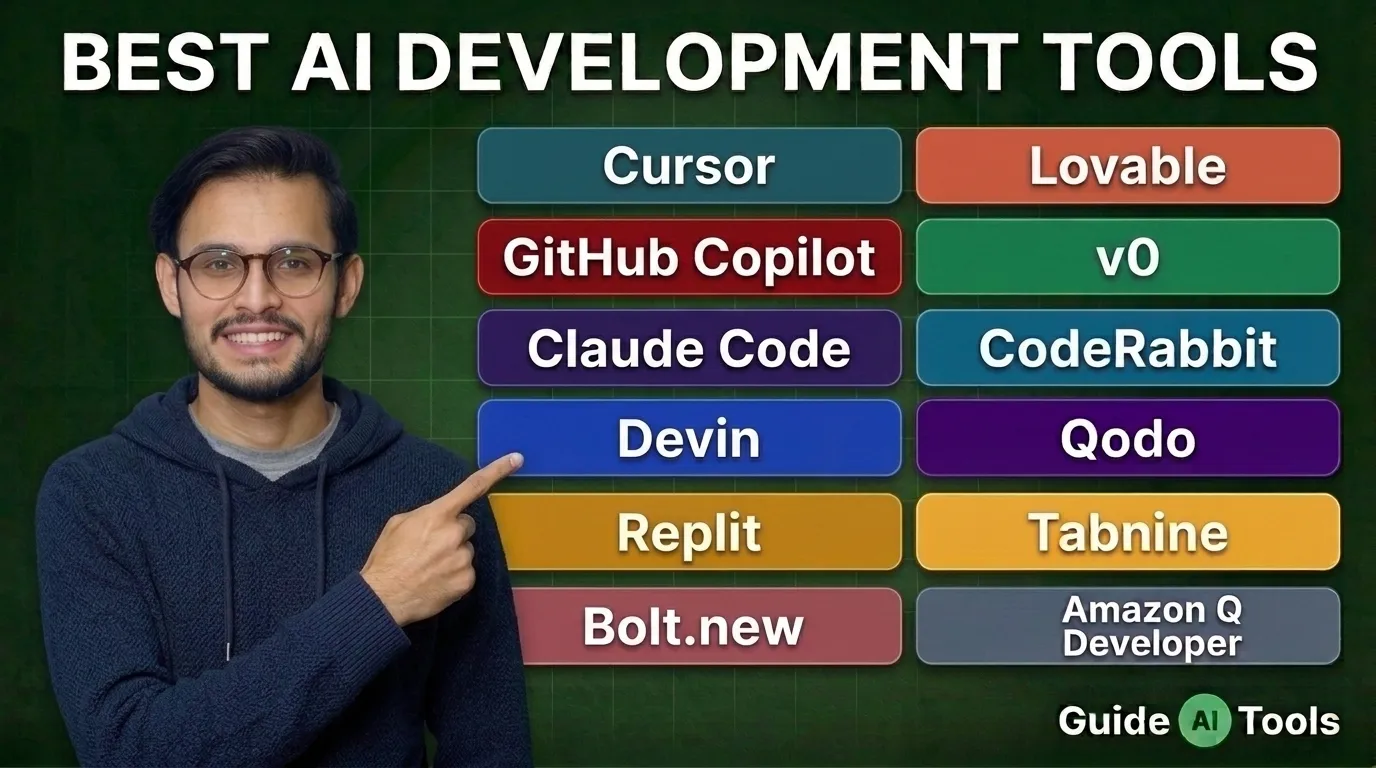
The best AI development tools in 2026 are Cursor, GitHub Copilot, Claude Code, Devin, Replit, Bolt.new, Lovable, v0, CodeRabbit, Qodo, Tabnine and Amazon Q Developer. The right choice depends on your workflow, not hype. Some tools write code. Some build apps. Some review pull requests. Some protect enterprise code.
AI development is not just autocomplete anymore.
Stack Overflow’s 2025 Developer Survey says 84% of respondents are using or planning to use AI tools in development, and 51% of professional developers use AI tools daily. Source: Stack Overflow Developer Survey 2025. But trust is still messy. More developers distrust AI accuracy than trust it, which explains why the best setup is not “let AI build everything.” It is a tighter workflow with human review at every risky step.
I’ve seen one mistake repeated often: teams buy three AI coding tools, then still ship messy pull requests. The better move is smaller. Pick one coding assistant, one app builder if you ship products fast, and one review tool when code quality starts hurting.
What counts as an AI development tool in 2026?
An AI development tool helps you plan, write, test, review, document or ship software with AI assistance.
That definition matters. A coding assistant is only one part of the stack. Cursor and GitHub Copilot help inside the editor. Replit, Bolt.new, Lovable and v0 help create apps faster. CodeRabbit and Qodo review code before merge. Tabnine and Amazon Q Developer matter more for enterprise teams, private code and cloud-specific workflows.
So the question is not “What is the smartest AI tool?”
The better question is: where does your development workflow slow down?
If you lose time writing boilerplate, pick a coding assistant. If you lose time building MVPs, pick an app builder. If you lose time reviewing pull requests, add a code review tool.
Quick comparison of the best AI development tools
| Tool | Best for | Starting price | Platform | Main strength | Watch out for |
| Cursor | Daily AI coding | Free, Pro $20/month | Desktop | Codebase-aware editor | You need to switch editor |
| GitHub Copilot | GitHub and IDE teams | Free, Pro $10/month | IDE, Web | Huge IDE coverage | Credits now matter |
| Claude Code | Terminal-heavy coding | Claude Pro from $20/month | CLI, Web, Desktop | Strong reasoning | Usage limits matter |
| Devin | Cloud coding agents | Free, Pro $20/month | Web, Cloud | Async agent tasks | Scope tasks carefully |
| Replit | Browser development | Free, Core $25/month | Web | Build and deploy in one place | Cloud limits and credits |
| Bolt.new | Fast prototypes | Free, Pro $25/month | Web | Web app drafts | Token usage can climb |
| Lovable | Founder app building | Free, Pro from $25/month | Web | Prompt-to-app workflow | Credit use varies |
| v0 by Vercel | React UI and apps | Free, Plus $30/user/month | Web | UI generation and Vercel deploy | Best for React/Vercel |
| CodeRabbit | Pull request review | $24/user/month annual | Git, Web | AI code review | Paid plan needed |
| Qodo | Team code quality | Free, Pro Team $30 | IDE, Git | Review and test workflows | Credits need planning |
| Tabnine | Private enterprise coding | $39/user/month annual | IDE, CLI | Privacy and control | Higher starting price |
| Amazon Q Developer | AWS developers | Free, Pro $19/user/month | IDE, CLI, AWS | AWS-native help | Best inside AWS |
Cursor lists a free Hobby plan, Individual Pro at $20/month and Teams at $40/user/month. GitHub Copilot lists Free, Pro at $10/month, Pro+ at $39/month and Max at $100/month. Replit lists Starter Free, Core at $25 monthly or $20/month billed annually, and Pro at $100 monthly or $95/month billed annually.
Best AI coding tools for daily development
Cursor is the safest pick for developers who want the AI inside the editor. It understands project context, edits across files and works well when you already have a codebase. In practical testing, Cursor feels strongest when you ask smaller, scoped changes instead of broad “build this whole feature” prompts.
GitHub Copilot is still the easiest recommendation for teams already living inside GitHub, VS Code, JetBrains, Visual Studio or Neovim. It has wide IDE support, code completion, chat, agent features and code review access on paid plans. The catch is credits. Copilot’s newer plans include GitHub AI Credits, and agent-style features can consume them.
Claude Code is better for developers who like terminal workflows and deeper reasoning. It is useful for refactors, debugging, repo exploration and multi-step code changes. But don’t treat it like a senior engineer. Treat it like a sharp assistant that still needs a reviewer.
Amazon Q Developer belongs in AWS-heavy teams. It helps with AWS services, CLI work, IDE assistance and cloud development tasks. Amazon lists a free tier and a Pro tier at $19/month per user.
Tabnine is the enterprise-leaning option. Its pricing starts at $39/user/month when billed annually for Code Assistant, and its positioning is about privacy, control and deployment options. That makes it less exciting for solo users, but more relevant for teams with private code policies.
Best AI app builders for fast product launches
AI app builders are different from coding assistants. They help you move from idea to working product faster.
Replit is great when you want a browser-based build environment, database, hosting and agent help in one place. It fits students, founders, internal tool builders and teams that want to avoid local setup. The Starter plan is free, while Core starts at $25 monthly or $20/month billed annually.
Bolt.new is good for fast web app prototypes. You describe the idea, and it builds in the browser. Its free plan includes public and private projects, daily token limits, website hosting and databases. Pro starts at $25/month.
Lovable is a strong pick for founders who want to build product screens, logic and app flows from prompts. It is less about one component and more about turning a product idea into a working app draft. Its pricing page shows a free plan and paid plans starting at $25/month.
v0 by Vercel is best for React, Next.js and Vercel users. It shines when you need UI components, landing pages, dashboards and frontend app drafts that fit modern web development. v0 lists Free, Plus at $30/user/month and Business at $100/user/month.
Best AI code review and quality tools
Code generation gets attention. Code review saves you later.
CodeRabbit is built for AI pull request review. It helps explain changes, review code, catch issues and reduce manual review load. Its pricing page lists a free open-source plan and paid plans, with Pro shown at $24/user/month when billed annually.
Qodo is useful when teams care about review, tests and code quality. It works closer to the quality layer, not just autocomplete. Qodo’s pricing page lists a free start and Pro Team pricing at $30.
Here’s the practical rule: add CodeRabbit or Qodo when pull requests become the bottleneck. Don’t add them on day one if you are still experimenting alone. Add them when code starts moving between people.
How much do AI development tools cost?
Most AI development tools look cheap at the entry level. The real cost appears in credits, tokens, team seats, model access and agent usage.
| Pricing type | What it means | Tools to watch |
|---|---|---|
| Free plan | Good for testing, usually limited | Cursor, Copilot, Replit, Bolt.new, Lovable, v0 |
| Per-user plan | Predictable for teams | Copilot, Cursor Teams, Tabnine, CodeRabbit |
| Credit or token plan | Cost depends on usage | Bolt.new, Lovable, v0, Qodo |
| Enterprise plan | Security, admin and privacy controls | Cursor, Copilot, Tabnine, Amazon Q |
| Cloud agent plan | Higher cost for async agent work | Devin, Replit, Copilot Max |
Devin’s pricing page lists Free, Pro at $20/month, Max at $200/month and Team at $80/month plus $40/month per full dev seat. Bolt.new uses token limits and lists Free, Pro at $25/month and Teams at $30/member/month.
My honest advice: don’t compare only the monthly price. Compare the “real work per month” you get. A $20 plan can be expensive if you hit limits in two days. A $40 team plan can be cheap if it saves review time across five developers.
Best AI development tool stack by user type
| User type | Recommended stack | Why it works |
|---|---|---|
| Solo developer | Cursor plus GitHub Copilot Free | Fast coding with low cost |
| Student | Replit plus Copilot Free | Easy browser setup and learning |
| Startup founder | Lovable or Bolt.new plus Cursor | Build MVPs, then refine code |
| Agency | v0, Replit and CodeRabbit | Faster client prototypes and review |
| Enterprise team | Copilot Business, Tabnine or Amazon Q | Better admin, privacy and governance |
| AWS team | Amazon Q Developer plus GitHub Copilot | Cloud-specific help plus IDE support |
| Pull request-heavy team | CodeRabbit or Qodo plus Cursor | Generation and review together |
Most people need fewer tools than they think.
If you are a founder, start with Lovable, Bolt.new or Replit. If you are a developer, start with Cursor or Copilot. If you manage a team, add CodeRabbit, Qodo, Tabnine or Amazon Q only after you know the real bottleneck.
Are AI development tools safe for private codebases?
AI development tools can be safe, but only if the plan and settings match your risk level.
Check privacy mode, data retention, training opt-out, SSO, audit logs, model access controls and admin policies. Cursor says privacy mode can prevent code data from being used for training by Cursor or its model providers. Its Teams plan also includes team-wide privacy mode and SAML/OIDC SSO.
For enterprise teams, this section matters more than the demo. A tool that writes code quickly but fails your security review is not a real option.
Also, never paste production secrets, private tokens or customer data into any AI tool without approval. Simple rule. Hard consequences.
What to check before paying for an AI development tool
Before you pay, test one real task from your own workflow.
Use a bug fix, a small feature, a refactor, a test update or a pull request review. Then judge the result by time saved, code quality, privacy fit and cleanup effort.
| Check | Why it matters |
|---|---|
| Repo context | The tool must understand more than one file |
| Language support | Some tools are better for JavaScript, Python or Java |
| IDE fit | A great tool is useless if your team won’t use it |
| Credit limits | Agent work can burn usage quickly |
| Review quality | Fast bad code still costs money |
| Security controls | Private code needs admin and privacy settings |
| Export and hosting | App builders must let you ship or move code |
| Team controls | Seats, billing and permissions matter at scale |
Honestly, most teams skip the boring checks. That is where regret starts.
How GuideAITools recommends choosing
GuideAITools should treat this category as a workflow decision, not a beauty contest.
For daily coding, pick Cursor or GitHub Copilot. For browser-based development, pick Replit. For fast MVPs, test Bolt.new or Lovable. For React UI, use v0. For pull request quality, add CodeRabbit or Qodo. For private enterprise code, review Tabnine, Copilot Business, Cursor Teams and Amazon Q Developer.
You can also browse the GuideAITools development categories for deeper shortlists:
AI coding tools
AI app builder tools
AI API design tools
AI developer documentation tools
AI web scraping tools
Development and IT tools
FAQs
What are the best AI development tools in 2026?
The best AI development tools in 2026 are Cursor, GitHub Copilot, Claude Code, Devin, Replit, Bolt.new, Lovable, v0, CodeRabbit, Qodo, Tabnine and Amazon Q Developer. Each tool fits a different part of software development.
Which AI coding tool is best for most developers?
Cursor is the best pick for developers who want an AI-first editor. GitHub Copilot is better for teams that want broad IDE support and GitHub integration.
Is GitHub Copilot still worth it in 2026?
Yes, GitHub Copilot is still worth it for developers and teams already using GitHub, VS Code, JetBrains, Visual Studio or Neovim. Just check plan credits before heavy agent usage.
Is Claude Code better than Cursor?
Claude Code is better for terminal-heavy reasoning, refactoring and agent-style tasks. Cursor is better for daily editor-based coding and codebase-aware changes.
What is the best AI app builder for startups?
Lovable, Bolt.new, Replit and v0 are the best AI app builders for startups. Lovable is good for full app ideas, Bolt.new is fast for web prototypes, Replit helps build and deploy, and v0 is strong for React UI.
Are AI development tools safe for private code?
They can be safe if your plan supports privacy controls, training opt-out, SSO, audit logs and admin settings. Always check security terms before connecting a private repository.
What is the best free AI development tool?
GitHub Copilot Free, Cursor Hobby, Replit Starter, Bolt.new Free, Lovable Free and Amazon Q Developer Free are good starting points. Free plans are best for testing, not heavy production work.
Can AI development tools replace developers?
No. AI development tools can reduce repetitive work, draft code and review pull requests, but architecture, security, product logic and final responsibility still need human developers.
Final verdict: which AI development tool should you choose?
Choose Cursor if you want the best daily AI coding editor. Choose GitHub Copilot if your team already works inside GitHub and common IDEs. Choose Replit, Bolt.new, Lovable or v0 if your goal is building products faster, not just writing snippets.
For teams, add CodeRabbit or Qodo when pull request quality becomes a real bottleneck. For enterprise and AWS-heavy teams, compare Tabnine and Amazon Q Developer carefully.
The best AI development stack is small, tested and boringly practical. That is a compliment. Start with one daily coding tool, add one app builder if you ship products, then add one review tool when quality control starts costing time.

Related Blog Posts