Best AI Design Tools in 2026 (Picked by the Job, Not the Hype)
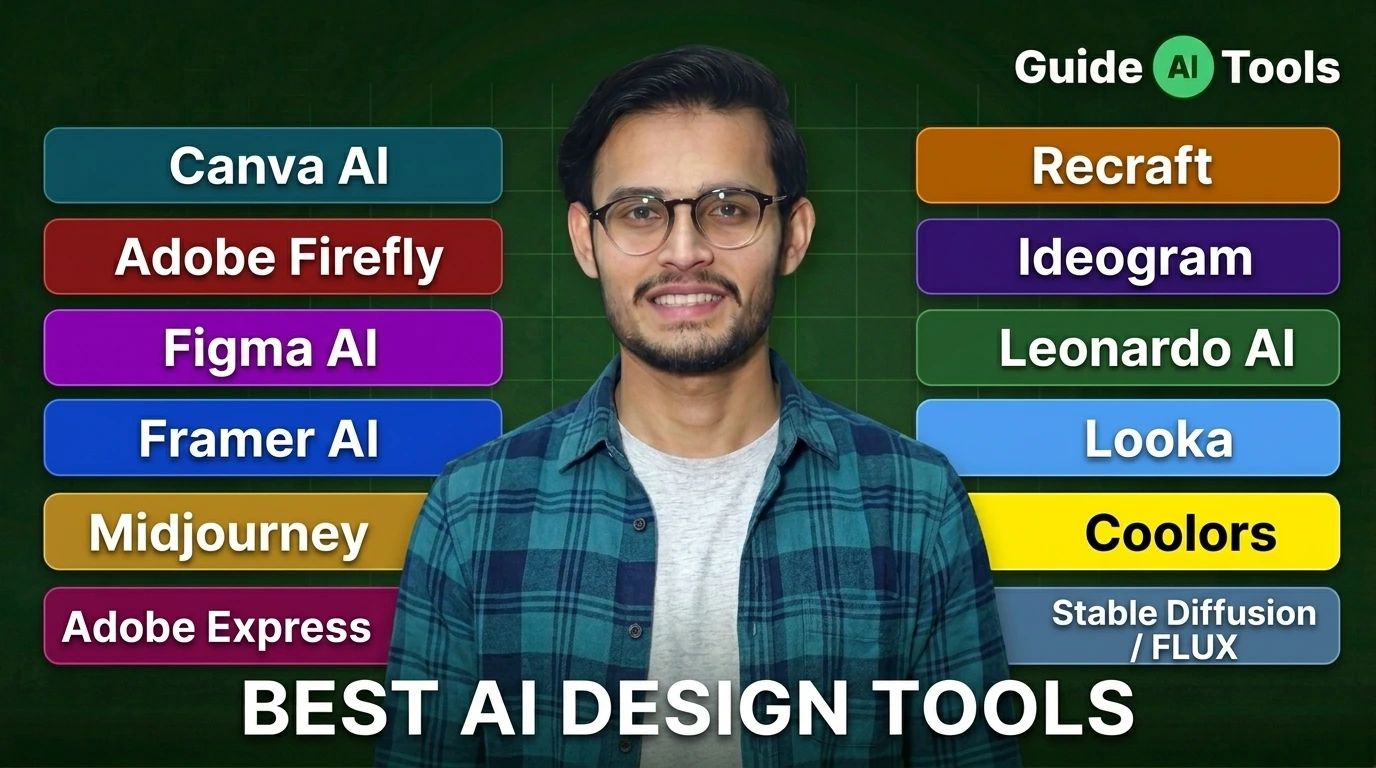
The best AI design tool in 2026 depends on what you’re making. Canva AI wins for fast graphics. Figma AI leads product UI. Adobe Firefly is safest for commercial images. Midjourney handles high-end visuals, and Looka nails logos. Pick by output, not popularity.
I’ve spent this year pushing these tools through real client work. And here’s the thing about the best AI design tools 2026 has produced. The loudest names aren’t always the ones that finish the job.
Most roundups just rank the same twelve apps. This one sorts them by the actual task on your desk. Big difference.
What counts as an AI design tool now
An AI design tool uses machine learning to make or assist visual work. Think text to image, layout suggestions, background removal, logo generation, or turning a prompt into a full webpage.
They split into three camps in 2026. All-in-one platforms like Canva and Adobe Express. Pro tools like Figma and the Adobe apps that bolt AI onto expert workflows. And specialized generators built for one job.
You can browse the full set inside our AI design and art tools hub. Most people mix two or three. Nobody serious uses just one.
The 12 best AI design tools in 2026
Here’s my working shortlist after a year of real projects. Each pick names the job it owns, one feature that matters, rough pricing, and the honest catch.
Canva AI, best for people who aren’t designers
Canva stays the easiest place to start. You describe what you want, Magic Design builds a layout, and you nudge it from there.
Magic Resize alone saves hours when one poster becomes twelve social sizes. Pricing sits around 15 dollars a month for Pro, with a real free tier.
The catch? It’s built for speed, not pixel-perfect app screens. Read our full Canva AI review before you commit a team to it.
Adobe Firefly, best for commercial-safe images
Firefly is the one I reach for when a client actually pays to publish the result. Its models are trained on licensed and public-domain content, and Adobe offers IP indemnification on business plans.
That legal cover matters more than people think. A standalone Firefly plan starts near 10 dollars a month, and it also lives inside Photoshop and Illustrator.
Want the deeper breakdown? Our Adobe Firefly review covers Generative Fill and Expand in detail.
Figma AI, best for product and UI teams
Figma is where serious interface work happens. Its AI features, now bundled under Figma Make and First Draft, turn a prompt into an editable first screen.
You still get components, design systems, comments, and dev handoff in one file. Full seats start around 16 dollars a month.
Honestly, most people overestimate what the AI does here. It speeds up the boring first draft. You do the real design.
Framer AI, best for shipping a website fast
Framer builds a full responsive site from a short brief. Copy, layout, images, hosting, all in one place.
I’ve launched landing pages in an afternoon with it. Paid plans start around 5 dollars a month, and there’s a free tier for testing.
The limit shows up on complex web apps. For portfolios and marketing sites, it flies.
Midjourney, best for high-end creative imagery
Nothing beats Midjourney on pure visual quality. Version 7 is the current engine, and the aesthetic still leads the pack.
Plans run 10 dollars for Basic up to 120 dollars for Mega. You work through a web app now, not just Discord.
But it won’t lay out a brochure or write text cleanly inside an image. It makes gorgeous pictures. That’s the job.
Adobe Express, best free all-rounder
Express is Adobe’s answer to Canva, and the free tier is genuinely useful. Templates, quick edits, background removal, and Firefly generation baked in.
Premium runs about 10 dollars a month. It sits next to Canva in our AI graphic design tools category if you want to compare them side by side.
Recraft, best for vector and brand-consistent graphics
Recraft is the quiet favorite among designers I trust. It generates true vector art and holds a consistent style across a whole set.
That style control is rare. Paid access starts around 12 dollars a month on the annual plan, with free daily credits to test it.
Our Recraft AI review shows the icon and illustration output up close.
Ideogram, best for text inside images
Ask most image generators to spell a word and they choke. Ideogram doesn’t.
It renders clean, readable text, which makes it my go-to for posters, mockups, and quick ad concepts. Free tier exists, paid starts near 8 dollars a month.
Small tool, specific win.
Leonardo AI, best for creative control and assets
Leonardo gives you the knobs. Fine-tuned models, character consistency, and asset generation for games and concept art.
The free plan hands out daily tokens, and paid tiers start around 12 dollars a month. See the Leonardo AI review for its model library.
Looka, best for logos and brand identity
Looka turns a company name and a few taste choices into a full logo set. I’ve verified its current packages directly.
A basic logo download is a one-time purchase, and the brand kit runs as a subscription. It plays in the same space as the rest of our AI logo generators.
Good for a startup that needs a mark this week. Not a replacement for a brand studio.
Coolors, best for color palettes
Coolors is stupidly fast for building a palette. Hit spacebar, get a scheme, lock what you like, repeat.
Free covers most needs, Pro is a few dollars a month. Pair it with the tools in our AI color palette tools collection.
Stable Diffusion and FLUX, best open-source route
Want full control and zero subscription? Run Stable Diffusion or FLUX yourself.
You get local generation, custom models, and no per-image fee. The tradeoff is setup, a decent GPU, and patience. Our Stable Diffusion review walks through getting started.
Quick comparison of the 12 tools
Here’s the fast scan for the top picks. Prices are approximate and shift, so confirm on each tool’s page before you buy.
| Tool | Best for | Type | Starts around | Free tier |
|---|---|---|---|---|
| Canva AI | Non-designers, social, decks | All-in-one | $15/mo | Yes |
| Adobe Firefly | Commercial-safe images | Generative AI | $10/mo | Limited |
| Figma AI | Product and UI teams | Pro UI/UX | $16/seat | Yes |
| Framer AI | Fast websites | Web design | $5/mo | Yes |
| Midjourney | High-end imagery | Image generation | $10/mo | No |
| Adobe Express | Free all-rounder | All-in-one | $10/mo | Yes |
| Recraft | Vector, brand graphics | Image and vector | $12/mo | Yes |
| Ideogram | Text inside images | Image generation | $8/mo | Yes |
| Leonardo AI | Assets, creative control | Image generation | $12/mo | Yes |
| Looka | Logos, brand identity | Logo maker | One-time + kit | Preview only |
| Coolors | Color palettes | Color tool | Low $/mo | Yes |
| Stable Diffusion / FLUX | Open-source, self-host | Open model | Free to run | Yes |
Are AI-generated designs safe to sell?
Short answer. Usually yes, but the tool you pick decides how safe.
Adobe Firefly is the careful choice because its training data is licensed, and Adobe backs business users with legal indemnification. That’s why brands with lawyers tend to land there.
Other tools grant commercial rights on paid plans, but the fine print varies. Some free tiers block commercial use or stamp a watermark. Always read the license before you invoice a client.
There’s a second question nobody asks. Do your uploads train the model? On several platforms, yes, unless you opt out or pay for a private tier. If you handle sensitive brand work, check that setting first. Adobe explains its approach on the official Adobe Firefly page.
If you’re weighing pure image engines against each other, our best AI image generator comparison goes deeper on rights and quality.
How to choose without overthinking it
Match the tool to the output. That’s the whole trick.
Making social posts or a deck? Canva or Express. Designing an app? Figma. Publishing a site this week? Framer. Selling images commercially? Firefly. Building a logo? Looka.
Three quick filters save you money:
- Skill level, since Canva and Looka need zero training while Figma rewards experience
- Budget, because most of these have a free tier worth testing before you pay
- Licensing, as commercial rights and watermarks differ on every free plan
I’ve watched teams buy the trendy tool and then fight it for months. Don’t. Buy the one that fits the task in front of you. For creator-focused stacks, our best AI tools for content creators guide pairs nicely with this list.
FAQs
What is the best free AI design tool in 2026?
Canva AI and Adobe Express lead the free pack. Both give real generation, templates, and editing at no cost. For free image generation with more control, Leonardo AI and Ideogram hand out daily credits.
Can AI design tools replace graphic designers?
No, not for real brand work. AI handles resizing, background removal, and first drafts well. Strategy, taste, and complex direction still need a human. It’s an assistant, not a replacement.
Which AI tool is best for UI and UX design?
Figma AI, without much debate. It sits inside the workflow teams already use, with components, handoff, and AI drafting in one place. Framer is the better call if you also want to publish the site.
What is the best AI tool for logo design?
Looka is the fastest path from name to usable logo and brand kit. Brandmark is a solid alternative. Both suit startups that need a mark now, not a full studio process.
How much do AI design tools cost in 2026?
Most sit between free and 60 dollars a month. Canva and Express hover near 10 to 15 dollars. Midjourney tops out at 120 dollars for its heaviest plan. Open-source options like Stable Diffusion cost nothing beyond your hardware.
Do AI design tools use my uploads to train their models?
Some do, unless you opt out. Free and consumer tiers are the usual culprits. Business and private plans generally keep your data out of training. Check the privacy setting before uploading client files.
Which AI design tool has no watermark on the free plan?
Canva and Adobe Express export clean on their free tiers for most content. Many image generators add a watermark or limit commercial use until you upgrade, so verify per tool.
My honest take after a year of using these
Pick two tools, not ten. One for graphics, one for your main output, whether that’s UI, images, or logos.
The winners this year earned it by fitting into real work, not by demoing well. Canva for speed, Figma for product, Firefly for anything you’ll actually sell.
Start free on our AI design and art tools page, test two picks this week, and keep the one that saves you the most time. That answer is different for everyone. That’s the point.

Related Blog Posts