Best AI Browsers in 2026: 13 Picks That Answer, Act and Help You Build

The best AI browsers split by job. For research that ends in action, pick Perplexity Comet. For AI inside the browser you already use, pick Chrome with Gemini or the Sider extension. For privacy, pick Brave. For building your own browser agents, pick Browser Use. Everything below earns its place on price, platform and one clear strength.
Two headline browsers from 2025 are already gone, and that reshuffle explains this whole list. OpenAI retired ChatGPT Atlas in August 2026. The Browser Company is shutting Arc down in December 2026. The survivors split into three kinds. Some carry agents that act for you. Some are built around an assistant that answers. Some are tools for building agents of your own. At GuideAITools we track this category as AI browser builder tools, and the split decides almost every pick. One clarification: none of this has anything to do with AI website builders, a different category entirely.
The Short Answer: Best AI Browsers at a Glance
| Tool | Kind | Platforms | Acts for you | Price starts |
|---|---|---|---|---|
| Perplexity Comet | Agentic browser | Mac, Windows, iOS, Android | Yes, on paid plans | Free download |
| Dia | AI-native browser | macOS, Windows | Limited | Free, without AI |
| Chrome with Gemini | Built-in assistant | Everywhere Chrome runs | Auto browse on paid plans | Free |
| Opera Neon | Agentic browser | Windows, macOS | Yes | Free download |
| Brave with Leo | Privacy browser with assistant | Windows, macOS, Linux, iOS, Android | No | Free |
| Fellou | Agentic browser | Windows, macOS | Yes | Free plan |
| Sider | Browser extension and app | Chrome, Edge, desktop apps | Yes, in Agent mode | $10 per month |
| Wavebox | Productivity browser | Windows, macOS, Linux, ChromeOS | No | Free Basic plan |
| Harpa AI | Browser extension | Chrome | Yes | EUR 14.3 per month, billed annually |
| MaxAI | Browser extension | Chrome, Edge | Limited | Free plan |
| Merlin AI | Browser extension | Chrome, mobile apps | Limited | $29 per month |
| Browser Use | Builder tool | Cloud and local | Yes, your own agents | Pay as you go |
| Browserbase | Builder platform | Cloud | Yes, your own agents | Free tier |
Read the table by the “acts for you” column. That one column separates an assistant that talks about pages from an agent that works on them, and it is also where the money starts. We re-check every pick here against official pricing pages at GuideAITools whenever a plan changes.
What Is an Agentic Browser, and How Far Should You Trust One?
An ordinary browser shows you pages. An AI browser adds an assistant that reads the page with you and pulls context from your other tabs. An agentic browser goes one step further and operates the page itself: clicking, typing, filling forms and finishing multi-step jobs while you watch. That last step is what agentic AI means in practice, and it changes the risk completely.
The main risk has a name: indirect prompt injection. A page, an email or a document can hide instructions written for your agent, not for you, and the agent may follow them. OWASP puts prompt injection at the top of its LLM risk list for exactly this reason. Every serious vendor in this list now ships guardrails of some kind.
So the rule is simple. Let agents read, compare, draft and prepare. Keep a human in the seat for anything that spends money, sends a message or changes an account.
AI Browser Agents That Do the Work: Comet, Opera Neon and Fellou
Perplexity Comet, Best for Research That Ends in Action

Comet starts from search rather than from a blank tab, and it shows. Ask it to compare products and it pulls prices, specs, shipping and ratings into one answer instead of making you open nine tabs. The Comet Assistant can then keep going: summarizing your open tabs, drafting email replies in your voice, and handling calendar and shopping jobs.
The browser itself is a free download on Mac, Windows, iOS and Android. The acting, though, lives on paid plans. Perplexity’s pricing page lists Comet Assistant among the paid features. Pro costs $17 a month billed annually, Max costs $167 a month billed annually, and browser agent queries carry monthly limits. Treat Comet as a research tool with an agent attached, not an unlimited worker.
The honest weakness is trust. An agent working across your email and tabs needs real access, and outside researchers have tested its safety systems hard this year. Start it on research jobs, not on sensitive threads.
Opera Neon, Best for Running Several Agent Jobs at Once

Neon is Opera’s agent-first browser, built around one idea: you give it an outcome, it works in the background. Its Neon Do agent fills forms, books travel and pulls structured data from pages. It can run several jobs at once, and it works on pages behind a login, because it runs inside your real browser session.
Neon is a free download on Windows and macOS. Turning on the agents and the top AI models takes a subscription at $19.90 a month. The catch is maturity. Neon only reopened to the public in late 2026 after a long founder phase, so its agents are less field-tested than Comet’s. Supervise early runs closely.
Fellou, Best for Handing Off Multi-Step Tasks

Fellou calls itself an agentic browser for deep work, and its design backs that up. You describe an outcome, Fellou plans the steps across websites, and a shadow window shows the work where you can watch it. It pulls reports from public sources and from sites you are logged into, and it connects to tools like Notion, X and LinkedIn.
Pricing runs on Sparks, Fellou’s credit unit. The free plan costs $0 and starts with a 1,000 Sparks bonus, which the pricing page says covers about 4 complex tasks. Plus at $19 a month gives 2,000 Sparks, about 8 tasks. Pro at $39.90 a month gives 5,000 Sparks, about 20 tasks. Annual billing saves 20 percent.
That maths is the weakness. Twenty tasks a month on Pro sounds fine until a research habit burns through it in a week. Fellou is excellent per task. Just count your tasks before you subscribe.
AI Browsers Built Around the Assistant
Dia, Best for Work Spread Across Tabs and Apps

Dia is the successor to Arc from The Browser Company, and it feels like a calmer product. Its assistant reads across your open tabs, your documents and your apps, then answers in one place. It drafts in the format you ask for and can recall resources you browsed earlier. The company calls this browser memory, and for research-heavy jobs it is genuinely handy.
The plans page is refreshingly plain. Better Browser is free and includes no AI at all. Better Answers costs $10 a month and turns on the assistant. Better Days costs $100 a month and adds priority support and team controls. Dia runs on macOS and Windows.
The weakness is the acting. Dia answers and drafts well, but browser automation is not its selling point. If you want jobs finished rather than questions answered, Comet and Neon sit a tier above it.
Chrome with Gemini, Best if You Will Not Leave Chrome

The biggest AI browser of 2026 might be the one you already have. Chrome now carries Gemini in a side panel that summarizes pages, compares products across tabs and writes in text fields with your tone. Your bookmarks, passwords and extensions all stay where they are.
Chrome itself is free, as always. Google’s plan page puts the acting feature behind a subscription. It lists Gemini in Chrome with auto browse access inside Google AI Pro at $19.99 a month. So the assistant layer rides along as it rolls out, while the part that completes tasks for you is a paid upgrade.
The weakness is pace. Google rolls Chrome AI features out by region and account, so two people on the same Chrome version can see different tools. Check what your install actually offers before planning work around it.
Brave with Leo, the Best AI Browser for Privacy

Brave takes the opposite bet from everyone else here. It blocks ads and trackers by default. Its Leo assistant is built to leave no trace. Chats are not retained, not used for training, and no account or login is required. Leo answers questions about the page you are on, summarizes, translates and writes, and you can point it at different AI models.
Brave and Leo are free. Leo Premium costs $14.99 a month or $149.99 a year and adds higher limits and premium models. One detail power users love: you can bring your own model, including a local one.
The weakness is the flip side of its strength. Leo does not act on pages, book anything or run jobs. Brave is the pick when your priority is an assistant that respects your data, not an agent that does your errands.
The Best AI Browser Extension Route if You Will Not Switch
Sider, an AI Sidebar and Agent for Your Current Browser

Sider adds an AI sidebar to the browser you already run, mainly Chrome or Edge, with desktop and mobile apps alongside. It chats with pages and PDFs, summarizes videos, translates and writes. Its Agent mode goes further, carrying out multi-step tasks such as turning LinkedIn profiles into a report. It draws on several leading AI models rather than one house model.
Pricing is plain subscription math. The official pricing page starts at Nano, $10 a month. Lite costs $25, Pro costs $50, and Max costs $100 a month. Yearly billing saves up to 17 percent. You will find Sider listed in our AI Browsers Builder category at GuideAITools, alongside the other sidebar tools we track. The honest weakness: this is a paid add-on from day one, so weigh it against Dia’s $10 tier, which includes a browser.
Wavebox, Best for Living in Web Apps All Day

Wavebox is a Chromium browser organized around workspaces of web apps rather than piles of tabs. Each app gets its own space, its own notifications and a clean split between work and home. Its built-in AI helps summarize and write inside that setup, though AI is a supporting feature here, not the headline.
The Basic plan is free and covers two spaces. Pro costs $8.33 a month paid annually and opens unlimited spaces, groups and apps. A 7-day free trial needs no card. Teams runs $12.50 per user a month. For someone drowning in SaaS tabs, that may beat every agent on this page.
Harpa AI, Best for Automating Web Tasks from the Sidebar

Harpa AI is a Chrome extension that pairs the big chat models with real web automation. It reads the page in front of you, answers questions about it and works through repeatable jobs: monitoring prices and data, watching pages for changes, pulling information out of sites and answering emails. Its own homepage calls it an AI agent for web browsing, and the pricing page lists the models it can route to, including GPT-5.4, Claude Sonnet 4.6, Gemini 3.1 Pro, DeepSeek V3 and Grok 4.1, plus web session connections to ChatGPT and Claude.
Pricing is in euros and metered in Megatokens. S1 costs EUR 14.3 a month billed annually and includes 75 Megatokens a year. S2 costs EUR 19.6 a month billed annually with 225 Megatokens a year. The X plan is a one-time EUR 238 for a single user, built around your own API keys or unlimited web session connections. Teams get Azure-secured AI isolated per team, with shared commands and priority support.
The weakness is the meter. Token maths decides how far a plan stretches, and automation burns through tokens faster than chat does. Harpa suits people who run the same web jobs every week and can count their usage. If you only summarize pages now and then, a flat sidebar subscription is simpler.
MaxAI, Best for Everyday AI Help Without a Learning Curve
 MaxAI is a Chrome extension that puts an AI assistant on every page. You can chat about what you are reading, summarize long articles, draft replies and generate images without switching tabs. It is the easiest tool in this group to start with, and its pricing page says more than a million people and 2,000 teams use it.
The Free plan costs $0 and includes unlimited chat on the free model, 3 Pro chats a day and limited file uploads. Pro costs $12 a member a month billed yearly, shown as a limited-time saving of 60 percent, or $30 a month billed monthly. Pro lifts the caps: unlimited Pro chat, your choice of smarter AI models, higher file upload limits, image generation and team member management.
The weakness is the headline price. The $12 rate is a limited-time offer, so check what Pro renews at before a team settles into it. The free tier is generous for everyday chat, but 3 Pro chats a day run out quickly on heavy research days.
Merlin AI, Best for Model Choice in One Extension

Merlin is a Chrome extension that brings the leading AI models into one sidebar, so you can ask questions about any page, video or document and draft text where you are already working. Its own site says more than 20 million users trust it, and the same account works across its extension and apps.
Merlin Pro costs $29 a month billed monthly. Annual billing brings it to $228 a year, which works out at $19 a month and saves $120 across the year. The official checkout describes Pro as unlocking the smartest AI, and no separate free plan price appears on that page appears.
The weakness is price position. At $29 a month on monthly billing, Merlin costs more than Sider and MaxAI for a similar sidebar job, so it earns its place only if you actually use several top models through it. On annual billing the gap narrows a lot.
AI Browser Automation Tools for Builders: Browser Use and Browserbase
Everything above rents you an agent. This section is for readers who would rather build one. The difference is the same one we draw in our explainer on AI agents vs chatbots. A chatbot talks. An agent operates software. If your real job is pulling data out of websites at scale, our roundup of AI web scraping tools is the closer match.
Browser Use, the Open-Source Way to Build a Browser Agent

Browser Use is the most used open-source harness for connecting an AI model to a browser. Your agent gets tools like navigation, clicking, typing and extraction. The project also ships benchmark work, so you can judge agent quality with numbers. The harness itself is free under the MIT license, so a local setup costs nothing but your own model spend.
If you would rather not run browsers yourself, its cloud is pay as you go. Cloud browsers cost $0.06 per browser hour. Home-IP proxy traffic costs $5 per GB. A $1 signup credit lets you test before spending, and Enterprise pricing is custom. For a first agent, nothing here starts cheaper.
Browserbase, Cloud Browsers When Your Agent Needs to Scale
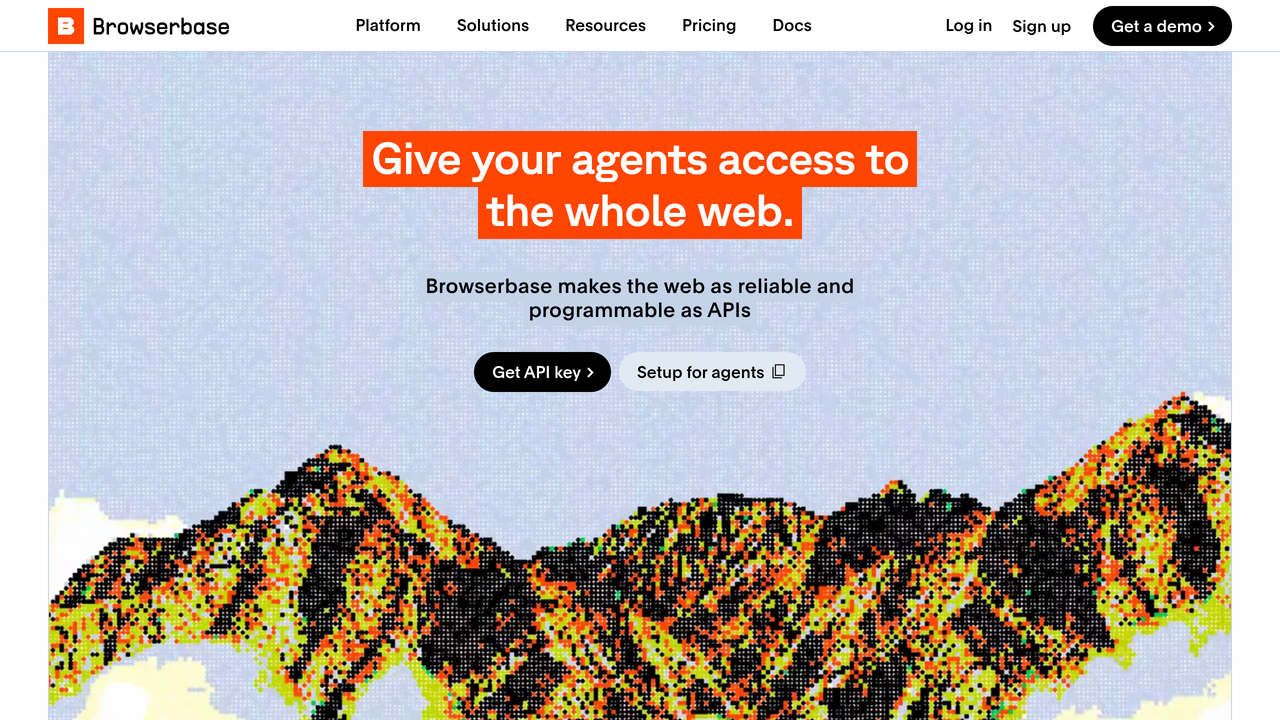
Browserbase runs the browsers for you: cloud sessions with fingerprinting, proxies and CAPTCHA solving handled. Its Stagehand toolkit lets an agent act on pages with natural language inside ordinary automation code. Teams pick it when a prototype agent turns into a product feature.
Pricing is tiered. The free tier includes 3 concurrent browsers and 1 browser hour. Developer costs $20 a month and includes 100 browser hours, then $0.12 per extra hour. Startup costs $99 a month with 500 hours included. Scale pricing is custom. You pay more per hour than Browser Use and get more of the operations handled, the right trade once uptime matters.
What the Acting Costs: Agent Tiers and Credit Maths
| Pick | What you pay | What acting you get |
|---|---|---|
| Dia, Better Answers | $10 per month | Assistant across tabs and apps, no acting promise |
| MaxAI, Pro | $12 per month, billed yearly | Unlimited Pro chat and your choice of smarter models |
| Harpa AI, S1 | EUR 14.3 per month, billed annually | 75 Megatokens a year for chat and web automation |
| Brave, Leo Premium | $14.99 per month | Stronger assistant, still no acting |
| Perplexity Pro | $17 per month, billed annually | Comet Assistant with monthly browser agent limits |
| Fellou Plus | $19 per month | 2,000 Sparks, about 8 complex tasks |
| Opera Neon | $19.90 per month | Agents and top models unlocked |
| Google AI Pro | $19.99 per month | Chrome auto browse access |
| Browserbase Developer | $20 per month | 100 browser hours included |
| Merlin AI, Pro | $29 per month | The smartest models unlocked in one extension |
| Browser Use cloud | $0.06 per browser hour | Pay as you go, plus $5 per GB of home-IP traffic |
Two patterns stand out. Assistant tiers cluster near $10 to $20 a month. The moment a browser starts acting, the meter changes shape. Tasks, credits or hours replace flat access. Budget for the meter, not the headline price.
Gone or Going: Atlas and Arc
If a 2025 list sent you looking for ChatGPT Atlas, stop looking. OpenAI retired Atlas on 9 August 2026 and folded its ideas into ChatGPT and Codex. Existing users were told to export bookmarks and passwords, because nothing moves across on its own.
Arc is going the same way, slower. New Arc accounts are closed. Arc Search features switch off on 23 November 2026, and the desktop browser ends on 22 December 2026. The vendor’s own guidance points Arc users to Dia, which imports Arc data.
How to Choose an AI Browser
Ask four questions. First, which browser do you actually live in, because switching costs more time than any subscription here. Second, which AI plan do you already pay for, since Comet and Chrome tie their best features to one. Third, do you need answers or actions, the split this whole roundup is built on. Fourth, how much logged-in access will you hand an agent, and does the vendor’s privacy design match that? We ask the same four questions at GuideAITools before any browser joins this list.
Then run the one-week test. Install your pick as a secondary browser, give it real but low-stakes jobs, and watch it work. An agent you have not watched is an agent you cannot judge.
FAQs
What is the best AI browser in 2026?
It depends on the job. Comet leads for research that ends in action. Dia leads for an assistant across your tabs and apps. Brave leads for privacy, and Browser Use for building your own agent. “AI browser” now covers three different kinds of tool, so there is no single winner.
Are AI browsers free?
Most are free to start, with a catch. Comet, Neon and Brave cost nothing to download. Fellou has a free plan with a starter credit bonus, and Browserbase has a free tier. The catch: acting features, higher limits and top models sit on paid plans, usually $10 to $20 a month.
What happened to ChatGPT Atlas?
OpenAI retired Atlas on 9 August 2026, less than a year after launch. Its agent ideas moved into ChatGPT and Codex. Atlas users were advised to export their bookmarks and passwords, since Atlas data does not transfer automatically.
Are AI browsers safe?
They carry a risk ordinary browsers do not. Hidden instructions on a page can try to steer your agent, a problem called indirect prompt injection. Use a separate browser profile for agent work. Watch tasks as they run. Confirm anything before it is sent or paid for, and keep banking and password tools away from agents entirely.
Which AI browser works best on Windows?
Comet, Dia, Neon, Fellou, Brave and Wavebox all run on Windows. Chrome with Gemini works wherever Chrome does. If you build agents instead, Browser Use and Browserbase run in the cloud and do not care about your operating system.
Can an AI browser fill forms and book things for me?
Yes, within limits. Neon’s agent and Comet’s assistant can fill forms and work through booking flows, and Fellou is built for multi-step jobs like that. Keep a human watching, though. These tools stop for confirmation at key steps, and they should. A wrong click on a payment page is your problem, not the vendor’s.
What is the difference between an AI browser and a browser agent framework?
An AI browser is a product you install and use yourself, assistant or agent included. A framework like Browser Use or Browserbase is infrastructure. It gives your own code a browser to control, so you can build an agent into a product or a workflow. Consumers want the first. Developers want the second.
Conclusion
Choose by the job, not the hype. If research fills your day, install Comet as a secondary browser and test it on real questions this week. If you will not leave Chrome, turn on Gemini or add Sider and skip the migration entirely. If you build software, start with Browser Use’s free open-source harness before paying anyone for browser hours. One pick, one week, real tasks: that test tells you more than any ranking, including the full set we maintain at GuideAITools.

Related Blog Posts