How Is AI Used in Software Development?
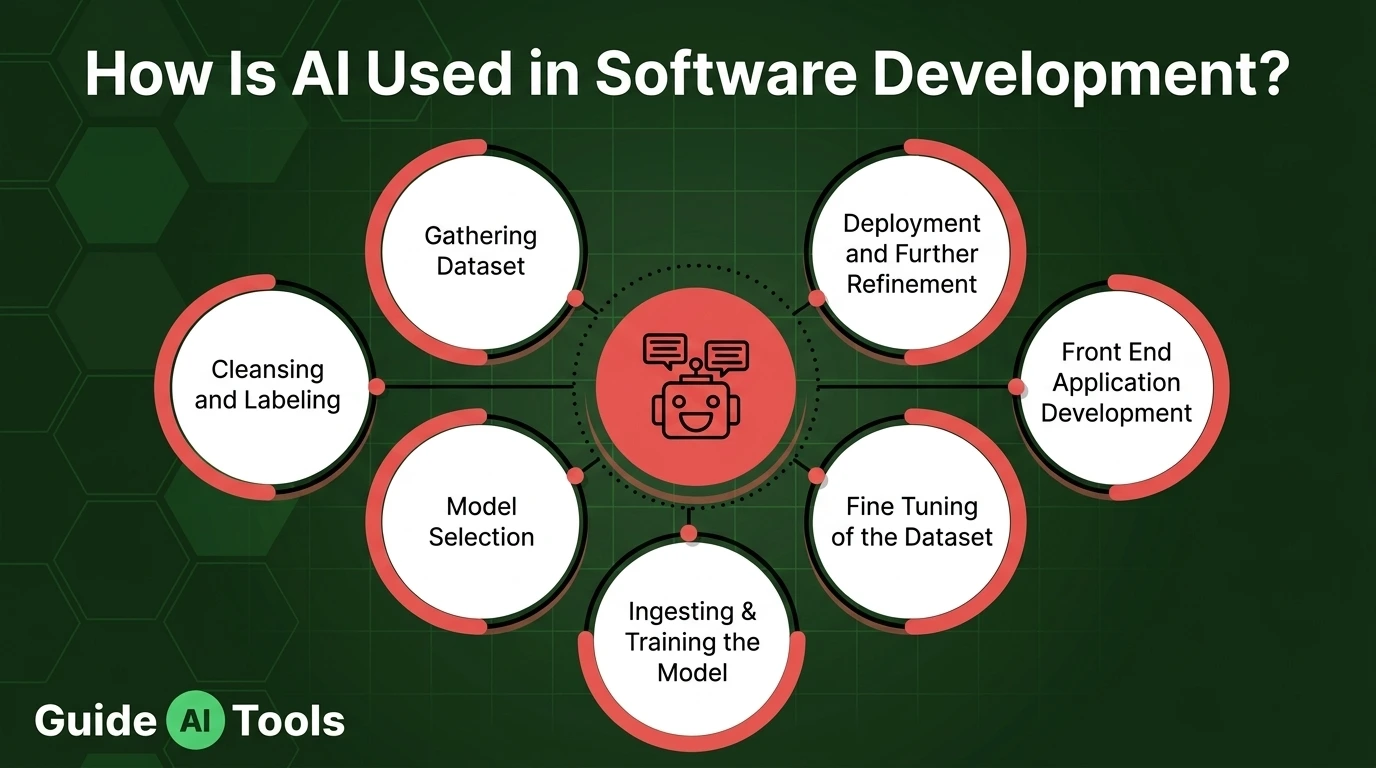
AI in software development means using AI tools inside the work of building software: drafting code, writing tests, explaining errors, reviewing changes and preparing releases. It does not write the product for you. It speeds up parts of the job and, on some tasks, quietly slows it down.
Two honest numbers frame the whole topic. In one controlled experiment, developers with an AI assistant finished a timed coding task 55 percent faster. In another study, experienced developers working on codebases they knew well were measured 19 percent slower with AI tools turned on. Both studies are real.
So the truthful picture is not that AI writes software now. The truthful picture is that AI sits inside every stage of building it, from the first user story to the release notes, and it helps in some places far more than others. This GuideAITools guide walks the stages one by one, groups the tools by the job they do, weighs the evidence, and ends with the failure points and a safe way to start.
What AI in Software Development Actually Means
AI in software development is the use of AI models inside the tools and steps that plan, write, test, review, and ship software. It is one working branch of what artificial intelligence is, pointed at a single trade.
Readers mix up three modes, and the mix-up causes most of the confusion. An assistant suggests lines while you type. A collaborator drafts whole pieces when you ask. An agent takes a goal and works through the steps itself. Same family, three different levels of trust.
| Mode | How it works | Example task | What the human still does |
|---|---|---|---|
| Assistant | Suggests the next lines as you type | Finishing a function, writing boilerplate | Accepts or rejects every suggestion |
| Collaborator | Answers questions and drafts whole pieces on request | Explaining an error, drafting a test file | Checks the logic and runs the tests |
| Agent | Takes a goal, edits files, runs tests, retries | Adding a small feature across a codebase | Reviews the full change before it merges |
Underneath all three sit large language models trained on huge amounts of code. It predicts code the way it predicts text, which is the core trick behind how generative AI works. It has read millions of examples. It has never run your system.
Where AI Helps Across the Development Life Cycle
Planning and requirements
Teams feed interview notes, support tickets, and rough ideas into a model and get back draft user stories with acceptance criteria. Forty pages of customer calls can shrink into themes and a first spec in minutes. The model also spots gaps: a story that says users can pay, with no word on refunds.
But a model cannot sit in the sales meeting you missed. It can list trade-offs. It cannot know which feature your business needs first, and that call decides whether the sprint builds the right thing at all.
Writing and changing code
Completion is the daily habit. You type, the assistant offers the next lines, and boilerplate, scaffolding, and routine data code appear before you finish the thought. Ask in plain words and you get a whole function. Point the tool at an old file and it can refactor the mess or translate legacy code into a newer language or framework.
Explaining code is the quiet win. Paste a function nobody remembers writing and the model walks through it line by line. For anyone joining a project mid-flight, that alone saves days of archaeology.
Then there is vibe coding: describe the app, accept what comes back, steer by feel. For a weekend prototype, it is great fun. For anything touching payments or user data, it is a debt taken on blind. And the catch runs through this whole stage. Generated code can look right and still be wrong, and it can call APIs that do not exist, a failure we open up properly below.
Testing and quality checks
Give the model a function and it drafts unit tests for it, then suggests the edge case you were too tired to see: the empty list, the negative number, the expired token. End-to-end tests can now heal themselves when a button moves on the page, instead of failing the whole suite. Static analysis and AI scanning read the change before merge and flag risky patterns early.
One trap matters here. A test written from the code can assert the current behaviour even when the current behaviour is the bug. A human still has to decide what correct means.
Review, release and upkeep
Pull requests get a fast first pass. The tool summarises the change and spots style slips, missing checks, a hardcoded secret, a query that will crawl in production. Pipelines get help too: build scripts drafted, failures translated into plain words. When something breaks at 3 a.m., log patterns get matched in seconds and a first guess at the root cause lands in the incident channel.
This is where AI agents earn their keep, opening draft changes across several files and running the test suite before a human looks. Documentation rides along as well: docstrings, README sections, and changelog entries drafted from the change itself.
Release and rollback calls stay human. A model does not carry the cost when a bad ship wakes up the whole company.
The Main Types of AI Tools Developers Use
Group the tools by the job, not by the logo. On GuideAITools we sort them the same way.
Editor assistants live inside the code editor and complete what you start. GitHub Copilot and Tabnine are the known names. AI-native editors rebuild the whole workspace around chat and agents, and Cursor and Windsurf lead that group. Command line agents work across a whole repo from the terminal, with Claude Code as the example most developers mention. General chatbots such as ChatGPT answer questions and draft snippets away from the editor. Around those sit review tools like CodeRabbit that comment on pull requests, testing tools that generate and maintain test suites, documentation helpers, and cloud platform assistants such as Gemini Code Assist and Amazon Q Developer.
What decides the fit is rarely raw cleverness. It is your stack, the editor your team already lives in, and where your company code is allowed to travel. Pricing is mostly per seat per month, with free tiers at the shallow end and heavier agent use sometimes billed on top.
You can browse the AI coding tools listed on GuideAITools to see how each type looks in practice.
Does AI Actually Make Developers Faster?
Short answer: the studies disagree, and the disagreement is the useful part.
Start with the widest lens. The 2025 DORA State of AI-assisted Software Development report surveyed nearly 5,000 technology professionals. About 90 percent use AI at work, and over 80 percent say it raised their productivity. The same report links higher adoption to better delivery throughput and, awkwardly, to worse delivery stability.
| Study or survey | Who was measured | What it found |
|---|---|---|
| GitHub Copilot controlled experiment | 95 developers given one timed coding task | Task finished 55 percent faster with the assistant |
| METR study, 2025 | 16 experienced open source developers on projects they knew well | 19 percent slower with AI tools, while feeling about 20 percent faster |
| DORA State of AI-assisted Software Development, 2025 | Nearly 5,000 technology professionals surveyed | Around 90 percent use AI at work, strong perceived gains, delivery stability still a watch item |
| Stack Overflow Developer Survey, 2025 | More than 49,000 developers | 84 percent use or plan to use AI tools, trust in output accuracy sits at 29 percent |
Why do the first two rows clash? The Copilot experiment handed developers a fresh, self-contained task, the exact shape of work AI eats for breakfast. METR watched experts inside huge codebases they had maintained for years, where the unwritten context lives in their heads and the model has to guess at it. Reviewing and fixing near-miss suggestions ate the time the typing saved.
And feeling fast is not the same as being fast. The METR developers left the study believing AI had made them quicker. The stopwatch said the opposite.
So judge the benefits of AI on your own ground. Measure your review time and your escaped bugs for a month. Vendor numbers were counted on someone else’s codebase, not yours.
Where AI Still Gets Software Wrong
The strangest failure is confident invention. Ask for help with a library and the model may suggest a package that does not exist. Researchers testing code models found that about one in five of the packages the models recommended were made up, and attackers noticed. They register those invented names and load them with malicious code, a trick now called slopsquatting. It grows out of the same habit covered in our guide to AI hallucinations, pointed at your dependency list. The defence is one dull habit: confirm every suggested package and API actually exists before you run anything, and check that it is the real, widely used one.
The code also leans insecure by default. Input validation goes missing. Auth checks get sketched rather than built. A secret sits in plain sight. It all passes a casual read because it looks tidy, which is exactly the overlap with AI in cybersecurity: ordinary code with ordinary holes, produced at unusual speed.
Logic can be plausible and wrong at the same time. Ask twice and you may get two different implementations, which makes review and testing harder to trust. There is a legal shadow as well. A generated block can closely mirror code from a licensed project, and your repository inherits the problem without anyone noticing.
The slow cost is skill. A junior who accepts every suggestion stops building the judgment the job runs on. Meanwhile seniors become the bottleneck, reading a river of pull requests they did not write. The typing got faster. The trusting did not.
How a Team Starts Without Creating a Mess
Start smaller than you want to. Pick one stage where your team bleeds hours, usually test drafting or code explanation, and run AI there for a month. Not the whole pipeline. One stage.
Three house rules keep it safe, and they exist because the risks of AI do not vanish at the office door:
- Use only tools your company has approved for company code.
- Never paste secrets, credentials, or customer data into a prompt.
- Strip names and business details out of the question, and ask about the pattern instead.
- Review AI output the way you would review code from an unknown contractor: line by line, tests running.
Then measure one number for that month: review time per pull request, or bugs found after release. Keep the tool only if the number moves the right way. Feelings do not count, and the METR result above is the receipt for why.
If you are learning the trade, reverse the order. Write the first attempt yourself, then ask the AI to critique it. You keep the learning and still get most of the speed, and that order matters far more than the tool you pick.
FAQs
Will AI replace software developers?
No. The tools are absorbing tasks, not the job. Someone still has to decide what to build, judge whether the output is safe, and answer for the release when it breaks. The developers who feel the squeeze are the ones whose whole skill was typing familiar patterns quickly, because that is precisely the part being automated.
What is vibe coding?
Vibe coding means building software by describing what you want and accepting the code the model returns, steering by feel instead of reading every line. It is a fine way to get a prototype standing by Friday. It is a risky way to build anything that handles money, health data, or other people’s accounts.
Can AI write a complete app on its own?
It can produce a small working app from a description, yes. A complete product is a different claim. Real software needs edge cases handled, data kept safe, behaviour that survives strange inputs, and changes next month that do not break this month. Agents can draft the first version. Keeping it alive is still a developer’s job.
How much do AI coding tools cost?
Most individual plans cost between 10 and 20 dollars a month, and team plans commonly run about 19 to 39 dollars per user a month. Free tiers exist for light use, students often get a paid plan free, and some vendors now add usage-based charges when agents do heavy work. Check the official pricing page before you budget, because the tiers move often.
What is the difference between an AI coding assistant and a coding agent?
An assistant suggests while you drive. It completes lines, answers questions, and drafts the piece you asked for, and you stay in control of every step. An agent takes a goal and works through the steps itself: reading files, editing several of them, running tests, and retrying when they fail. The difference is who holds the wheel between instructions.
Is it safe to paste company code into an AI tool?
Only inside a tool your company has approved for that code, on a plan that states your code will not be kept or trained on. Never paste secrets, credentials, or customer data into any prompt, whatever the tool. If the question can be asked about the pattern instead of the real code, ask it that way.
Conclusion
Here is your decision. Pick the stage where your team loses the most hours, run AI there for one month under the house rules above, and judge it on your own numbers, not on a vendor’s slide. Keep it only where the numbers move.
When you are ready to compare options, browse the AI coding tools and development categories on GuideAITools to see the tools behind each type named in this guide. And for the same honest tour of the rest of the workplace, this series also covers AI in marketing, AI in customer service, AI in manufacturing, AI in transportation, and AI in scientific research.

Related Blog Posts